Foxl v0.9.3: Redrawn for Your Phone
Foxl v0.9.3 is out: start a chat by talking to it, a Make tab for what Foxl made on your computer, approval cards that show the email or command, Foxl telling you first what needs you, sign-ins done for you without its AI seeing your password, a check before card numbers and payment buttons, Notes that sync across devices, threads in Channels, Workspaces on Free and Rose Pine by default.
On this page
Foxl v0.9.3 is out, and it is a big one. Chat on a phone was rebuilt around one message bar and real approval cards. You can talk to Foxl to start a chat, from the iPhone's Action button or a shortcut on your computer. A Make tab collects what Foxl made, Foxl can tell you first what needs you, it signs in to sites for you without its AI seeing your password, and it always asks before a card number or a payment button. Foxl Notes syncs across your devices, Channels picked up threads and statuses, Free accounts get Workspaces, and Rose Pine is the new default palette.
The desktop app, the Android app and app.foxl.ai, on a computer or in a phone's browser, have v0.9.3 now. On the iPhone, it comes with the App Store update. Many of the phone features run on your computer, so update Foxl there too. Most screenshots below were captured during the v0.9.3 betas in Foxl's own palette; v0.9.3 opens in Rose Pine, so your colours will be warmer.
Chat on a phone, rebuilt
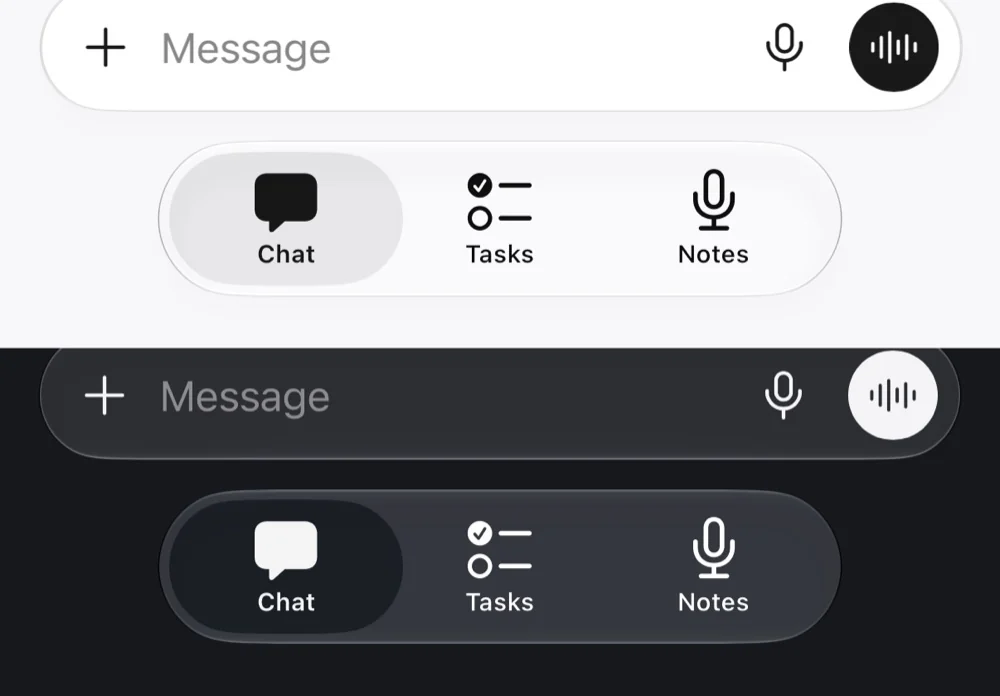
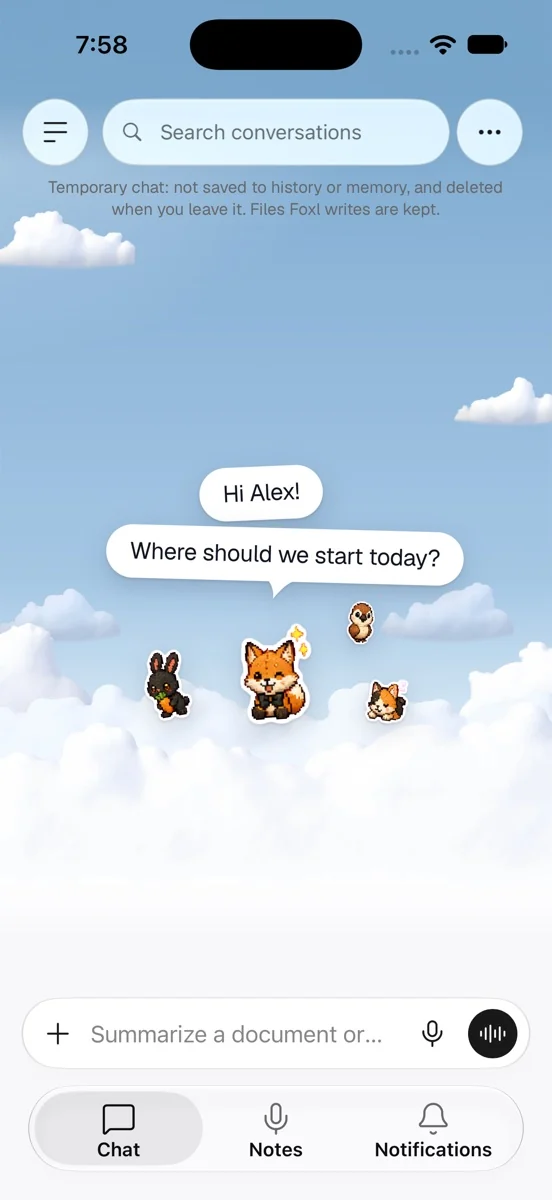
On the iPhone, on Android and in a phone's browser, Foxl Agent's chat was redrawn. Each paragraph of an answer is its own grey bubble and arrives one at a time, the way a person texts, and your messages are bubbles with a tail. The message bar is one round capsule: +, Message, the microphone and the voice circle. The model, the terminal and the approval mode moved into its +. The round Foxl at the top of the chat opens a small sheet about your agent, and an answer that ends with a quick question can offer up to three short replies as buttons; tap one and it is sent as your message. The tab bar shows its labels again. On the iPhone the message bar is glass, and dragging the chat down takes the keyboard with your finger. The desktop and the iPad keep their layout.
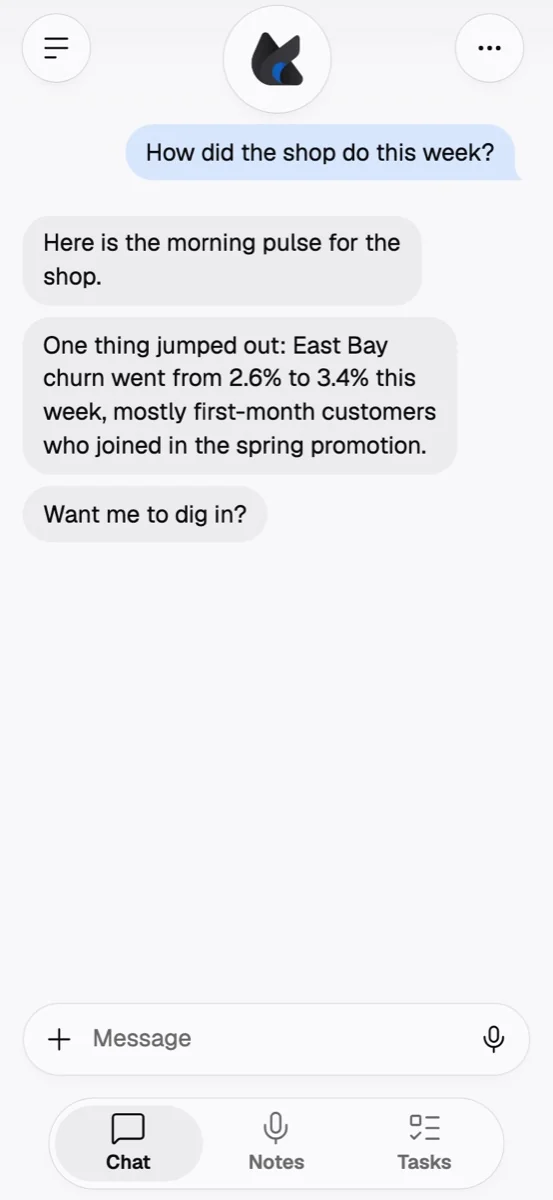
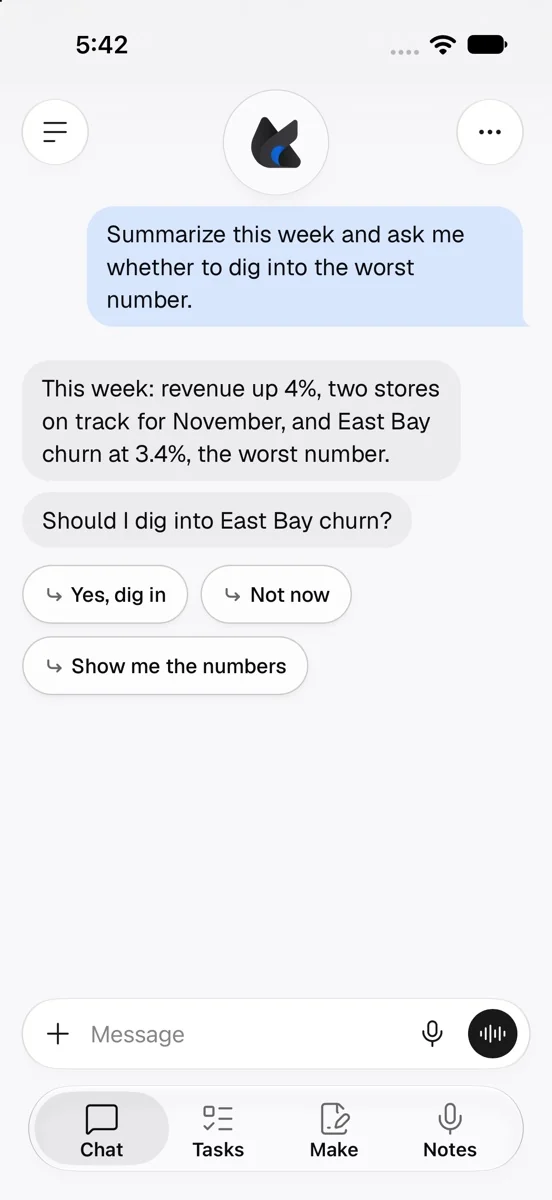
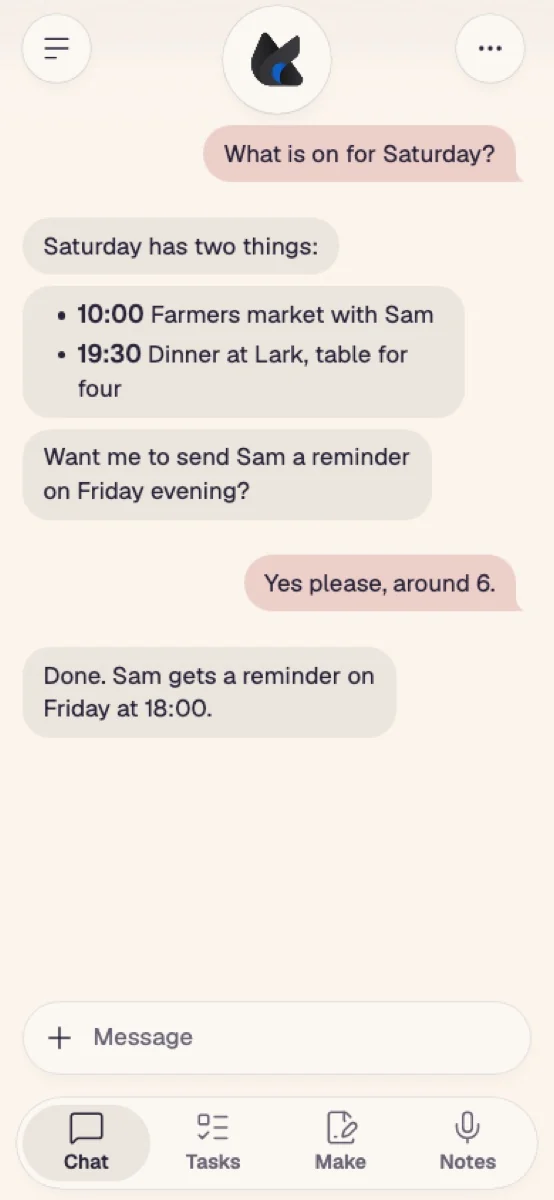
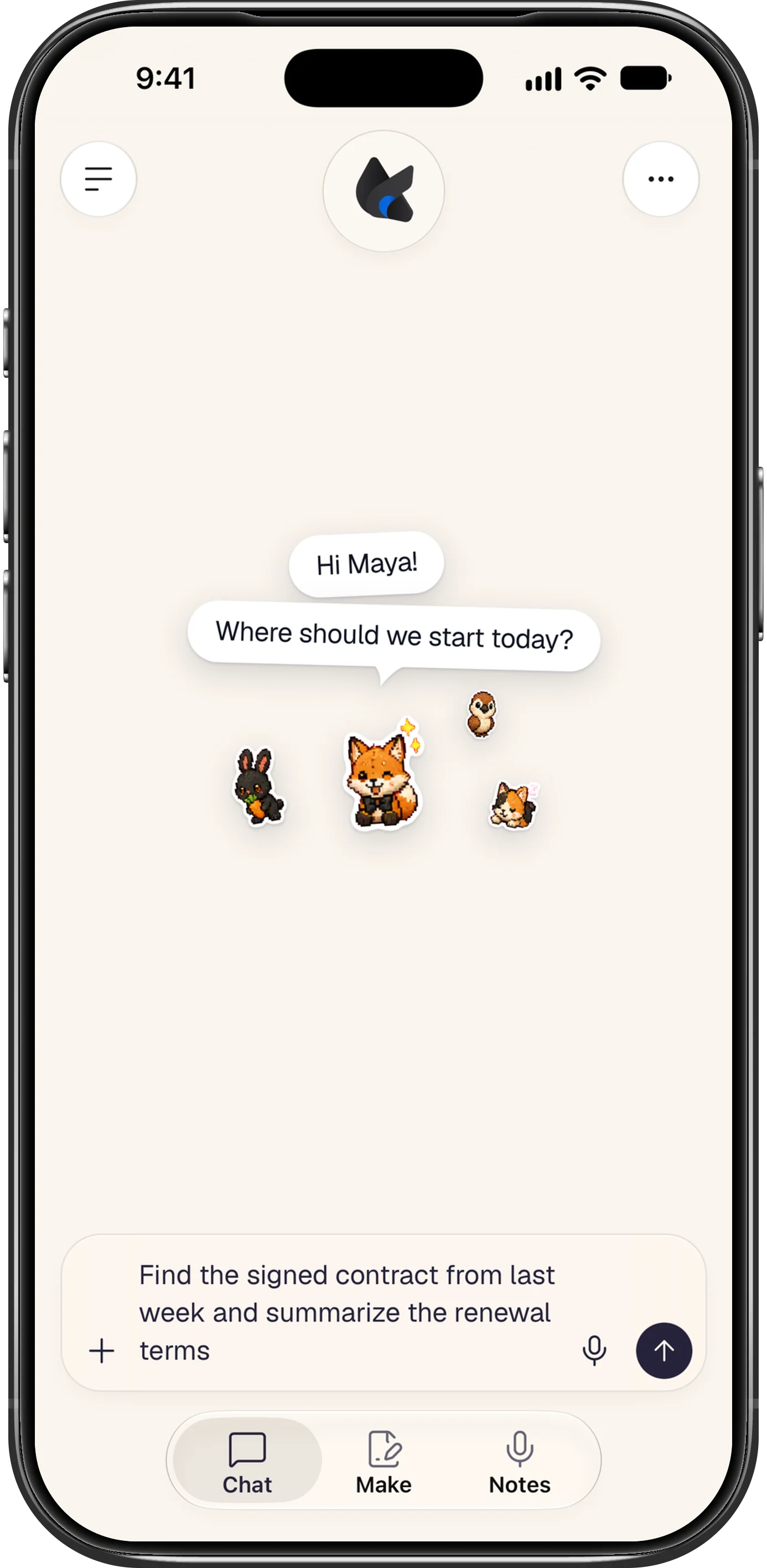
Foxl Code's message bar on a phone has the same shape, with the repository and the model in its +.
Approvals that show what Foxl is about to do
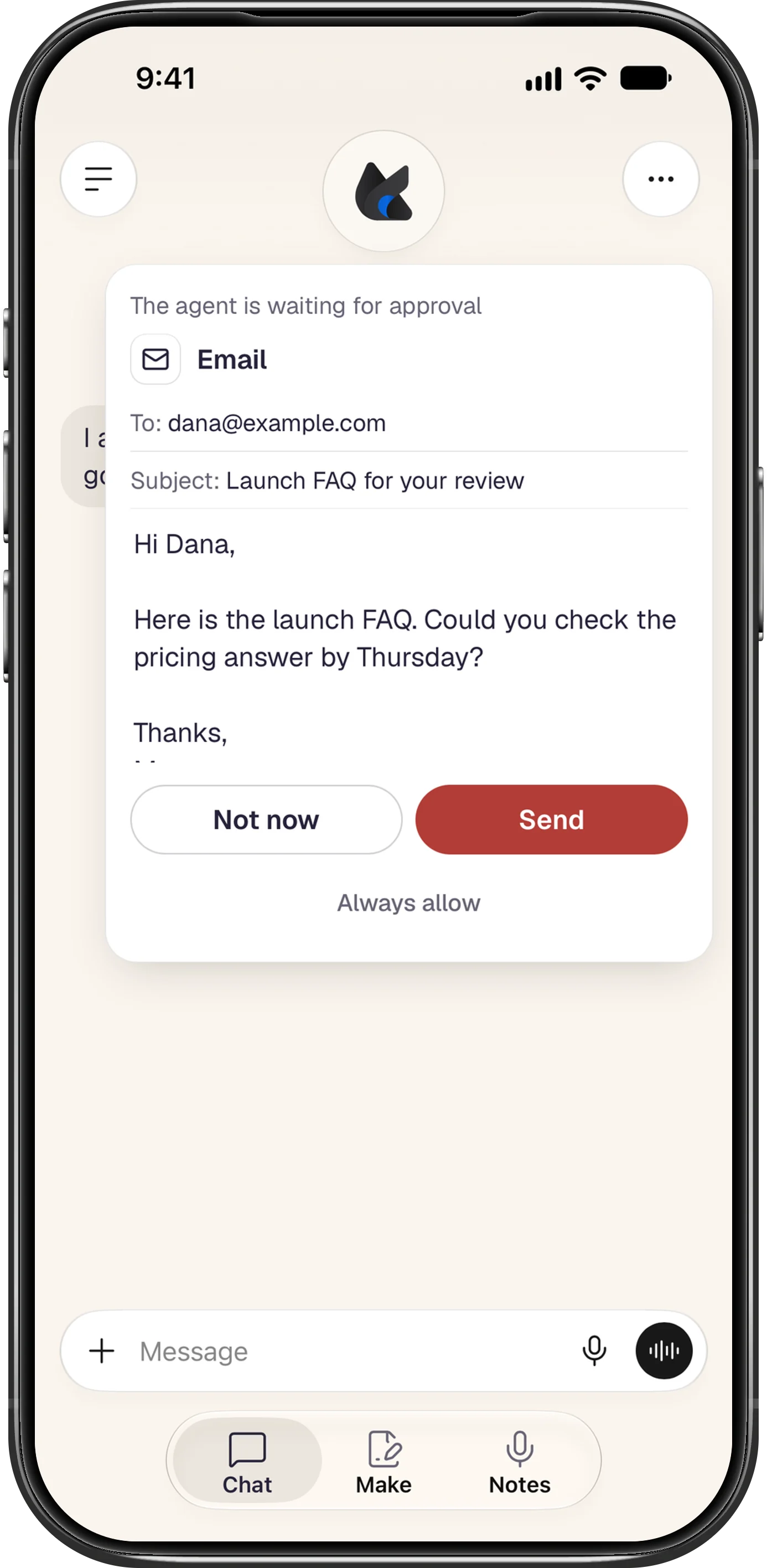
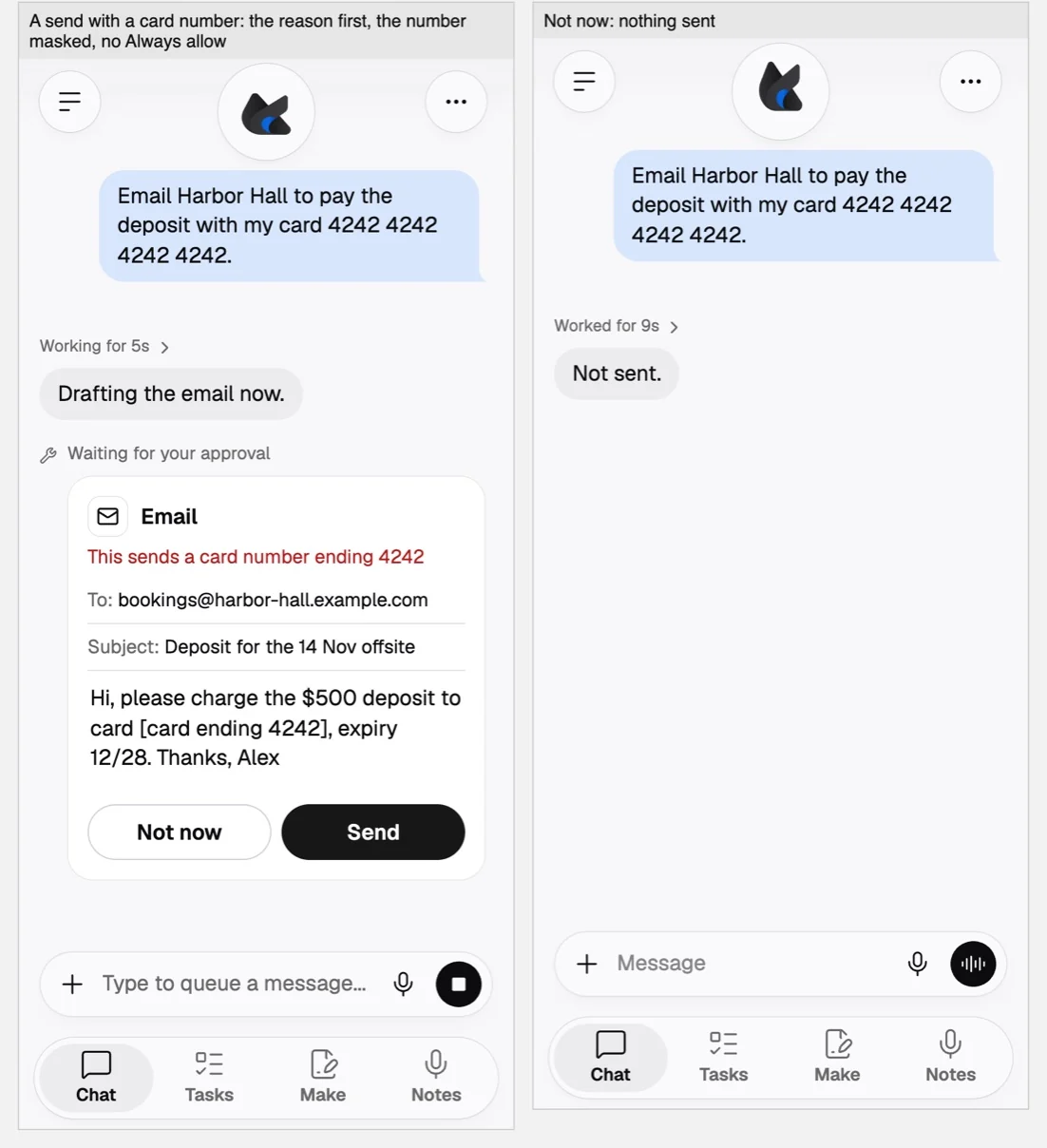
When Foxl asks before a tool runs, a phone shows the request as a card with the thing itself on it. An email or a channel message shows who it goes to, Cc and Bcc included, the subject and the words, with Not now and Send. A command shows the command and the folder it runs in, and any other step shows its details, with Approve and Not now. Always allow sits under both, and your answer takes the buttons' place, so a chat you scroll back through still shows what you decided. Not now declines, as Deny did. A new install runs every tool without asking (Settings > Safety > Auto-approve all tools), so these cards appear once you turn that off.
Talk to Foxl
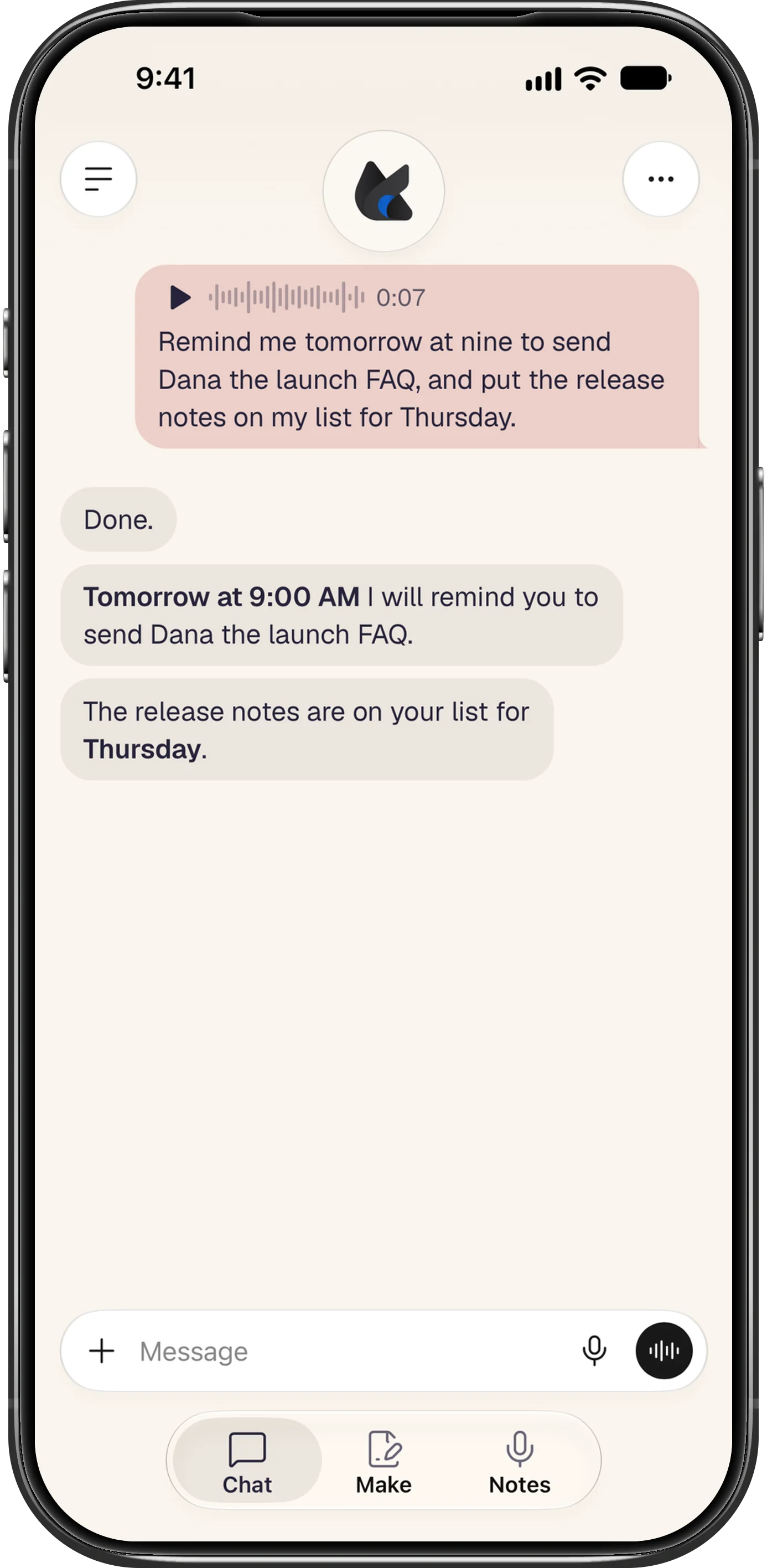
Voice messages on the iPhone, Android and in a phone's browser: tap the black circle at the end of the message bar to record and tap again to send (the X cancels), or hold it and let go to send, sliding toward the + to cancel. Foxl transcribes as you speak, and your message keeps a play button for the recording. A voice message sends by itself at one minute.
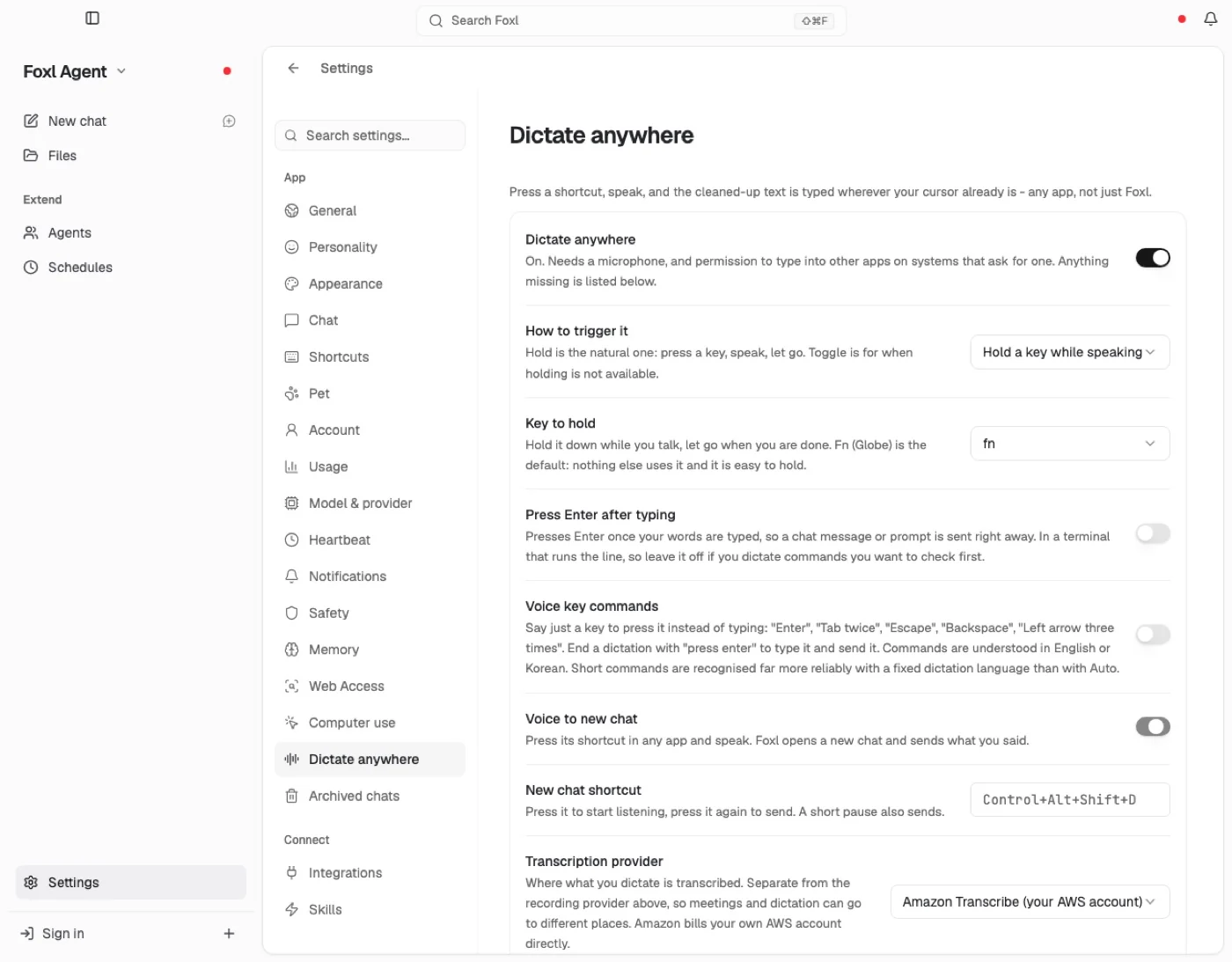
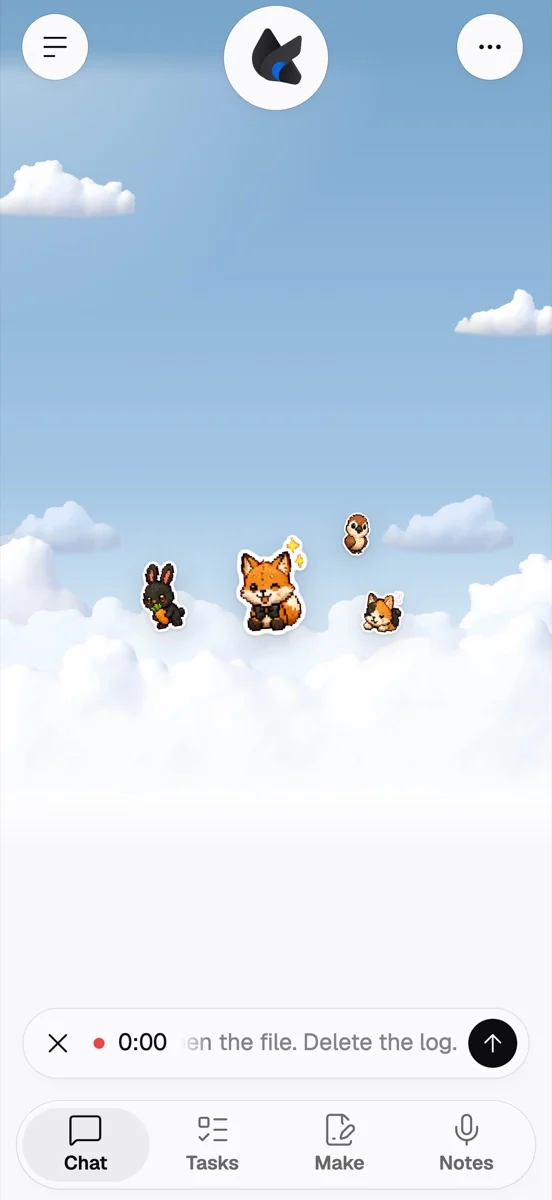
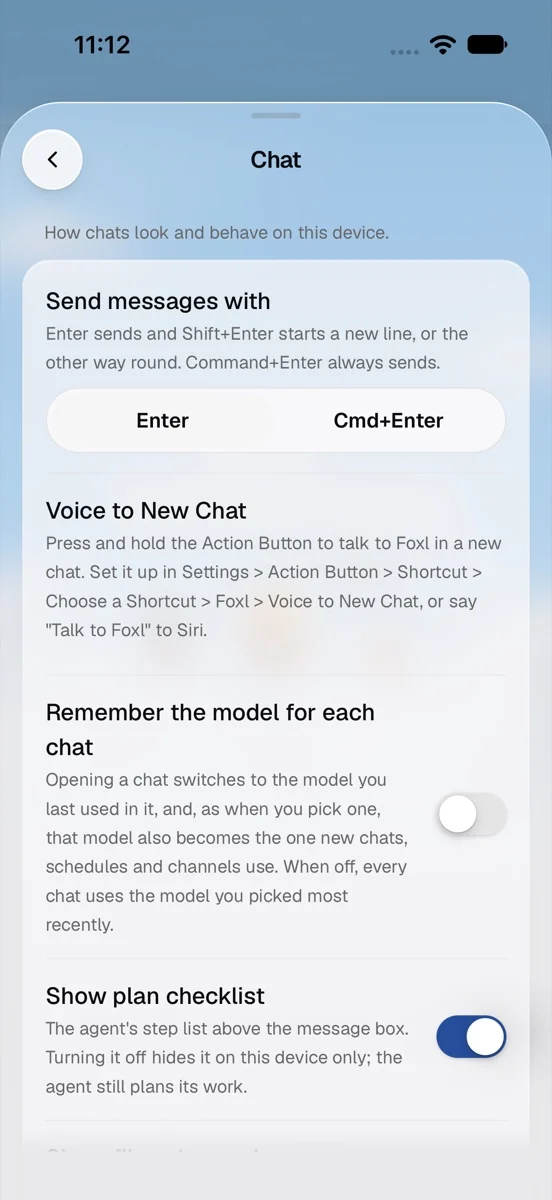
Voice to New Chat on the iPhone opens a new chat that is already recording; tap Send and what you said is that chat's first message, with the chat you had open and anything you had typed left as they were. It lives in the Shortcuts app with nothing to set up: put it on the Action button, say "Talk to Foxl" to Siri, or find it in Spotlight. The details are in where to find it below. On the computer, Voice to new chat in Settings > Dictate anywhere (off until you turn it on) gives you a shortcut, Control+Alt+Shift+D: press it in any app, speak, and press it again or pause. Foxl comes forward on a new chat and sends what you said. Nothing is typed into the app you were in, and if Foxl cannot open, your words go to the clipboard.
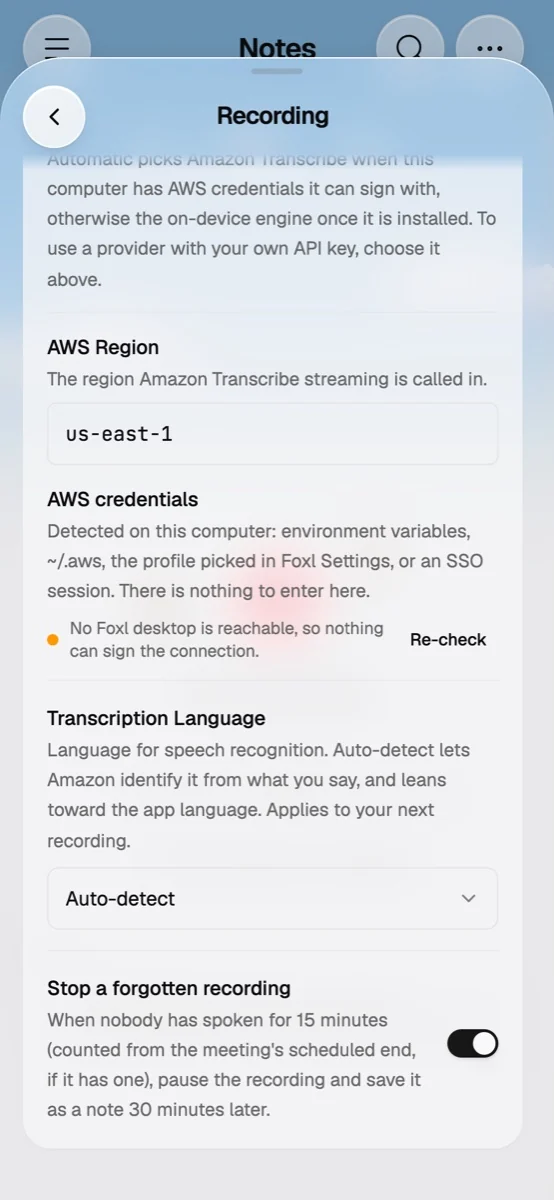
The microphone and the voice circle show only where what you say can be transcribed. On a phone, that means your computer is connected and transcribes it, with Amazon Transcribe set up there on your own AWS account. And under any answer, Read aloud reads it in the answer's language with your device's own voices, leaving out code, at no cost.
Make: what Foxl made, in one tab
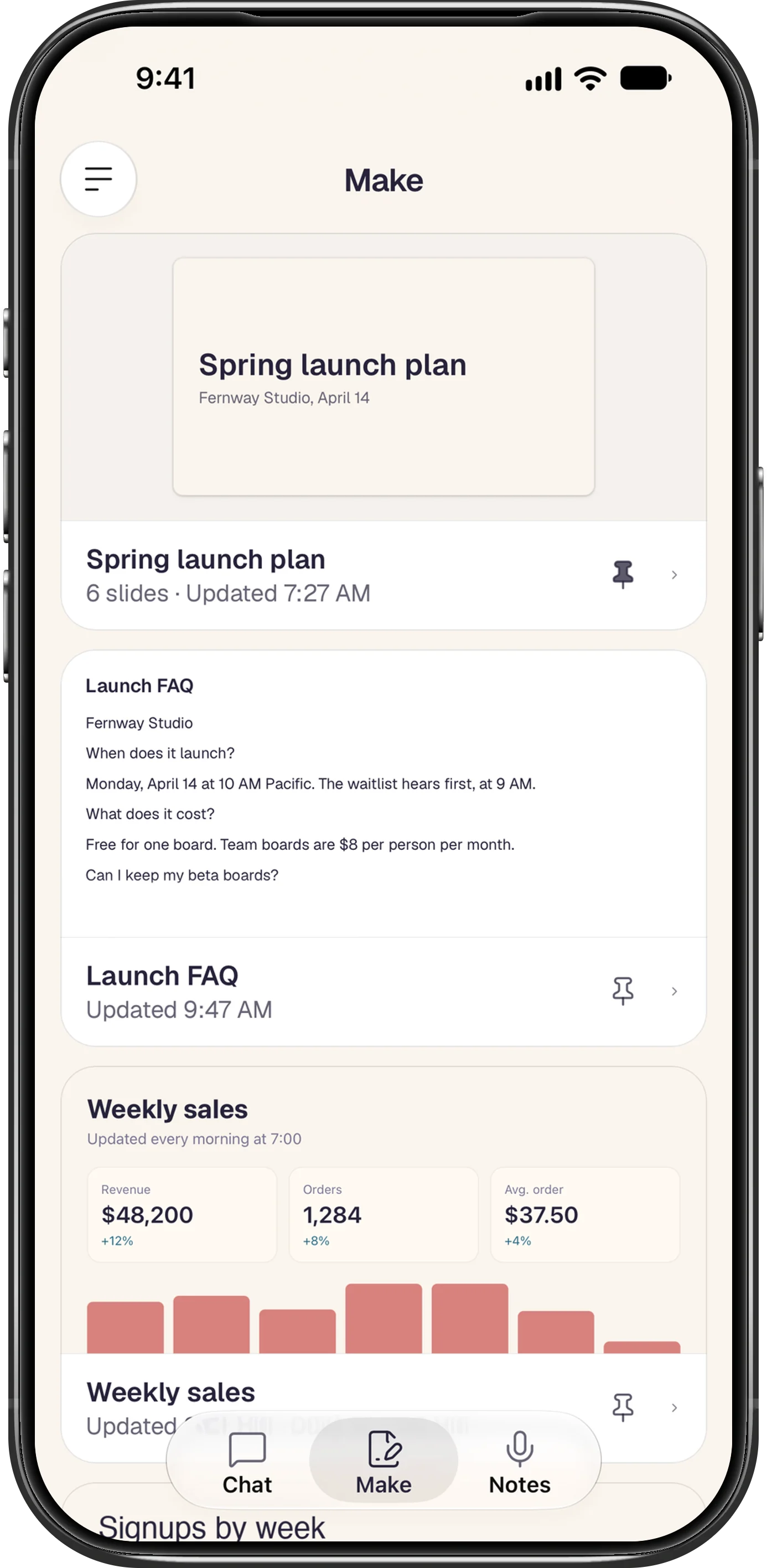
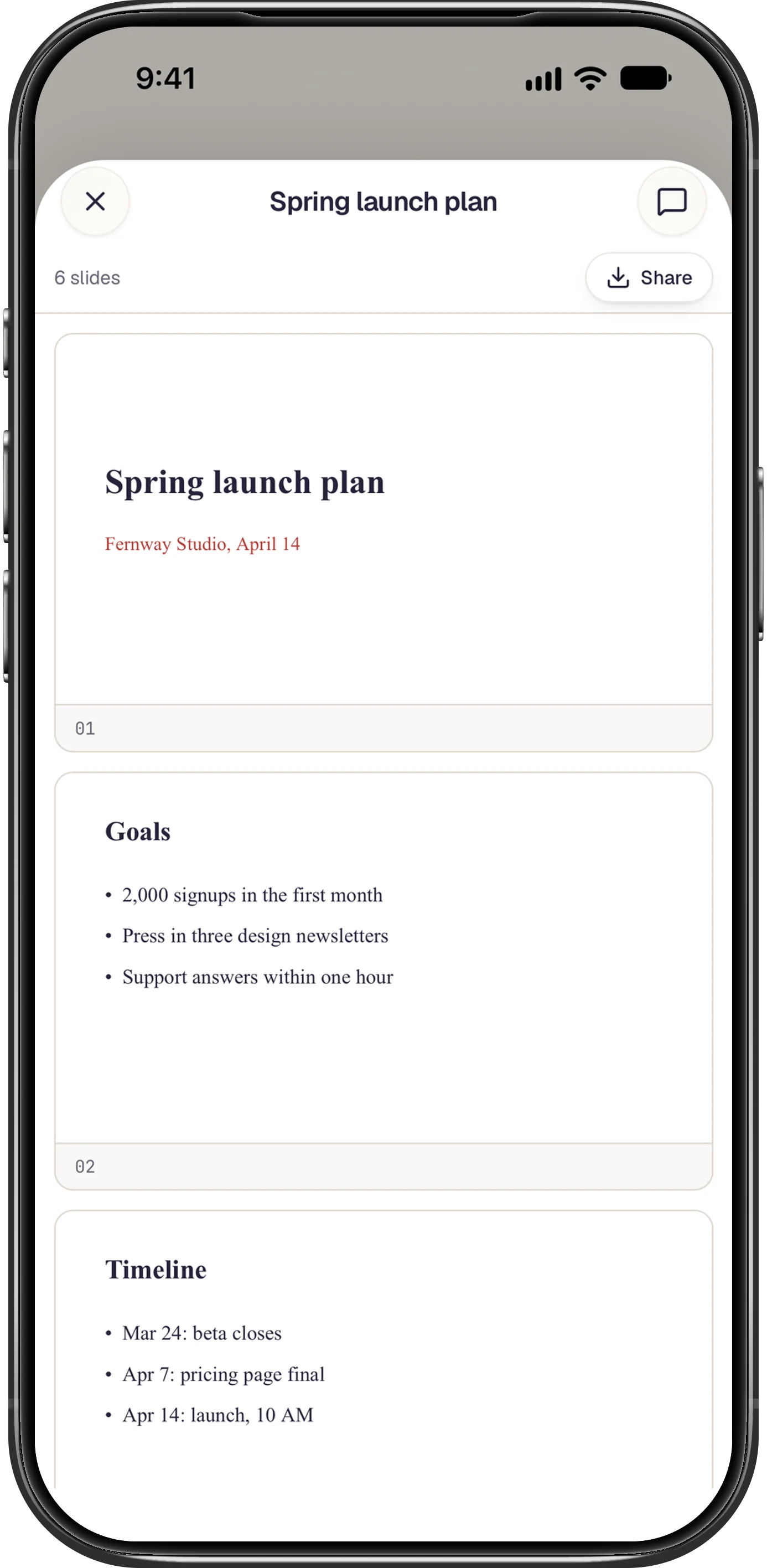
On a phone, Make is a tab of its own, beside Chat and Notes (and Foxl Code's Tasks, for an account in its private beta). It lists what an agent wrote on your computer, newest first, each file as a card that shows its top: a Word document's title and first lines, a deck's first slide and how many slides it has, a sheet's first rows, the page or the picture itself. A file the agent rewrites keeps its one card. Pin a card to keep it on top, and tap it to open the file in Foxl's viewer, with a button back to the chat that made it. A page that a schedule keeps rewriting says when it was last updated and when it refreshes. Files you saved yourself, your uploads, Foxl's memory files and the files of a command that changed 40 or more at once are left out. Make needs your computer connected and running v0.9.3.
Foxl tells you first
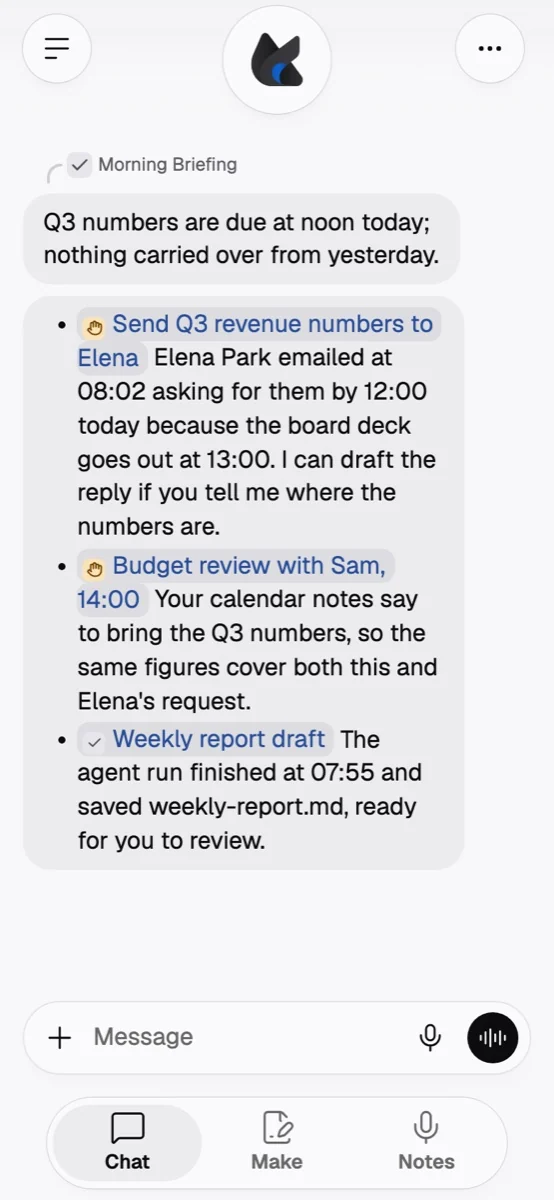
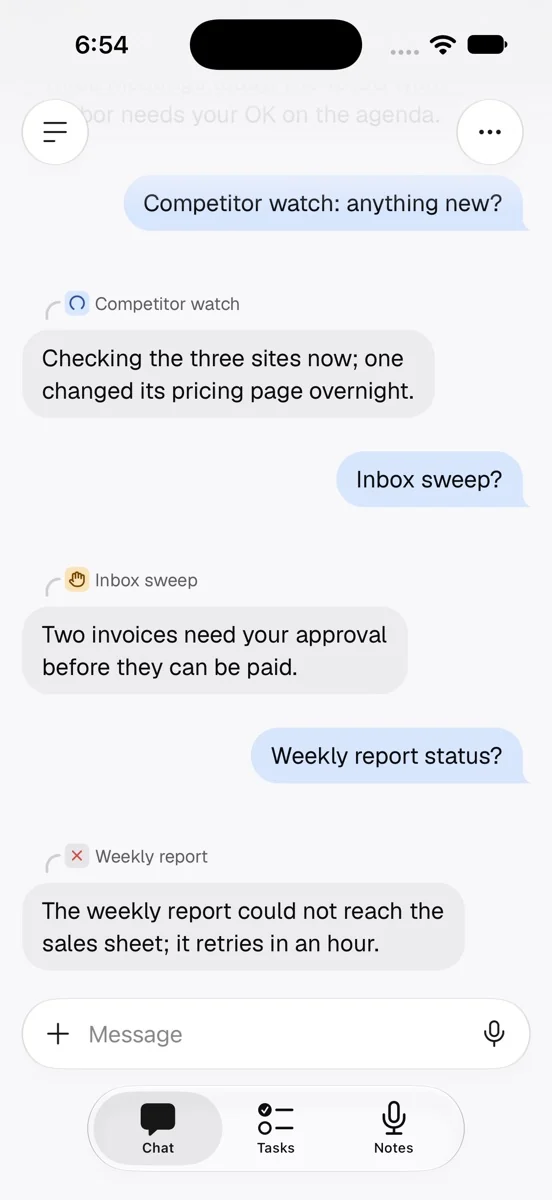
A chat called Foxl now sits at the top of your chats on every device, one ongoing conversation. On a phone the Chat tab opens it, and when a schedule finishes or fails, its result is posted there under the schedule's name, so you can answer it in place. On a phone, a scheduled run's answer carries the schedule's name and a small tile with how it stands now: a turning arc while it runs, a red cross when its last run failed, an amber hand when it paused itself and waits for you.
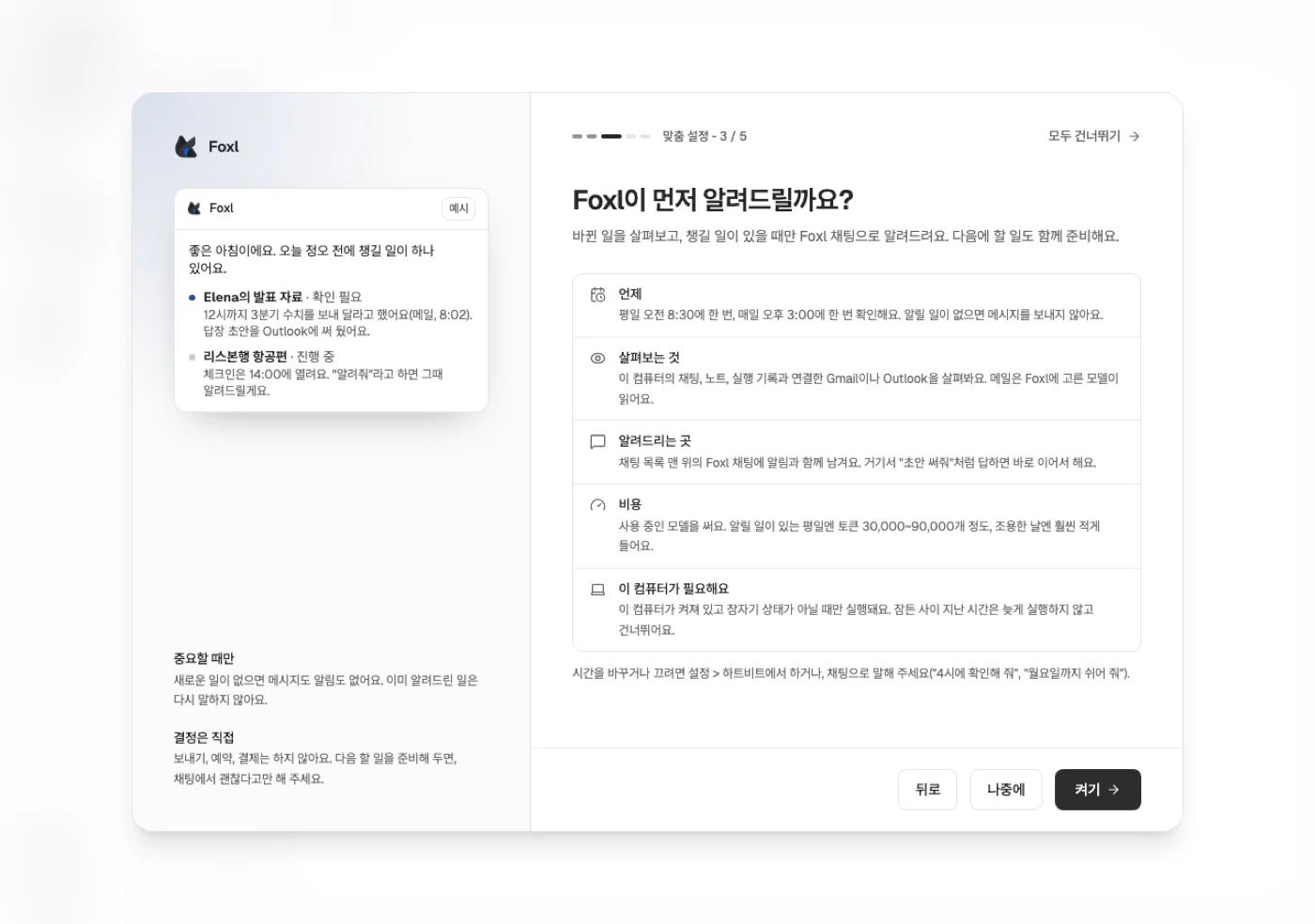
Morning briefing and Check-ins are two switches on your computer, both off until you turn them on. The first run asks once whether Foxl may tell you first, and Settings > Heartbeat has both. The briefing runs on weekdays at 08:30 (or the time you pick) as one message in your Foxl chat, each thing with its status: needs you, in progress, done. A check-in runs at 15:00, looks at new mail in a connected Gmail or Outlook and at agent runs that finished, and only writes when something needs you. Both only read: they fetch no web page, run no command and write no file. Tell Foxl in a chat "check in twice a day" or "pause check-ins until Monday" and it changes the times. They run while your computer is on.
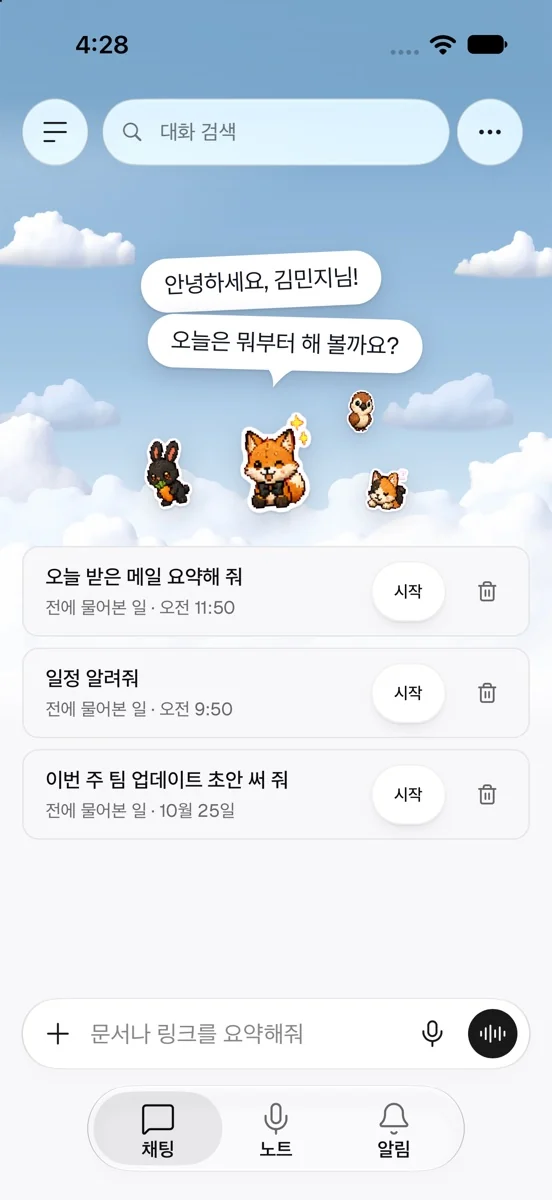
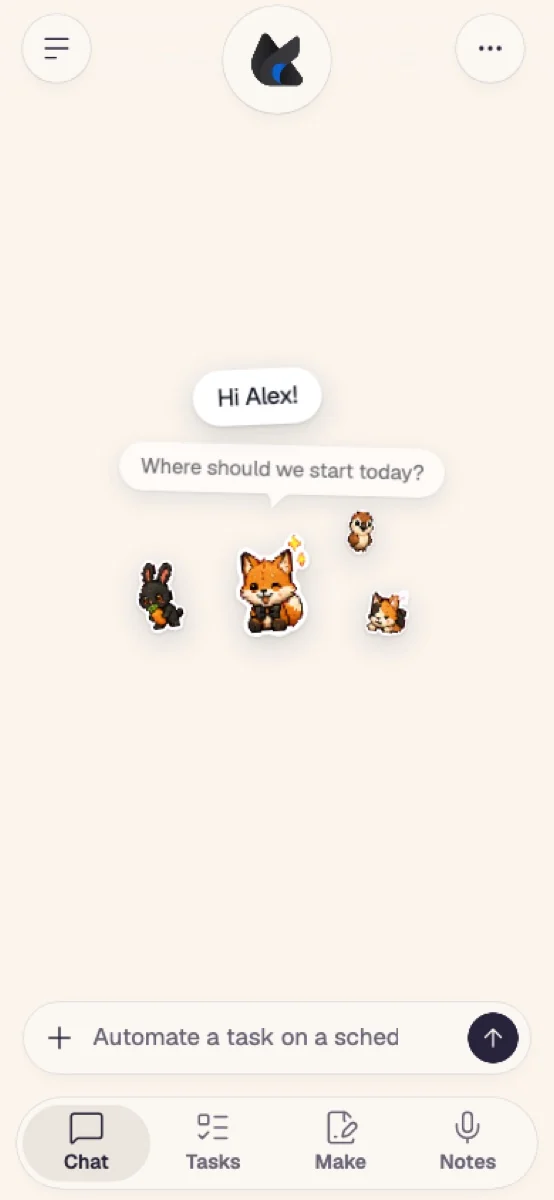
And when you have opened two or more chats with the same request in the last month, a new chat offers up to three of them under the greeting, with Start to send it again and a trash button to hide it for a week.
Foxl signs in for you, and shows what it keeps
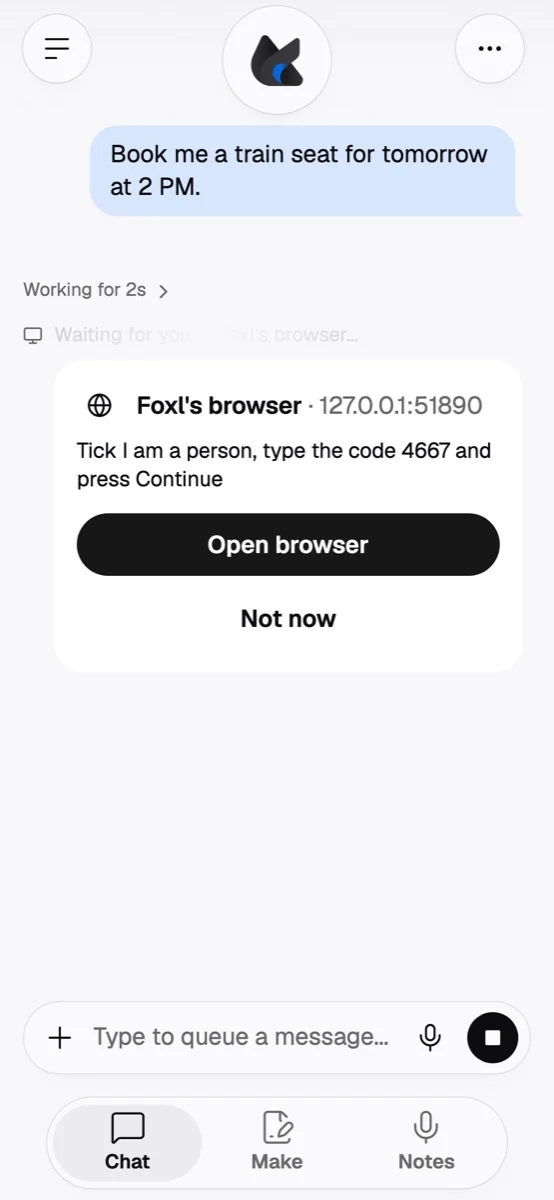
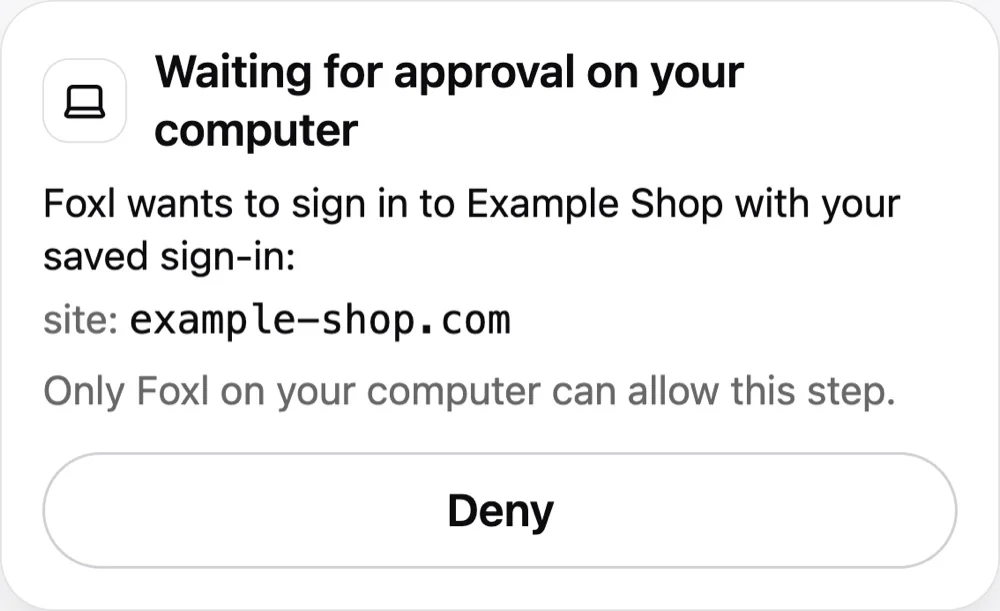
When a task needs you to sign in to a website, Foxl asks in the chat. A Sign in to (site) card takes your email or username and password, and if you like the site's 2FA setup key, saves them in a vault on your computer, and signs in for you on that site only, on its secure page. Foxl's AI never sees what you type; from a phone or app.foxl.ai the card sends it only sealed for your computer (encrypted on the way so that only your computer can open it), and using a saved sign-in is allowed only on your computer. When Foxl's browser meets a CAPTCHA or an "are you human" check, it stops and shows a Foxl's browser card: Open browser shows that page full screen for you to do the step, and I'm done hands it back.
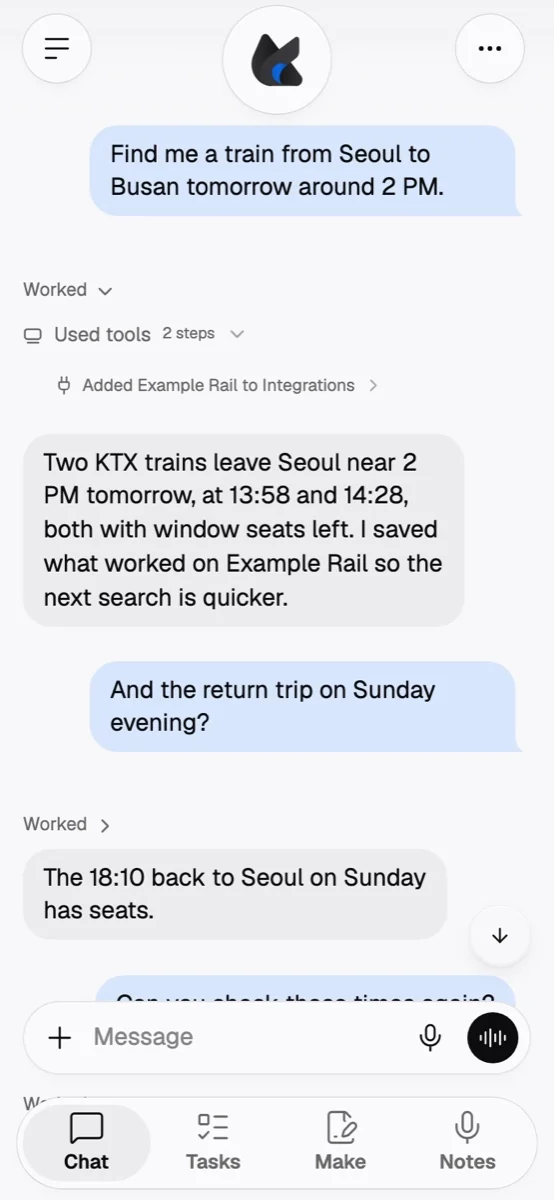
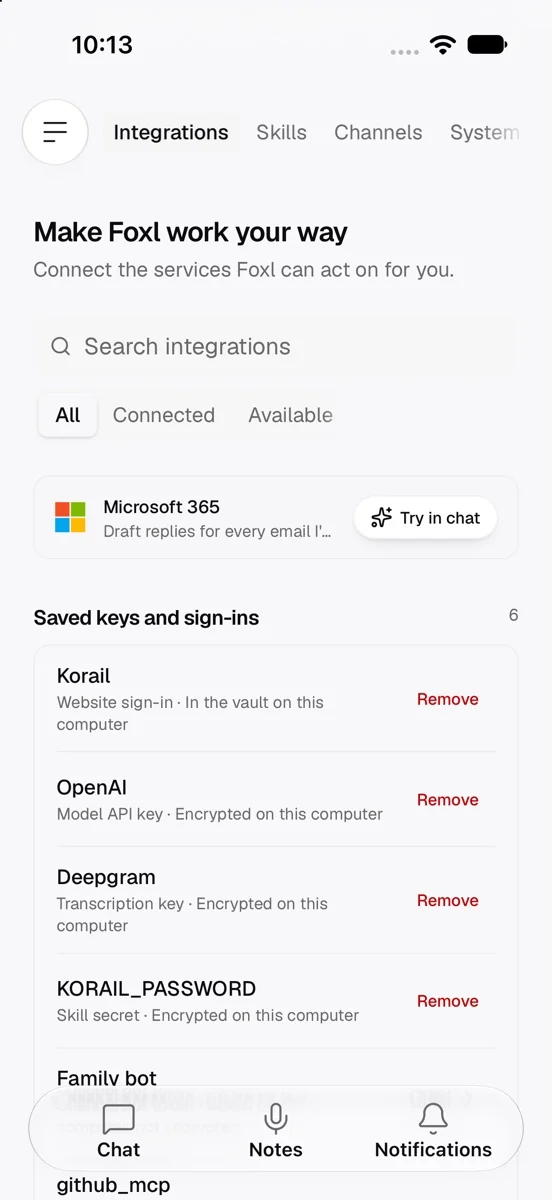
Foxl also remembers the sites and web APIs it used to get a task done, and what it learned getting each one to work, and reads that back next time; one line under the step says so, such as Added Korail to Integrations. It does not when Settings > Memory > Save memories is off. All of it is in Settings > Connect > Integrations: Added by Foxl lists those sites, and Saved keys and sign-ins lists every key, token and sign-in Foxl keeps on your computer and where it is kept, with Remove, and never shows a value.
It always asks before money and sensitive numbers
Foxl now asks before it sends a card number, a Korean resident registration number or a US Social Security number, in an email, a message or text it types into a page or an app, even with auto-approve on. The prompt names what it found by its last four digits only ("This sends a card number ending 4242"), Allow sends that one message, and there is no Always allow for it. Before it presses a payment or booking button (Place order, Pay, Buy now, Confirm booking, Cancel subscription and the like, in ten languages), it shows the button, the site and the total and asks; after you allow it, it reads the page again and does not press if any of the three changed. Passwords, tokens, API keys and cookies are masked in the tool call history. These checks run on your computer and cannot be switched off.
A Foxl that fits you
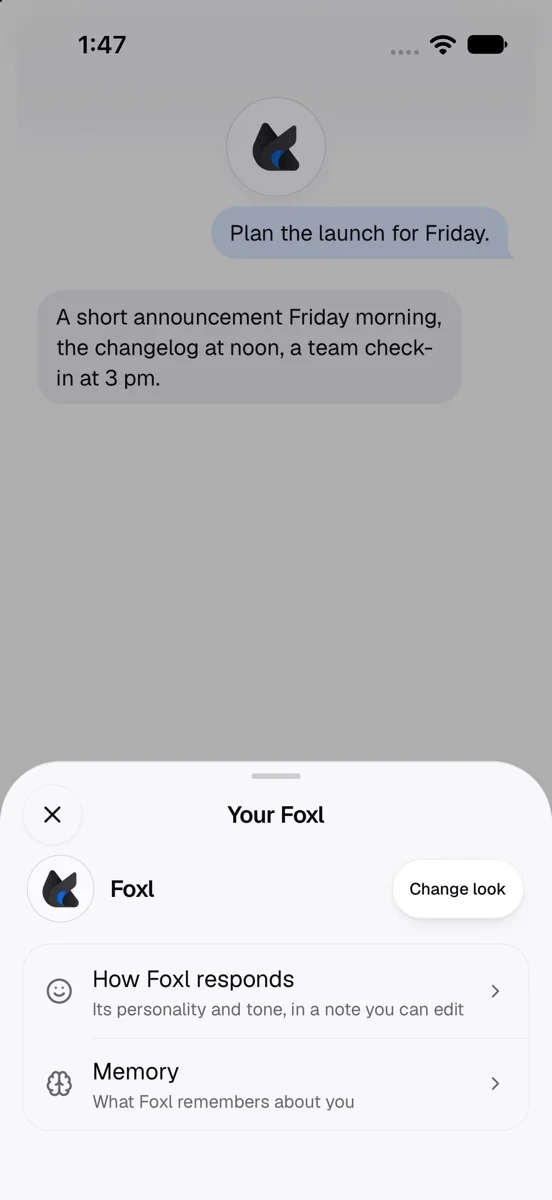
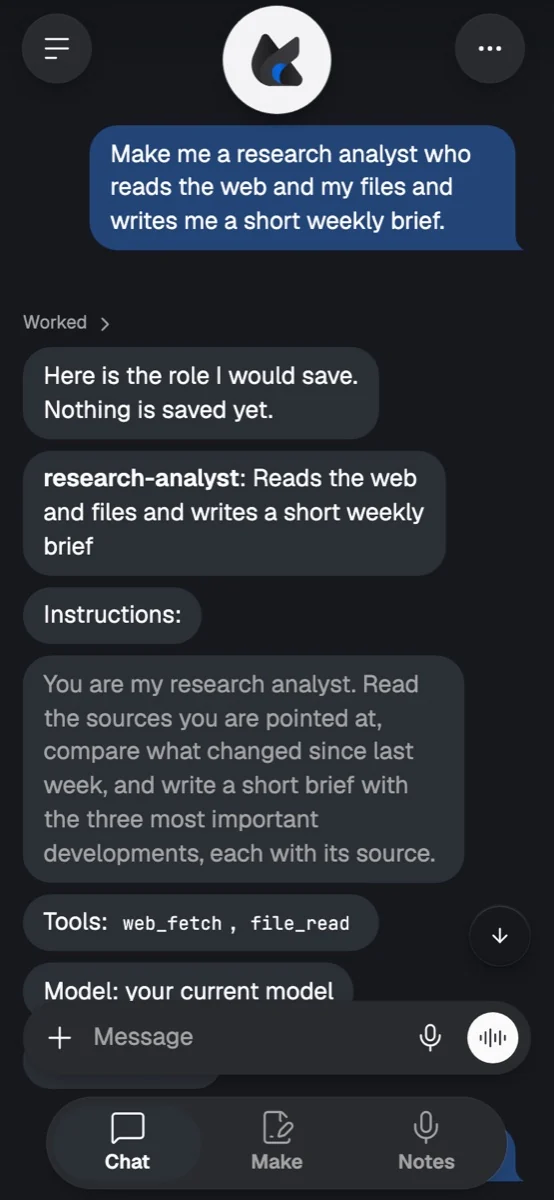
Tap the round Foxl at the top of a chat on a phone, or choose Your Foxl in the chat's ... menu, for a sheet about your agent: How Foxl responds opens its personality, Change look picks the pet in the circle, and on the iPhone Memory is there too. Settings > Personality has two plain boxes, How should Foxl answer? and What should Foxl know about you?. Paste a few messages you wrote and ask Foxl to learn how you write, and it shows the style it found and saves it only after you answer. Ask for a role ("make me a research analyst who reads these sites and writes me a short brief") and it shows the role, its instructions, tools and model, and saves it only when you say yes; a schedule can run as that role. A chat workflow can become a skill, and a skill shows all its instructions and files before you add it.
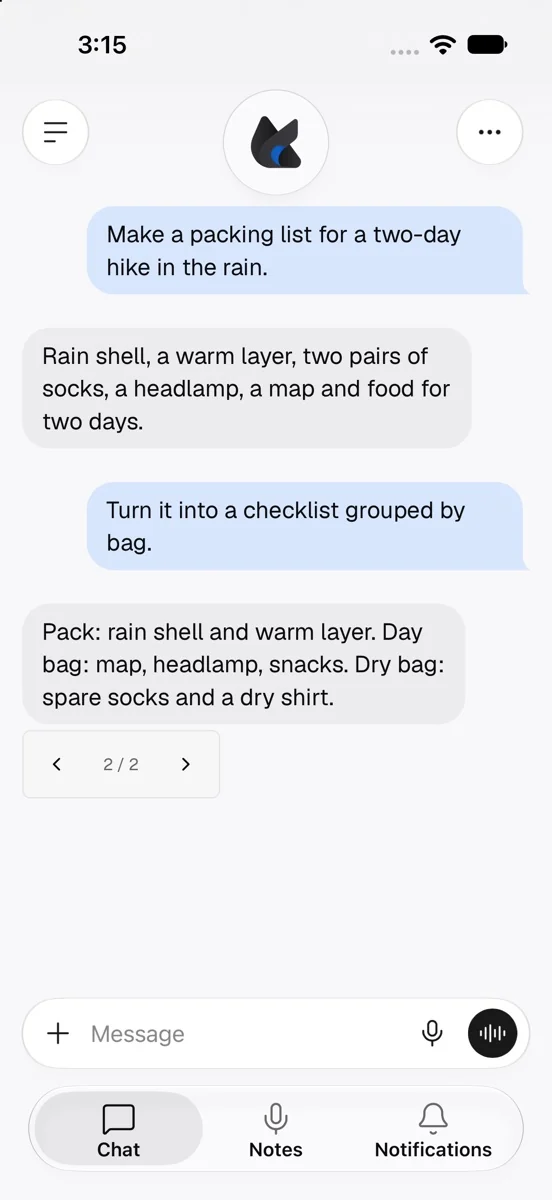
Two new ways to chat: Temporary chat, turned on in a new chat's model picker (on the phone, in the ... menu), stays out of your chat list, search and memory and is deleted when you leave it. Retry with another model under the latest answer gives you a second answer and keeps the first, with arrows to switch between them, in chats kept on your computer.
From other apps into Foxl, and App lock
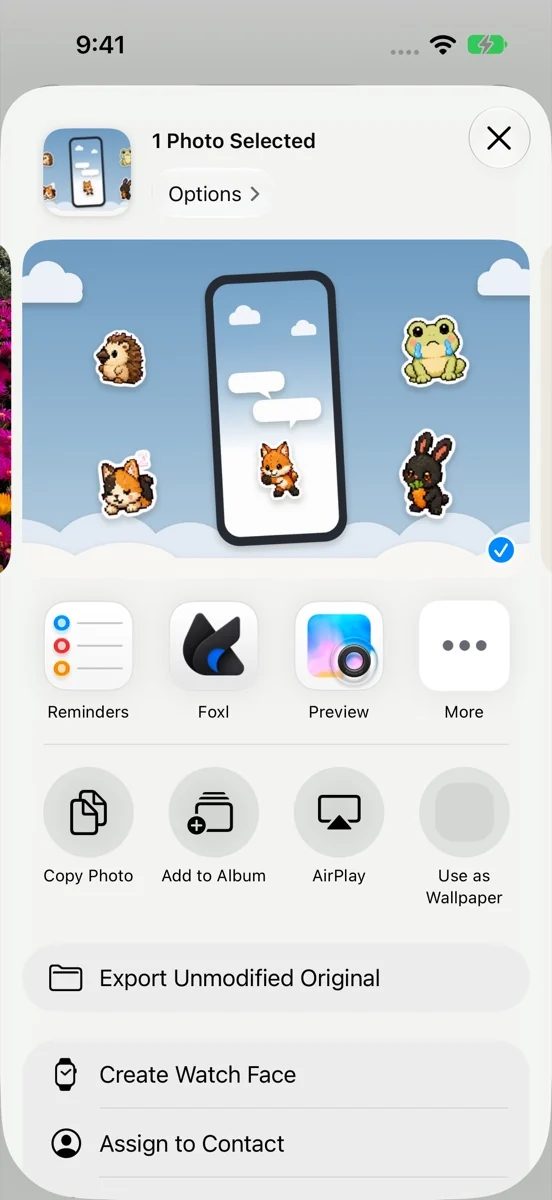
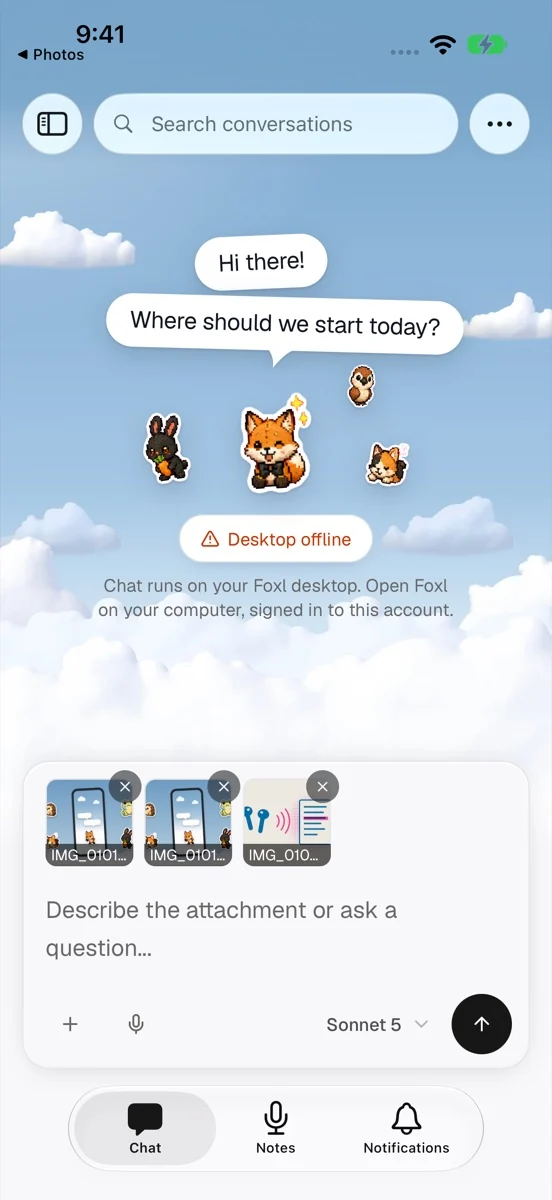
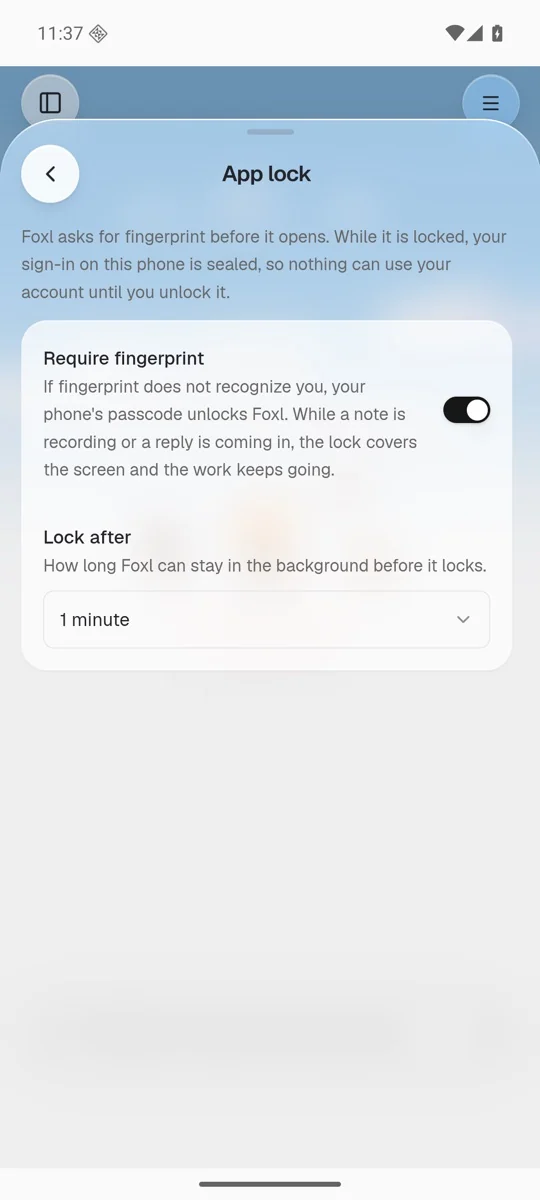
In the iPhone, iPad and Android apps, share photos, a web page or a text selection to Foxl from another app's share sheet, and a new chat opens with it in the message box, ready for your question; nothing is sent until you send it. A HEIC photo arrives as a JPEG, and up to 10 photos and files come in one share. On the iPhone, New Chat and New Recording are in the Shortcuts app too, and a long press on the Foxl icon on Android offers New chat and New recording. App lock (Settings > App lock, off until you turn it on) opens Foxl only after Face ID, Touch ID or your fingerprint, with your phone's passcode as the fallback, and it locks your sign-in, not just the screen.
Foxl Notes
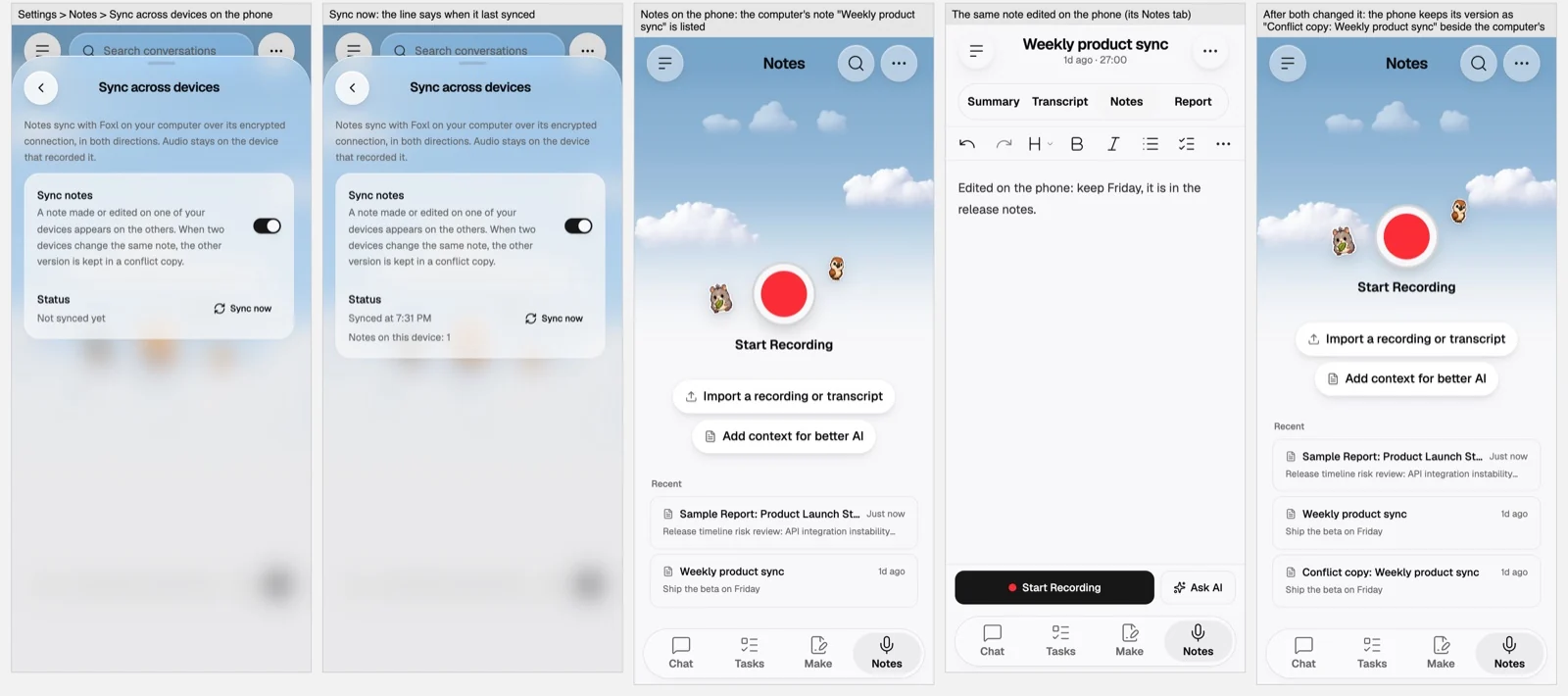
Notes now sync both ways between your computer and your phone, iPad and app.foxl.ai: a meeting you record on the phone appears in Notes on your Mac, and one recorded on the Mac appears on the phone, with its transcript, notes, summary and report. Your computer holds the original, and the other devices reach it through Foxl's connection to your computer. When two devices change the same note, the other version is kept as a conflict copy. Audio stays on the device that recorded it. Settings > Sync across devices turns it off per device and shows the last sync.
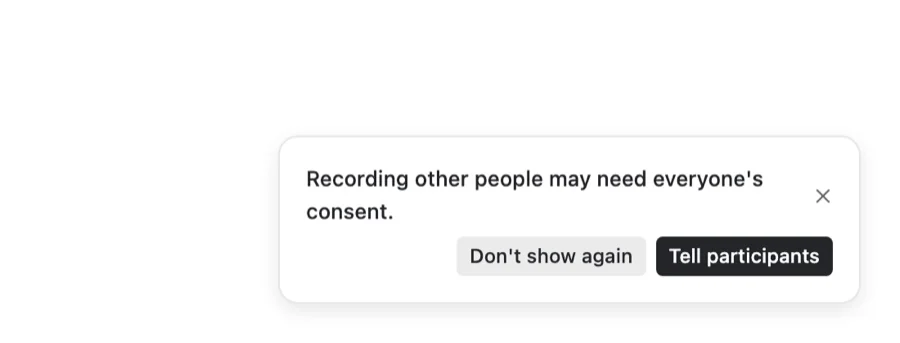
Notes now reminds you that recording other people may need everyone's consent, with Tell participants to copy a line for the meeting chat. A recording you forgot about pauses once nobody has spoken for 15 minutes and asks whether to keep recording. And a finished note's ... menu can Draft follow-up email with the decisions and next steps, in your own voice, for you to copy or open in your mail app.
Foxl Code, in private beta
Foxl Code is in private beta for invited accounts. For them, v0.9.3 brings a Tasks screen on the phone with Needs you, Working and Done, one line each, and a task that reads like a chat with one card at the end when the next move is yours: the pull request with Merge, or a reply such as Fix it. On the computer, the Tasks list works from the keyboard. Tasks are no longer cut at 30 minutes, repositories can come from GitLab or Bitbucket where Foxl Code offers them as well as GitHub, and Foxl Code can merge several pull requests as one merge train.
Channels, the way Slack does it
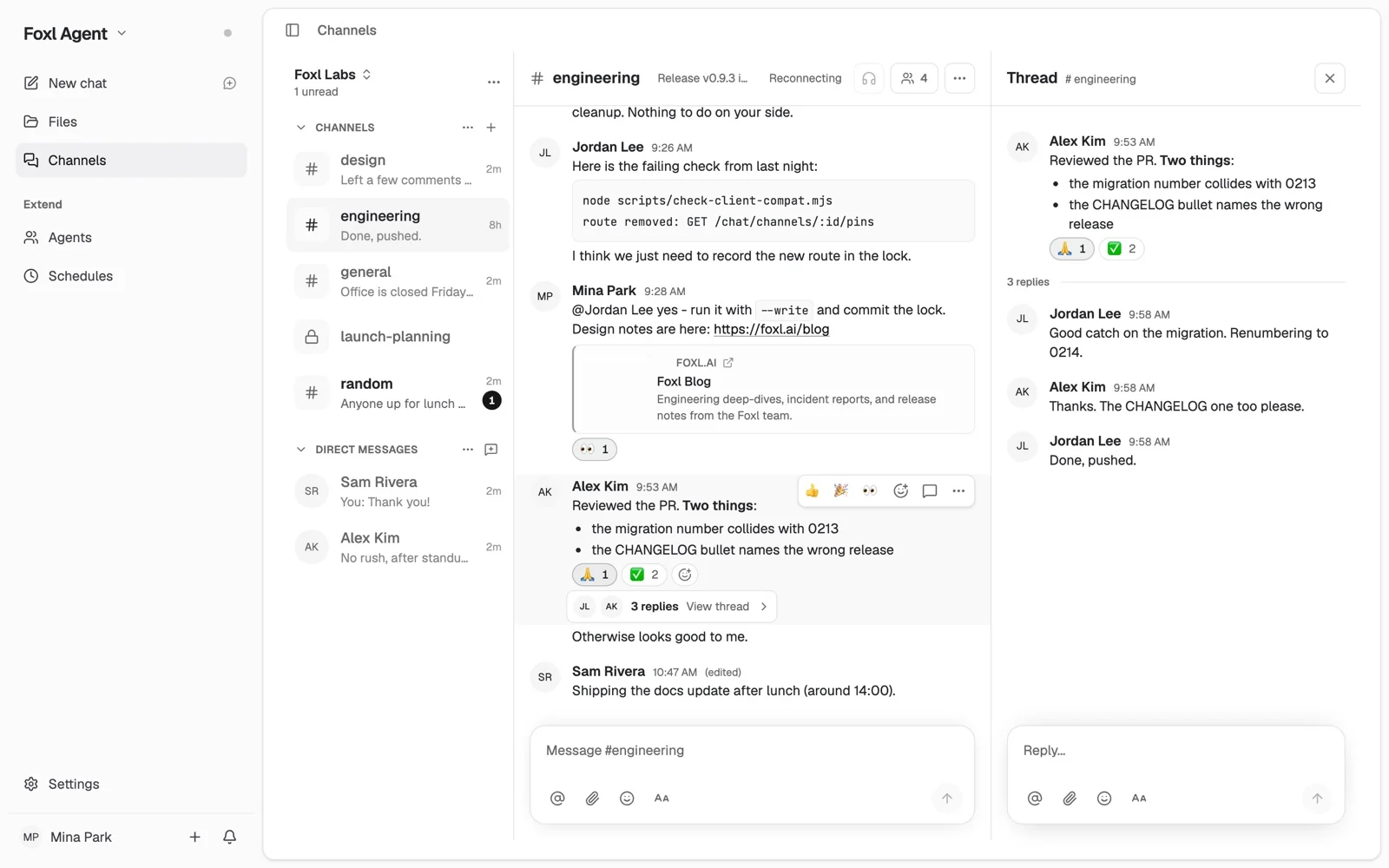
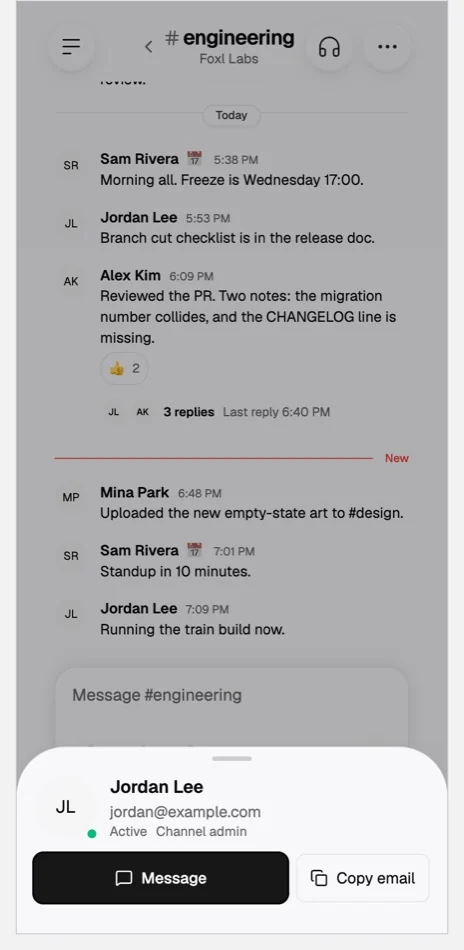
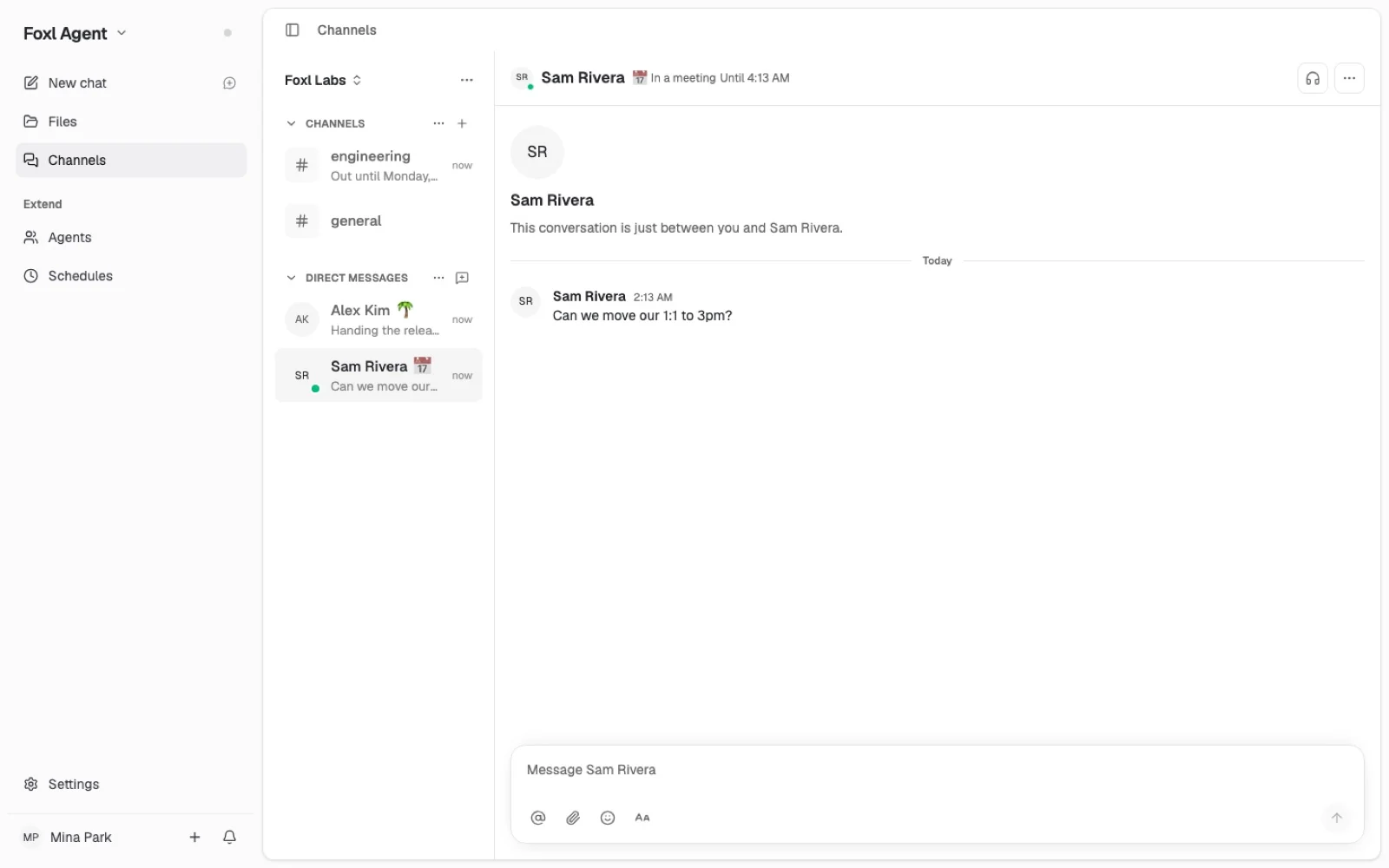
Channels picked up threads: Reply in thread puts a reply under the message it answers, the message shows how many replies it has and who wrote them, and the thread opens beside the channel on a wide screen and as its own screen on a phone. Set a status takes an emoji, a line such as "In a meeting" and when it clears, and a green dot means active, a hollow ring away. Tap someone's name or picture for their card, with Message and Copy email. On a phone, Channels moved from the tab bar to the side menu, where Make took its place.
More on the Free plan
Free accounts now get Workspaces: members, Channels and huddles. A workspace a Free account owns costs nothing, and model requests are paid with the account's own credits, at most 200 managed model requests a day on Free.
First screens, and the site
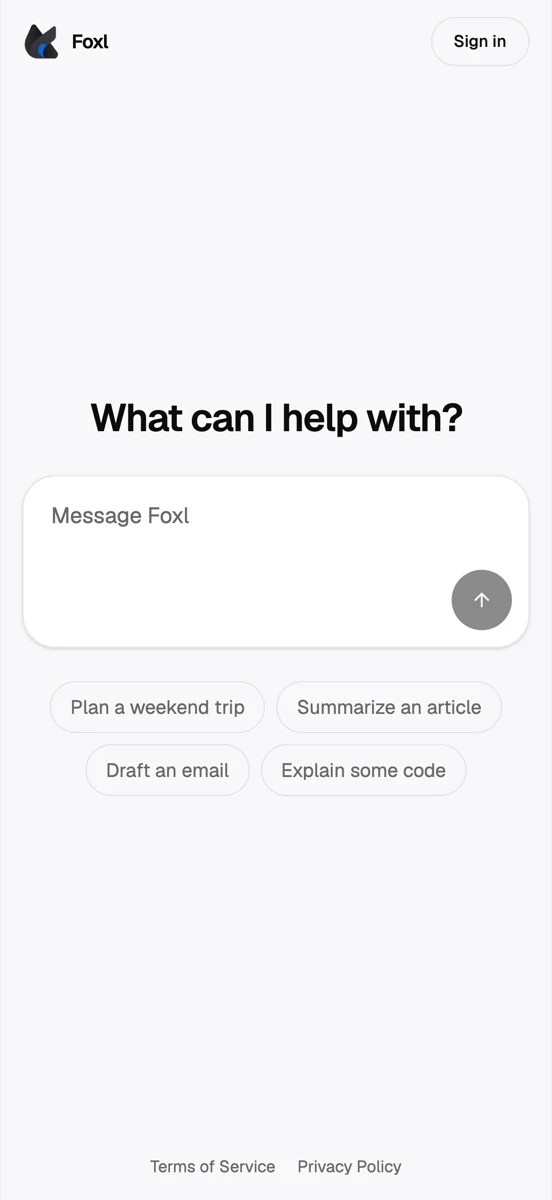
Signed out, the phone apps open on one animated welcome whose Sign in or sign up works right away, and on the iPhone Google, Apple and GitHub sign-in open in a Safari sheet over Foxl. app.foxl.ai opens on the app's own new chat before you sign in: type what you want, press Send, sign in, and your message is waiting. foxl.ai and docs.foxl.ai read in the ten languages the app speaks, with a language button at the top right of every page. And Rose Pine is the default palette on every device: a palette you already picked stays, and Foxl's own colours, with the sky behind a new chat, are first in Settings > Appearance.

Faster
| What | Before | After |
|---|---|---|
| What redraws while an answer streams | The whole window, up to 30 times a second | The conversation and the message bar, about a third of the parts |
| Reading an 800-message chat on the desktop | About 120 ms | About 25 ms |
| Work to handle a 50 KB answer | About 16 s | About 4 s |
| The next file list in a workspace of about 32,000 files | About 1 s | A few ms |
| Typing delay in Notes during a two-hour meeting | 75 to 133 ms | About 27 ms |
| Dictate anywhere cleanup (median of five) | 1.7 s | 0.35 s |
Where to find Voice to New Chat
- Action button (iPhone 15 Pro and later): Settings > Action Button > Shortcut > Choose a Shortcut > Foxl > Voice to New Chat. Then press and hold the Action button.
- Siri: say "Talk to Foxl" (on an iPhone set to another language, the phrase in that language). On a locked iPhone it asks for Face ID or your passcode first, and with App lock on it never records before you unlock Foxl.
- Shortcuts and Spotlight: search for Foxl and you find New Chat, New Recording and Voice to New Chat. Foxl's Settings > Chat shows the same path.
- It is not in the long-press menu of the Foxl icon on the home screen, which has New Chat and New Recording. It starts recording at once, but you tap Send yourself (it sends by itself at one minute), and nothing is created if you cancel or say nothing.
- On the computer: Settings > Dictate anywhere > Voice to new chat, then Control+Alt+Shift+D. On Android, v0.9.4 adds Voice chat to a long press on the Foxl icon: a new chat with a Record button, and your tap starts the microphone. A phone's browser does not have it.

What moved, and what is off until you turn it on
| Looking for | Where it is now |
|---|---|
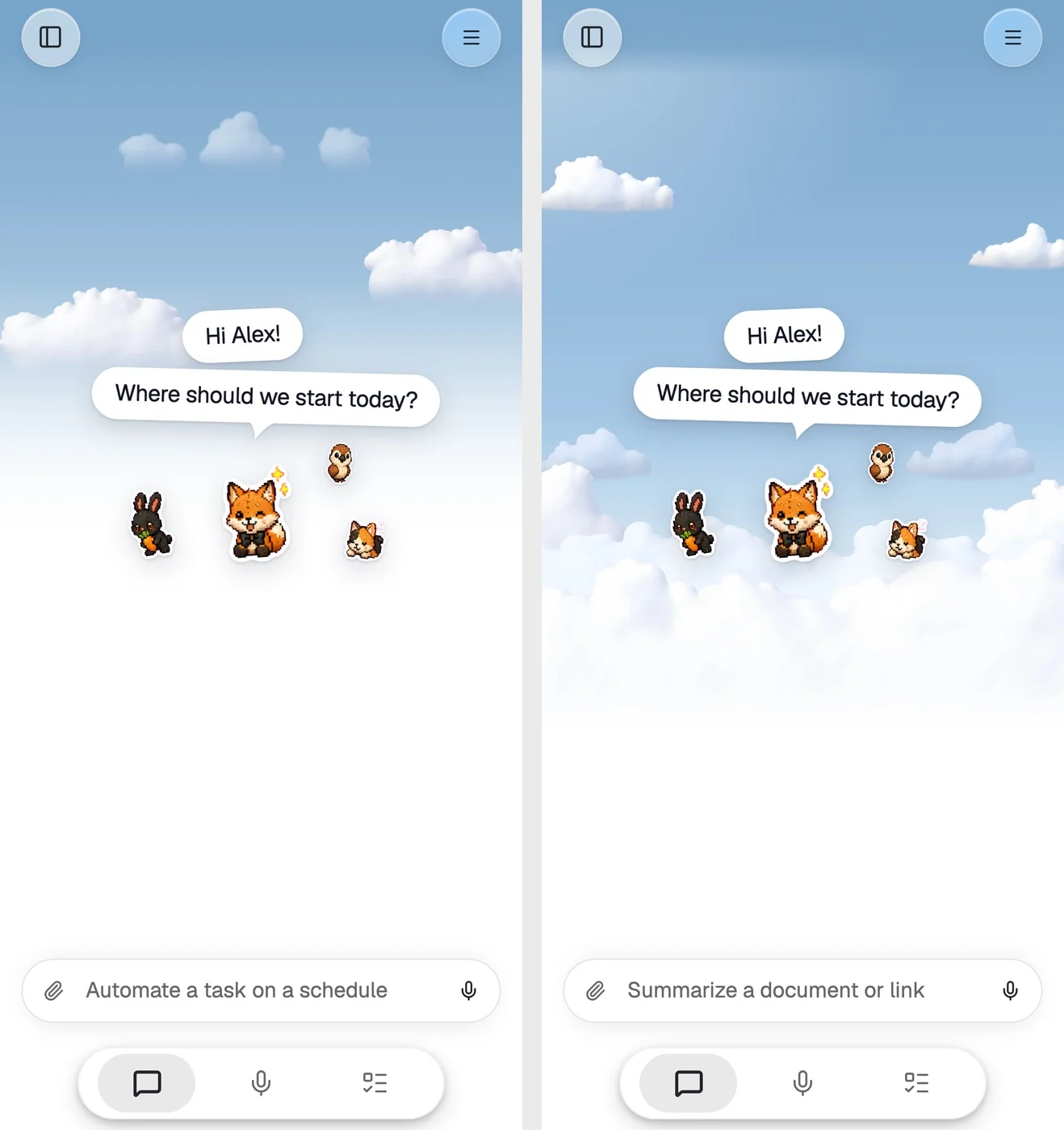
| The blue sky and clouds behind a new chat | In Foxl's own palette: Settings > Appearance, colour theme Foxl |
| Channels and Notifications in the phone tab bar | In the side menu; Settings > Tab bar puts them back, and a tab bar you arranged stays |
| Personality in the phone's Settings | Your Foxl > How Foxl responds, or search Settings |
| Copy, Share and Retry under the latest answer on a phone | Tap the answer first |
| The ... on each channel message on a phone | Press and hold the message |
| The terminal, model and approval mode on a phone | The message bar's +; Search conversations is in the ... menu |
| The microphone | Shown only where what you say can be transcribed |
| The colour theme step in phone setup | Setup asks Light, Dark or System; colour themes are in Settings > Appearance |
Off until you turn it on:
- App lock: Settings > App lock on the phone.
- Morning briefing and Check-ins: the first-run question on the computer, or Settings > Heartbeat.
- Voice to new chat on the computer: Settings > Dictate anywhere.
- Pets in the round Foxl at the top of a chat: Settings > Pet.
- Keep running when closed: Settings > General.
- Temporary chat: per new chat, in the model picker or the phone's ... menu.
Card numbers, resident registration numbers, Social Security numbers and payment buttons are the opposite: Foxl always asks, even with auto-approve on, and that cannot be turned off.
Where each of these works
| What | Desktop app | iPhone app | Android app | Browser |
|---|---|---|---|---|
| The phone chat, Make, approval cards | Desktop layout as before | After the App Store update | v0.9.3 | On a phone |
| Voice messages, Voice to new chat | Settings > Dictate anywhere | After the App Store update, with your computer connected | Voice messages; Voice chat from v0.9.4 | Voice messages on a phone |
| Briefing, check-ins, sign-in cards, saved keys | v0.9.3 | With your computer on v0.9.3 | With your computer on v0.9.3 | With your computer on v0.9.3 |
| Notes sync | v0.9.3 | After the App Store update | v0.9.3 | app.foxl.ai |
| Workspaces on Free | v0.9.3 | After the App Store update | v0.9.3 | Yes |
| Rose Pine by default | Yes | After the App Store update | v0.9.3 | Yes |
Everything else in v0.9.3, on the desktop, in Foxl Notes and in Foxl Code, is in the changelog.
References and further reading
- Foxl changelogRelease
- Open Foxl in a browserReference
- Download FoxlReference