
Make space to listen.
Press record when you are ready. The transcript appears as the conversation unfolds.
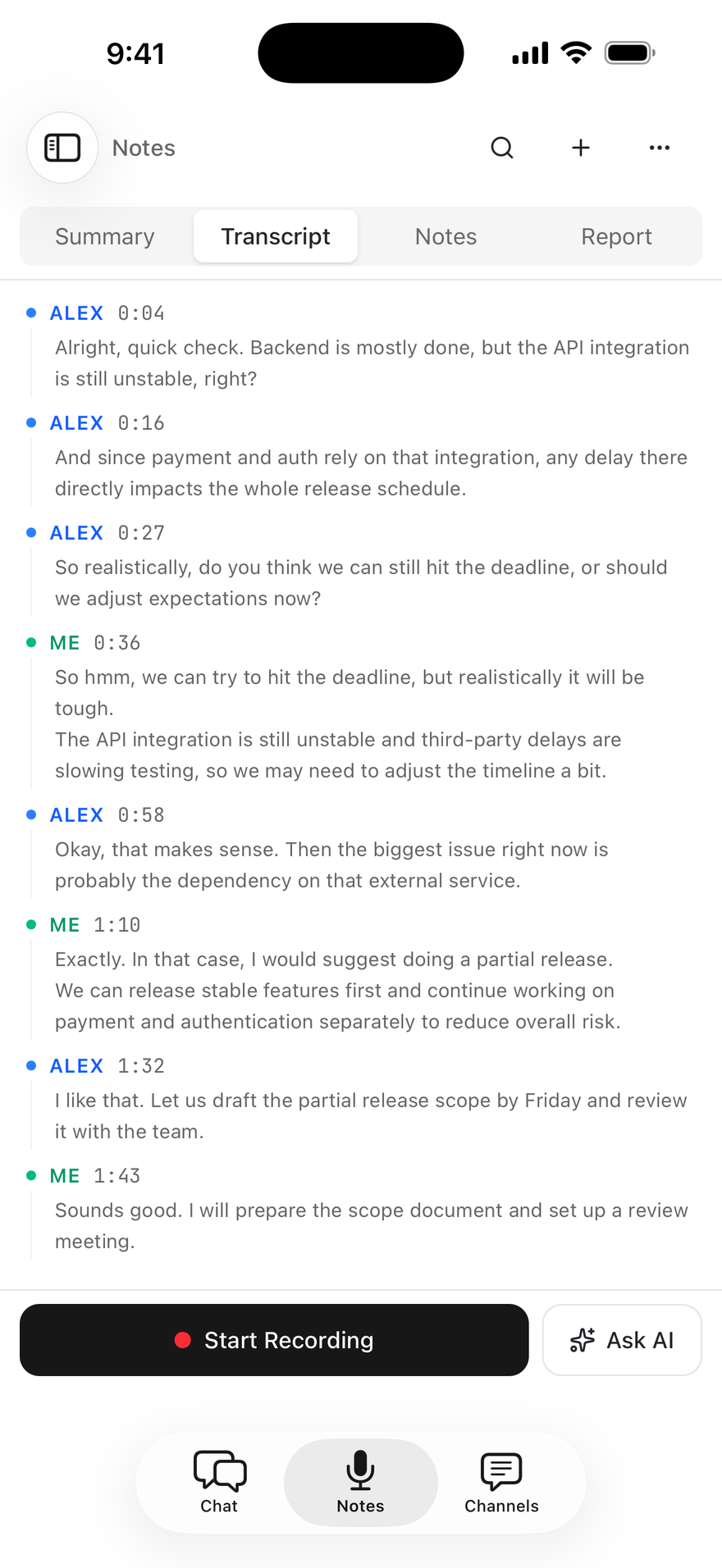
Foxl Notes
Bring your Chat context into your next meeting. Notes on Desktop uses saved memory for answers that fit you.
Inside the Foxl app. On your computer, iPhone, and iPad.

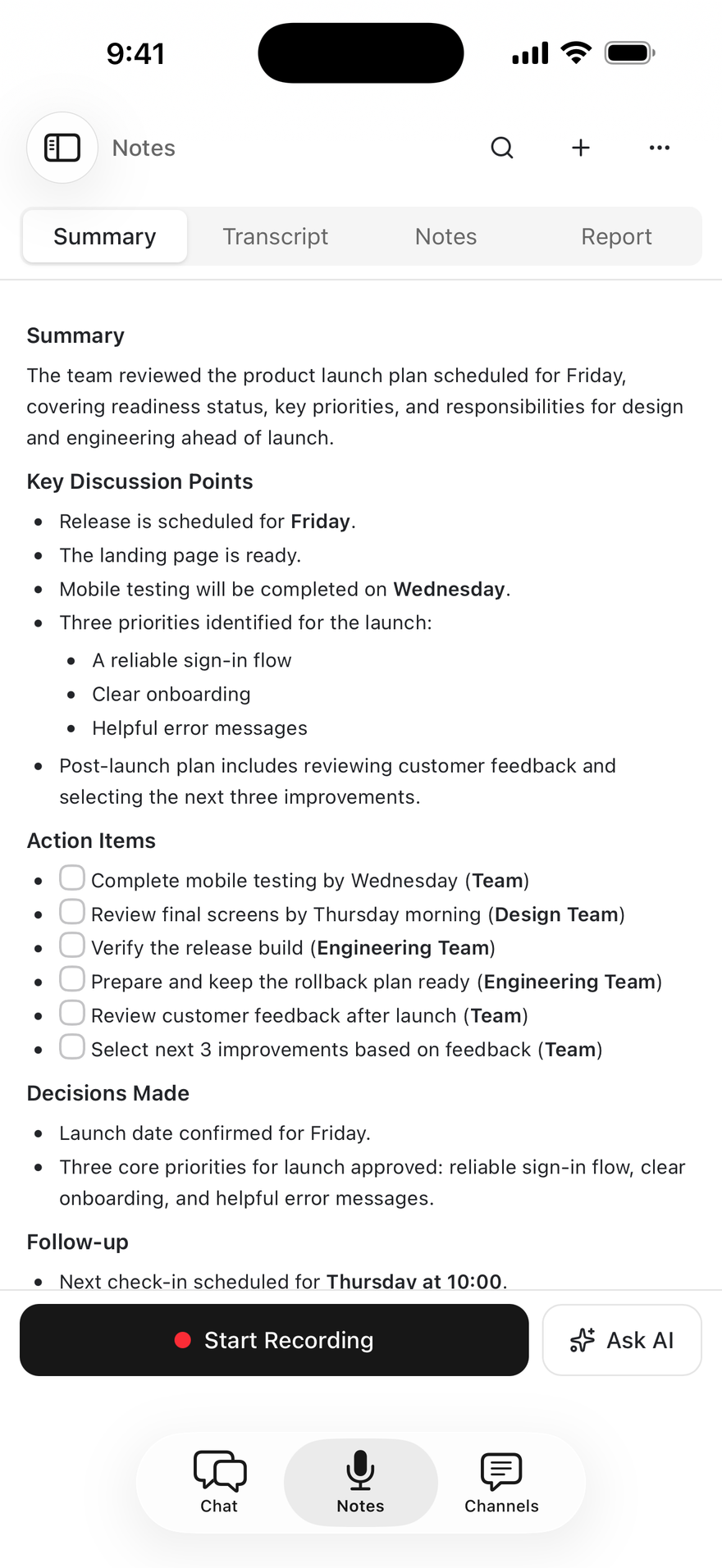
From here to a clear head
For the weekly check-in, the lecture, the interview, or the idea you would rather say out loud.
Press record when you are ready. The transcript appears as the conversation unfolds.
A summary turns the conversation into the decisions, ideas, and next steps worth keeping.
Ask a follow-up question, pull out an action item, or shape your notes into a useful first draft.
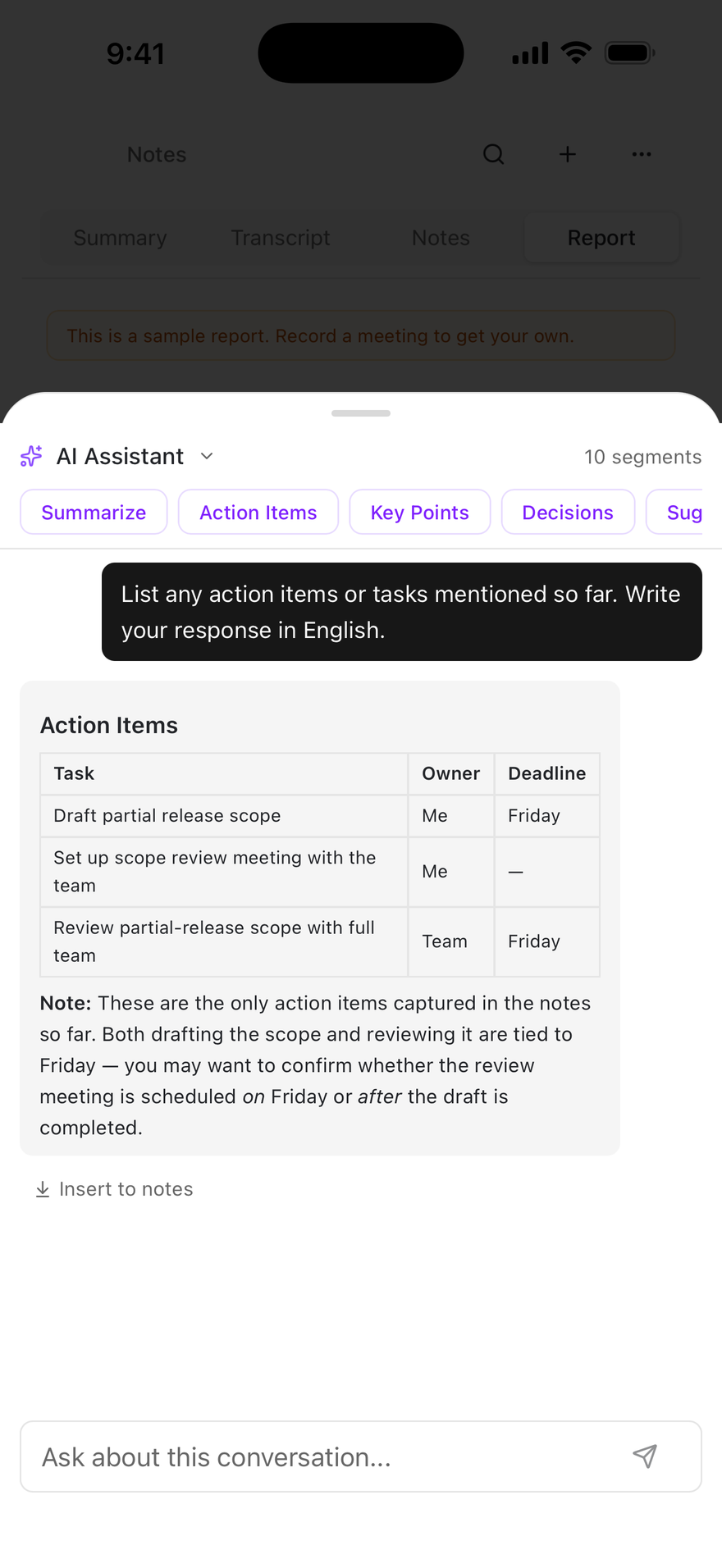
Foxl Notes
Bring the context from everyday Foxl Chat conversations into your next meeting. Notes on Desktop can use saved memories and look up past chats to give answers that fit you.
One memory, across conversations
The project you discussed in Chat. A preference you asked Foxl to remember. A decision from an earlier conversation. Notes can use your Desktop memory and look up past chats when you ask, alongside the meeting transcript.
On iPhone and iPad, connect your Desktop to use its memory and tools.
Explore NotesFits the way you work
Record in Notes or import an audio file you already have. Read the transcript and keep working from there.
Edit your notes alongside the transcript. On Desktop, save them as Markdown or Word files in a folder you choose.
Notes shares Foxl’s interface across your computer, iPhone, and iPad, with ten interface languages.
Cloud transcription sends audio to a transcription provider. Prefer to keep transcription on your own hardware? Local transcription is available on Desktop.

Notes, included with Foxl
Mac, Windows, Linux, iPhone, iPad, and Android.