Foxl v0.9.0: What Eleven Betas Changed
Foxl v0.9.0 is the stable release of the eleven v0.8.8 betas. The iPhone and Android apps have a look of their own, down to pets that tell you which kind of empty screen you are on; Files on a phone opens one folder at a time, about 3 KB per visit instead of 2 MB on an 11,000-file workspace; and a reply your computer is still writing no longer turns into an error when you leave the app and come back. Foxl Notes copies and exports each part of a note and briefs you before a meeting, computer use on a Mac reaches inside Electron apps, and Foxl Code's Ops page is now Operation.
On this page
Foxl v0.9.0 is the stable release of the eleven v0.8.8 betas. Most of what changed is on the phone: the iPhone and Android apps have a look of their own, Files opens one folder at a time, and a reply your computer is still writing no longer turns into an error when you leave the app and come back. Foxl Notes can copy or export each part of a note and brief you before a meeting, computer use on a Mac can press buttons inside Slack, VS Code and other Electron apps, and Foxl Code's Ops page is now Operation.
v0.9.0 is the version the desktop app offers to every install. Below is what matters most day to day, and, for the changes that were bugs, why they were hard to see.
The phone app has a look of its own
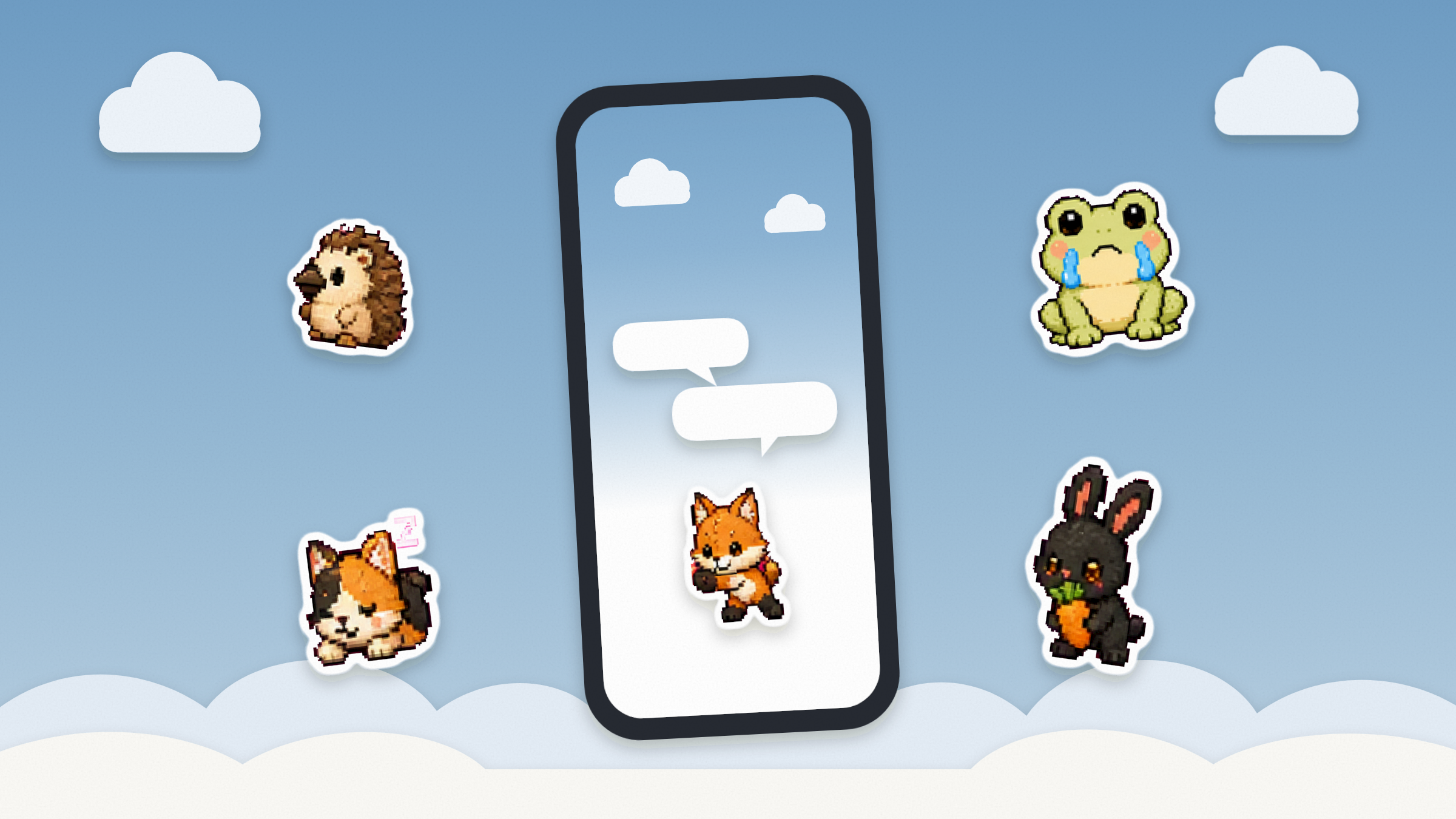
Open the iPhone or Android app signed out and it now starts on a welcome screen: a blue sky with clouds, and Foxl's pets floating round the FOXL lettering as die-cut stickers. A swipe up rolls a glass planet off the bottom of the screen into a small orb, which pours out a collage of stickers. On iOS 26 and later the lettering, planet and orb are the system's own Liquid Glass; Android has no such material, so there the same screen is drawn with gradients and a rim of light.
The look continues inside the app. With the default Foxl color theme, a new chat, the Notes home and Foxl Code's first screen sit under the same soft sky (a starry night in dark mode), with the pets where the Foxl mark used to stand alone. A new chat no longer opens on a big heading: two speech bubbles pop up above the fox, one saying hi with your first name and one asking Where should we start today? A new chat on app.foxl.ai in a phone's browser opens the same way.
The pets also carry information. On an empty or error screen in the phone apps, the pet says which kind of nothing you are looking at: the calico asleep means nothing is here yet, the hedgehog means a search or filter found nothing, the frog in tears means Foxl can't reach your computer or something failed to load, and the bunny waving means something needs connecting first. One table in Foxl's shared interface code holds the mapping. A screen names its situation and the table picks the pet, so a pet never means two things.
The conversation gets more of the screen, too. A chat's message bar rests as one slim line and opens into the full bar, with the model and tools, when you tap it. The tab bar shrinks to two thirds of its size, as Safari's toolbar does, as soon as you scroll away from the bottom of a page, and in a chat the message bar comes down with it; back at the bottom, the bar is full size again. On the iPhone this needs iOS 26 or later.
The rest is about feel. Text in the iPhone app is now iOS's standard 17-point size, and every button, row, tab and switch in the iPhone and Android apps answers a tap with a haptic that fits the control: a selection tick for a switch, a firmer tap for Send, a warning pattern when you confirm a delete. The sidebar follows your finger from the start of a swipe. One thing moved: on a phone, Settings now lives in the account menu at the bottom of the side menu, so tap your name, then Settings.
Files on a phone, one folder at a time
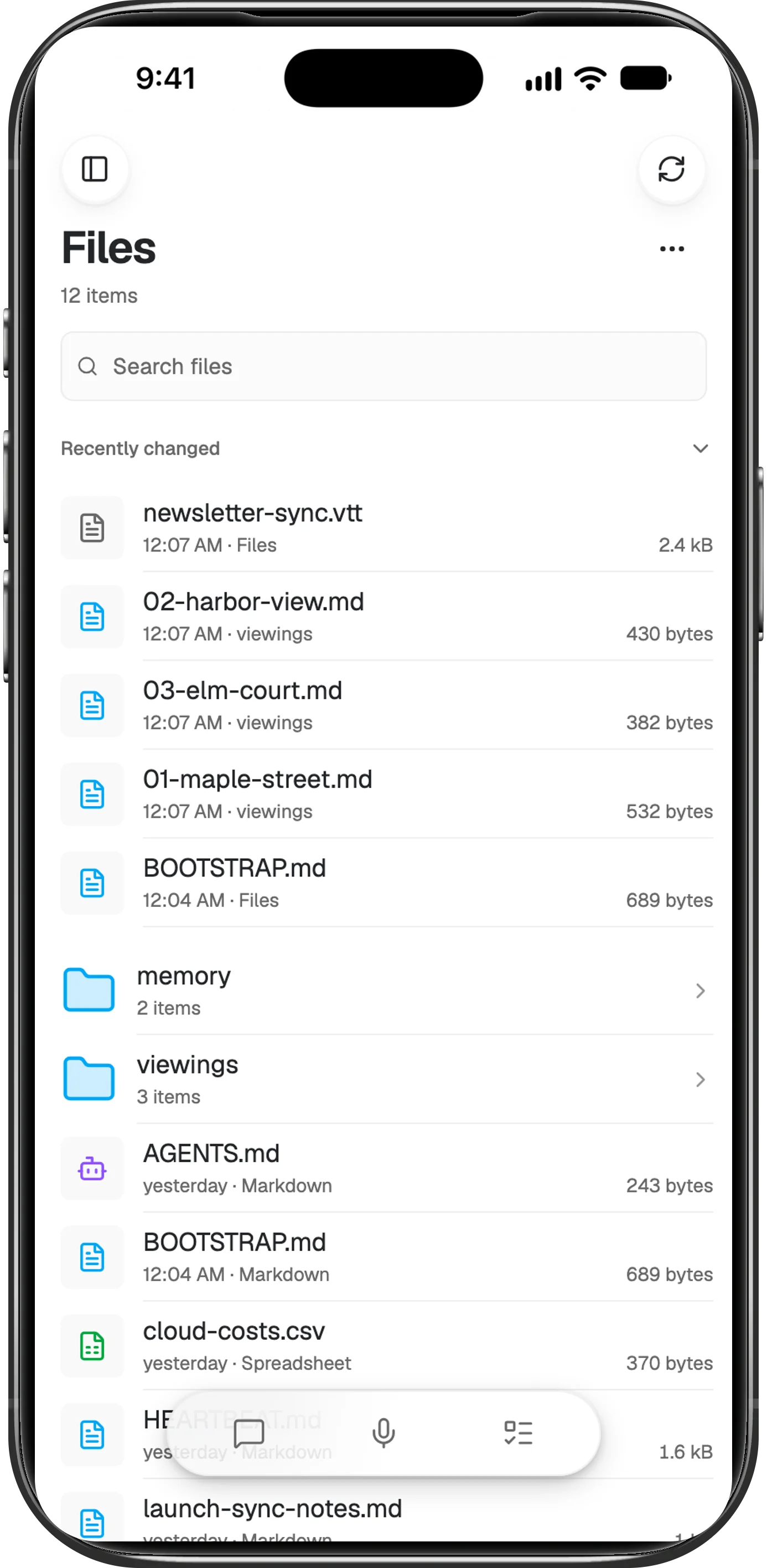
Files on a phone used to be the desktop's file tree squeezed to phone width. In the iPhone and Android apps and in a phone's browser it is now a folder browser: one folder per screen, as a list or as icons with small previews, a long-press menu with the usual operations, and Back walking up the way each platform's Back already does. The iPad and the desktop keep the tree.
It is also much lighter. To draw the tree, the phone used to read your whole workspace from your computer; with v0.9.0 on your computer too, it asks for one folder at a time. On a workspace of 11,000 files that is about 3 KB per visit instead of 2 MB, and a folder you opened before appears at once while the phone checks it for changes.
Files travel the other way too. In the iOS and Android apps, Foxl is in the share sheet for documents: share a PDF, Word, Excel, plain text, Markdown, CSV or RTF file from another app and it is attached to a new chat, waiting for your question, with nothing sent until you send it.
Replies that survive leaving the app
The phone apps and app.foxl.ai reach your computer through Foxl Relay. Four fixes in this release were about that path.
A cut stream is now a question, not a failure. Send a message from the iPhone, switch apps, come back, and the chat used to say Request couldn't finish and Load failed until the finished reply replaced the error a moment later. iOS suspends a backgrounded app's web view, the connection carrying the reply dies with it, and the app took that network error for a failed turn while your computer carried on and finished. Now the app asks your computer first: it picks the reply up where it is still being written, or shows the saved one, and shows the error with Try again only if your computer cannot be reached within a few seconds. The Android app and app.foxl.ai do the same.
One slow request no longer takes the connection down. Whenever a single request to your computer went 10 seconds unanswered, the relay closed the whole connection, even while your computer was answering everything else. Every phone and tab then showed it offline and reconnected, and on a busy machine the reconnect's own burst of requests could trigger the next drop. Now only the slow request fails. A connection that has been silent since that request went out is still closed at once, since that is what a sleeping computer looks like; one that has been talking is asked once whether it is still there.
Queued messages go in at the next step, and only once. A message you queue from a phone while Foxl is working now goes in as soon as the current step finishes, as it already did in the desktop app, instead of waiting for the whole reply. The obvious one-line fix would have sent some messages twice, because a phone's stream is routinely cut while your computer keeps running the turn, and the phone would then hand the message back. So your computer now records which queued messages it has taken, and the phone checks before sending one again. A message with a photo or a file, or one sent to a computer still on an older Foxl, waits for the end of the reply as before.
Agents > Runs stopped reloading. The Today, 7 Days and 30 Days chips filter on the phone, while your computer hands over its history newest first, a page at a time. With few runs in the range the list stayed short, its Load more marker never left the screen, and the phone kept fetching pages it could never show. On a computer with 723 runs, two of them that week, opening Runs made 17 requests in under six seconds, on every visit. It now stops once it has every run in the range.
The phone also says more about your computer. The green dot at the top of its side menu opens a status panel: the chats still replying to what you sent or opened on this phone, tool approvals waiting for you, unread notifications, the open chat's context and, with a Claude or ChatGPT sign-in on your computer, your plan's 5-hour and weekly limits.
Foxl Notes: each part of a note on its own
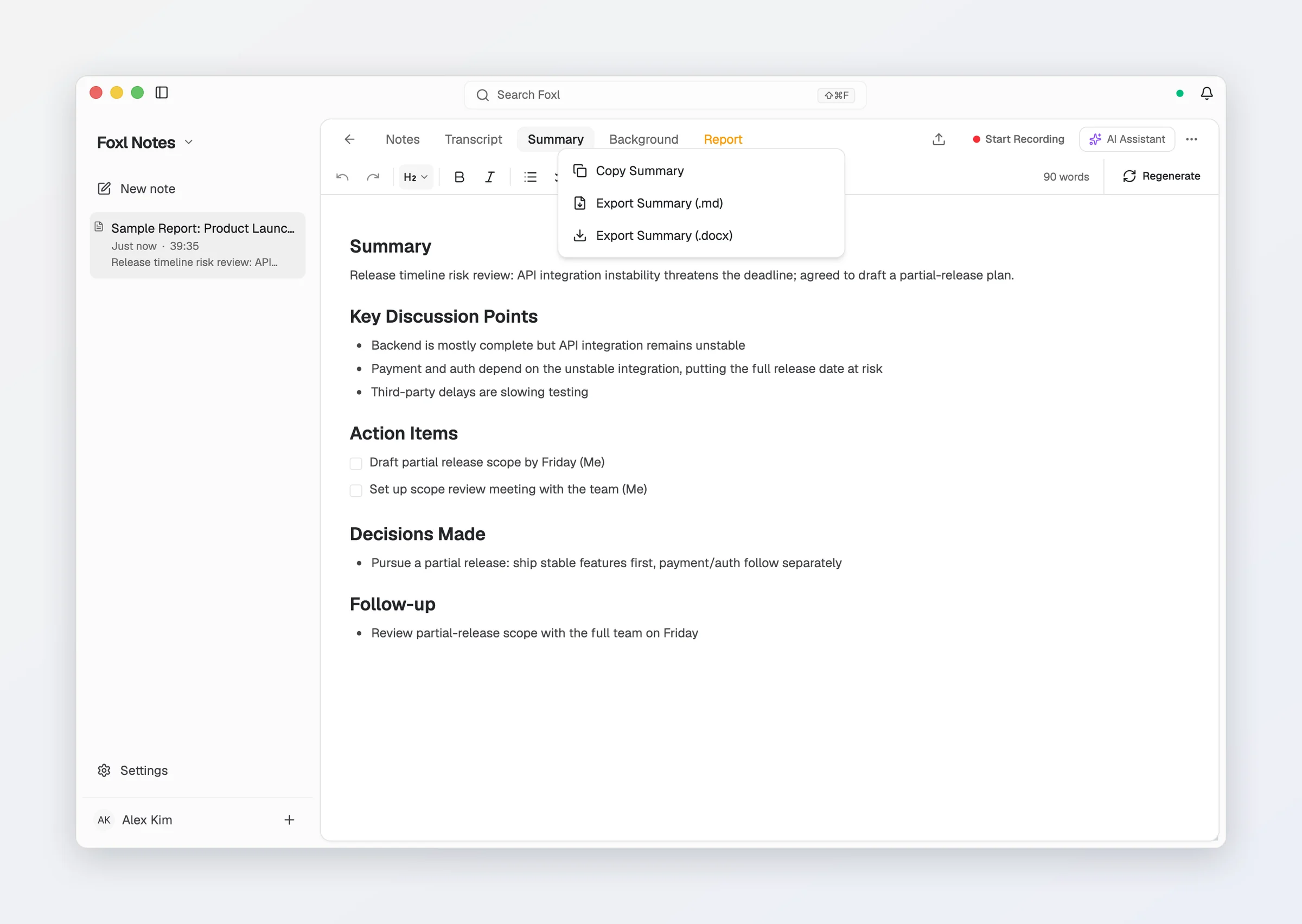
A note in Foxl Notes has several parts: your notes, the transcript, the AI summary, the background and the report. Right-click a tab above the open note and that part alone can be copied, or exported as Markdown or Word; an exported transcript lists each speaker's turn with the time it starts in the recording. A phone, which shows no tabs, has the transcript's copy and export in the note's menu, and on the desktop, auto-save can now save the summary, the transcript or both.
On the desktop, with a calendar connected, clicking a meeting still to come in the Notes home's Today list opens its brief: your last two notes from a meeting with the same title or at least two of the same people, their open action items, and the meeting's description. It is built on your computer from notes Foxl already has, with no model call and no request to anywhere. It asks for two people in common rather than one because a calendar lists you on every meeting, so one shared person would match every earlier meeting.
Live translation now asks the translating model to repair what speech recognition misheard, such as a sound-alike word or a name said earlier, and to phrase each caption as an interpreter would; the transcript keeps the words as recognized. The Live panel's AI Assistant and its translated captions also appear as they are written now, even while the main Foxl window is behind your meeting, closed or minimized. Both used to be drawn on the main window's animation frames, and a window that is not painting gets none, so every word waited for the end.
The desktop agent reaches further
Computer use inside Electron apps. On a Mac, computer use works through macOS accessibility, the interface screen readers use, which is how it presses a button without moving your pointer. Apps built on Electron, such as Slack, VS Code, Notion and Discord, describe the inside of their window to accessibility only when an assistive app asks, so presses there used to be refused, or reported as pressed while nothing happened. Foxl now asks for the full description while it operates such an app and turns it off when the turn ends, because it costs the app memory. In our test against a stock Electron app the tree went from about a dozen elements to 140, and a press on a button in a background window ran its handler. Asking adds two to three seconds to the first step of each turn.
Claude Code and Codex, from a chat. After Skills > Sync, Foxl can hand coding work to the Claude Code and Codex command-line tools on the same computer, from the desktop or your phone, then report how it is going, relay your answers and further instructions, or stop it. In a git repository each task runs in the background on its own worktree and branch, so two tasks never edit the same checkout. Both skills ship turned off; turn them on in Skills.
On-device Gemma from the first message. A chat with Gemma 4 running on your computer used to fail on its first message if you had many tools, an MCP server or long memory files. The model's context window here is 32,768 tokens, and on the install that reported it, tool definitions and instructions alone took 34,044 before a word was typed. The on-device model now gets a short tool set (files, the shell, the web, the checklist and recall) and the start of each memory file and skill description: 11,247 tokens on the same install. Cloud models still get every tool you turned on.
Models, channels and hooks. Gemini 4 Argon, Google's new flagship reasoning model, is in the picker for OpenRouter, your own Google AI key and Gemini CLI, on paid keys only. With less than $0.50 of OpenRouter credit the picker offers only free models, because OpenRouter holds back the cost of a whole reply before answering. Settings > Connect > Channels lists only the 13 channels Foxl can run, where it used to list 41 platforms, 38 of which saved your token and then refused to start; ten of the 13 are new, iMessage on a Mac among them. And hooks copied from Claude Code into ~/.foxl/hooks.json now honor their "if" filters and exec-form arguments, as they do there.
Foxl Code: Operation, reviews and plans
The Ops page is now Operation, and it opens on what is broken: one row per open incident, highest severity first, with what Foxl concluded and the plan waiting for your approval. An incident analysis now also stops at its budget when several of its model calls run at once, because Foxl Relay holds each call's maximum cost against the limit before the call starts. Before, the limit was an estimate checked between steps, and a step that made several calls could go past it.
On GitHub, a comment asking for a review in everyday words, such as @foxl, review this please, now runs Foxl's read-only reviewer as @foxl review does, instead of being read as a task. Retry on a task started with Plan first in this version writes a new plan and waits for Approve plan again; it used to retry a failed plan run as an ordinary task, which changed files and opened a pull request you had not approved. And Remote and This computer each remember their own model.
Sticker Pop, for the moments in between
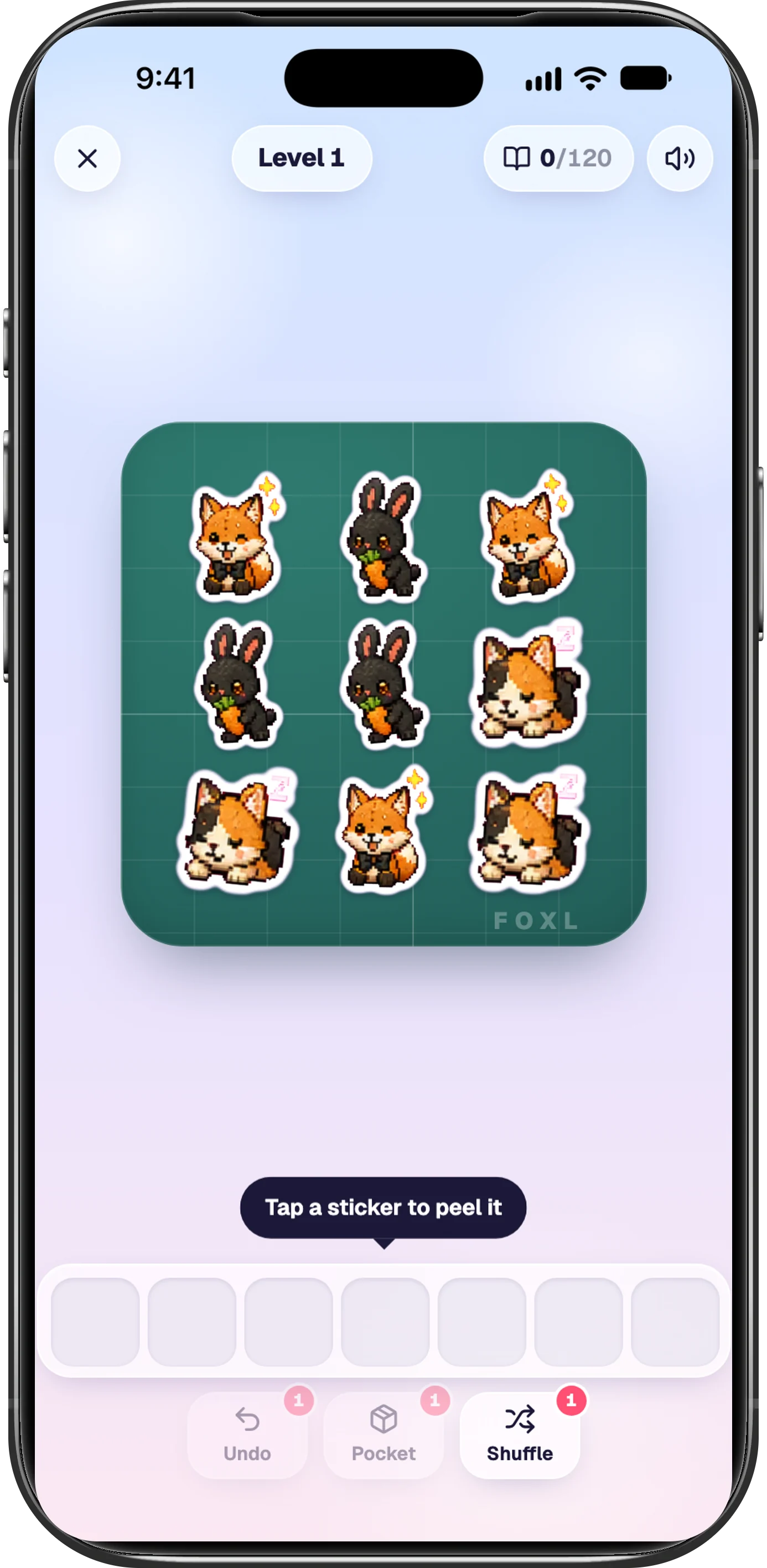
Tap the version in Settings > General > About seven times and the mini-game is now Sticker Pop, in place of the Foxl Den. The pets are die-cut stickers piled on a cutting mat: you peel one that nothing covers into a tray of seven, and three of a kind stick in your album. Every board can be cleared by construction, because the generator walks a real order of removals through the pile and assigns faces along it, and there is nothing to buy and nothing random to win. All 120 stickers can be downloaded from foxl.ai/design.
What is not in v0.9.0 yet
- Nine of the ten new channels, iMessage among them, are marked Preview until each has been tested with real messages. An iMessage reply to another person has not been sent in testing yet.
- The share sheet takes documents only: PowerPoint files and photos are not offered, and a shared link or text selection is not attached.
- Refuse providers that train on your data, the OpenRouter switch in Settings > Model & provider, does not cover Foxl Notes transcription yet. Settings says so under the switch; that audio follows your OpenRouter account's own training setting.
Everything else, including the fixes this post skipped, is in the changelog.
References and further reading
- Foxl v0.9.0 changelogRelease
- Download FoxlReference
- Foxl's design system and the 120 pet stickersReference
- Foxl docs: Exporting notesDocumentation
- Foxl docs: Computer UseDocumentation