Foxl v0.10.0: Channels Like a Messenger, GPT-6.1 on Your Credits
Foxl v0.10.0 is out. Conversations with people who message your bot read like a messenger, with one message bar on phones. GPT-6.1 Sol, GPT-6.1 Terra and GPT-6 Luna run on Foxl credits, the Account page shows where your credits went, a running schedule can be stopped, and your pet is calmer.
On this page
Foxl v0.10.0 is out. Conversations with people who message your connected bot now read like a messenger, and on a phone every kind of channel conversation uses the same one-line message bar as your chats. GPT-6.1 Sol, GPT-6.1 Terra and GPT-6 Luna run on Foxl credits. The Account page shows your credits again, with a breakdown of where they went. A schedule that is running can be opened and stopped. Your pet is calmer, and Settings > Pet now says where it lives on each device.
Every screenshot below is this release's own app on sample data: the people, messages, schedules and numbers are made up for the picture, and nothing was sent, bought or called.
Channels conversations read like a messenger
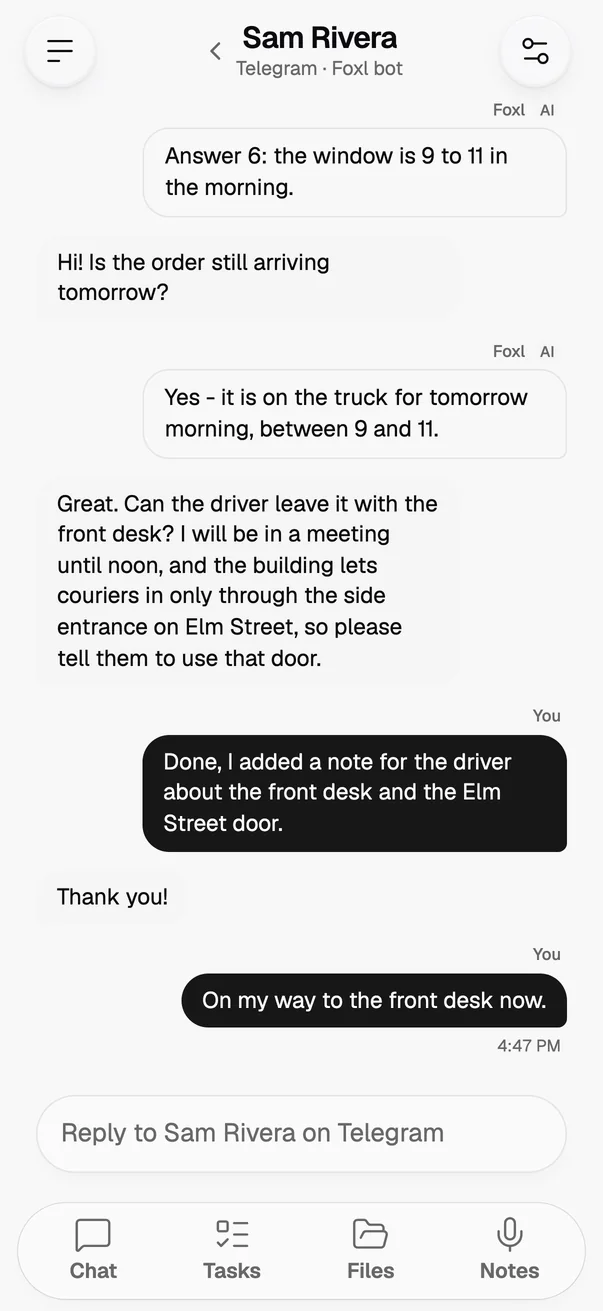
When people message the bot you connected to Foxl, on Telegram, Slack, Signal or another service, Channels now shows the conversation the way a messaging app does. The other person sits on one side and everything sent from your side sits on the other, grouped, with the time shown where the conversation pauses. Foxl's own answers and the replies you type yourself stay labelled apart, so you can tell at a glance which ones the AI wrote.
On a phone, the person's name and the service it runs on, for example Telegram · Foxl bot, sit in the top bar next to Back, instead of a second header under Channels. The list shows each person's initials with the service as a small badge. A channel that is stopped says so above the message bar, with a button that opens its settings, and a reply you half-typed now waits for that person while you read another conversation.
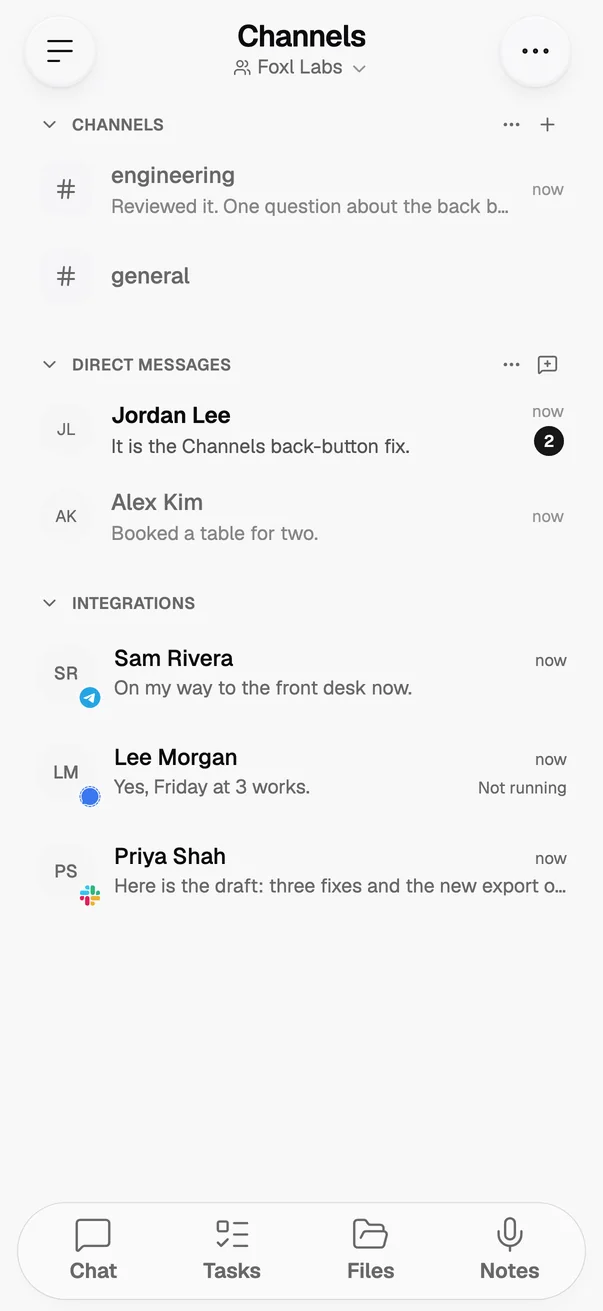
The message bar changed for every kind of conversation in Channels on a phone. Team channels, direct messages and conversations from your connected bots get the same one-line bar as Foxl Agent and Foxl Code chats: + for a file or a mention, where the conversation takes them, and Send once you type. On a phone held upright, emoji come from your keyboard. The emoji picker and the formatting bar are still there in landscape and on a computer or an iPad.
GPT-6.1 Sol, GPT-6.1 Terra and GPT-6 Luna on Foxl credits
GPT-6.1 Sol, GPT-6.1 Terra and GPT-6 Luna now run on Foxl credits in Foxl Code's chat, in cloud chats and in the Foxl Agent's Foxl provider. They are metered at Amazon Bedrock's own rates before the conversion to credits:
| Model | Input, per million tokens | Output, per million tokens |
|---|---|---|
| GPT-6.1 Sol | $2.20 | $11 |
| GPT-6.1 Terra | $1.10 | $5.50 |
| GPT-6 Luna | $0.11 | $0.55 |
GPT-5.6 Sol, Terra and Luna move to the older models in those chat pickers, as they already are when you use your own AWS account. A computer on Foxl 0.9.9 or older asks you to update before it uses the new models. A Codex task still runs GPT-6 Astra, GPT-5.6, GPT-5.5 or GPT-5.4, so Settings > Code offers only those for Codex, and keeps the three GPT-5.6 tiers in its main list.
Your Foxl credits, and where they went
Foxl credits are back on the Account page, folded into one row. It shows what is left, how much of this period you have used and when it resets. Tap the row to see the period's figures and each grant of credits with its expiry.
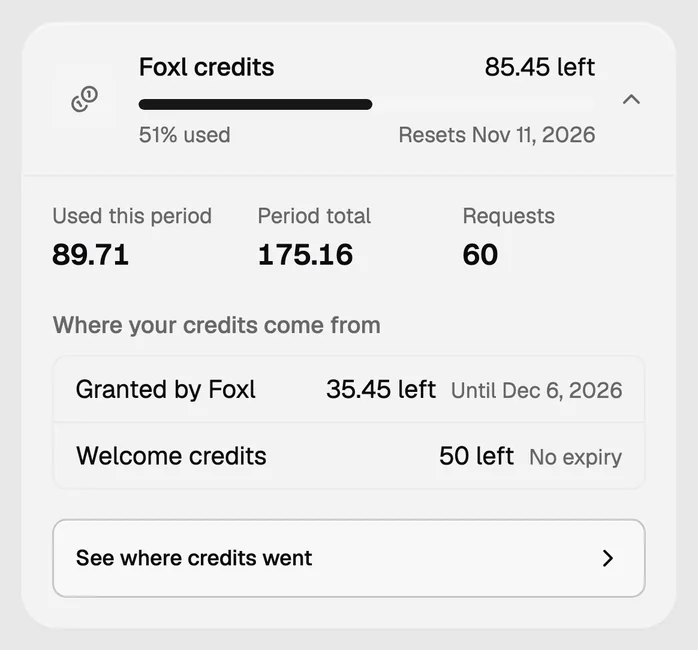
See where credits went opens a breakdown of the period, the last 7 days or 90 days. It splits your credits by service (AI models, Foxl Code compute, cloud chat, phone calls and transcription), by day and by model. Each model's credits are split into input, output and cache tokens, with what caching saved after the cost of writing the cache, and what web search, Ultrafast and other extras added. On code.foxl.ai the same breakdown opens from the Credits card.
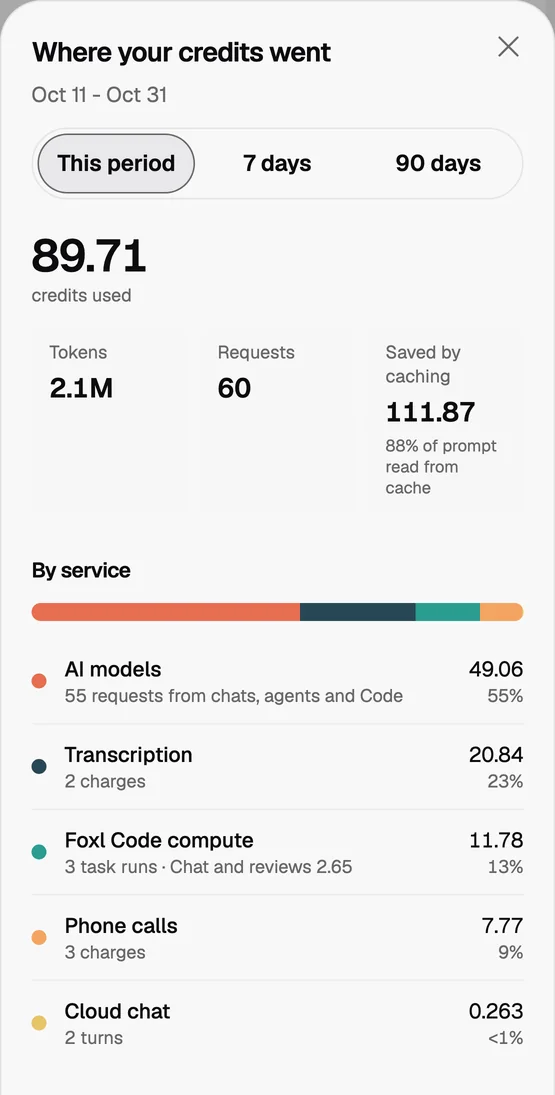
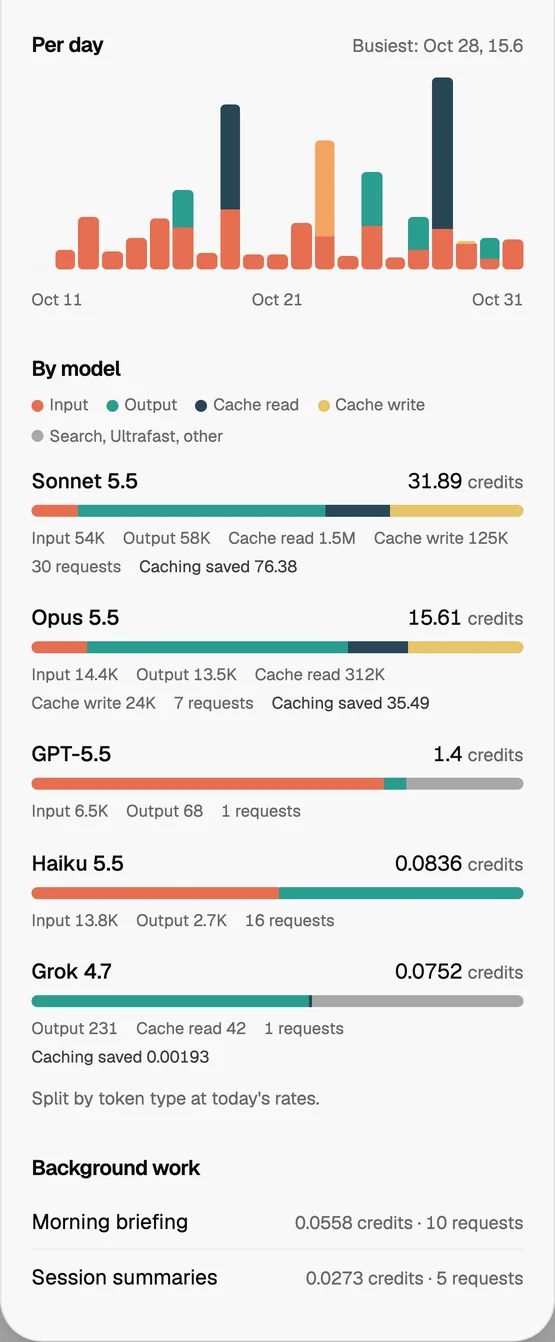
The numbers in these pictures come from a test account on a local copy of Foxl's relay, with real model calls and a sample of the other kinds of charge, not from anyone's real usage.
Open a running schedule, or stop it
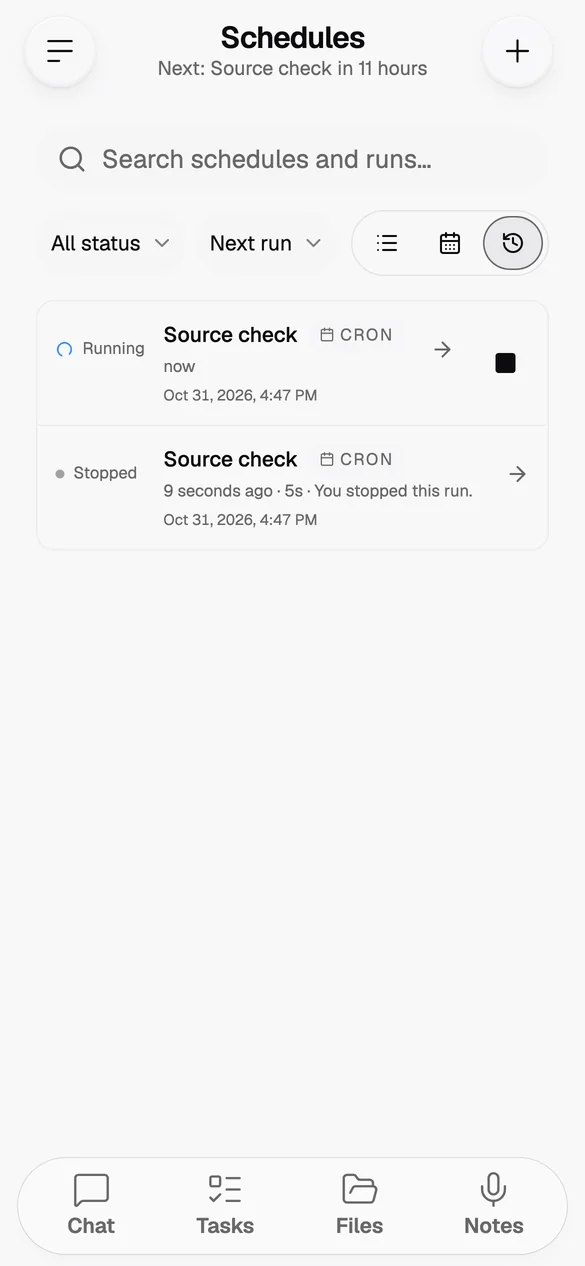
A schedule that is running can now be opened and stopped. Schedules > Runs opens a running run as a chat with the steps it has finished so far, and in the desktop app the chat fills in by itself while you watch. Stop beside the run ends it at its next step; a step that is already running finishes first. A stopped run says Stopped, posts nothing to your Foxl chat and does not count toward pausing the schedule.
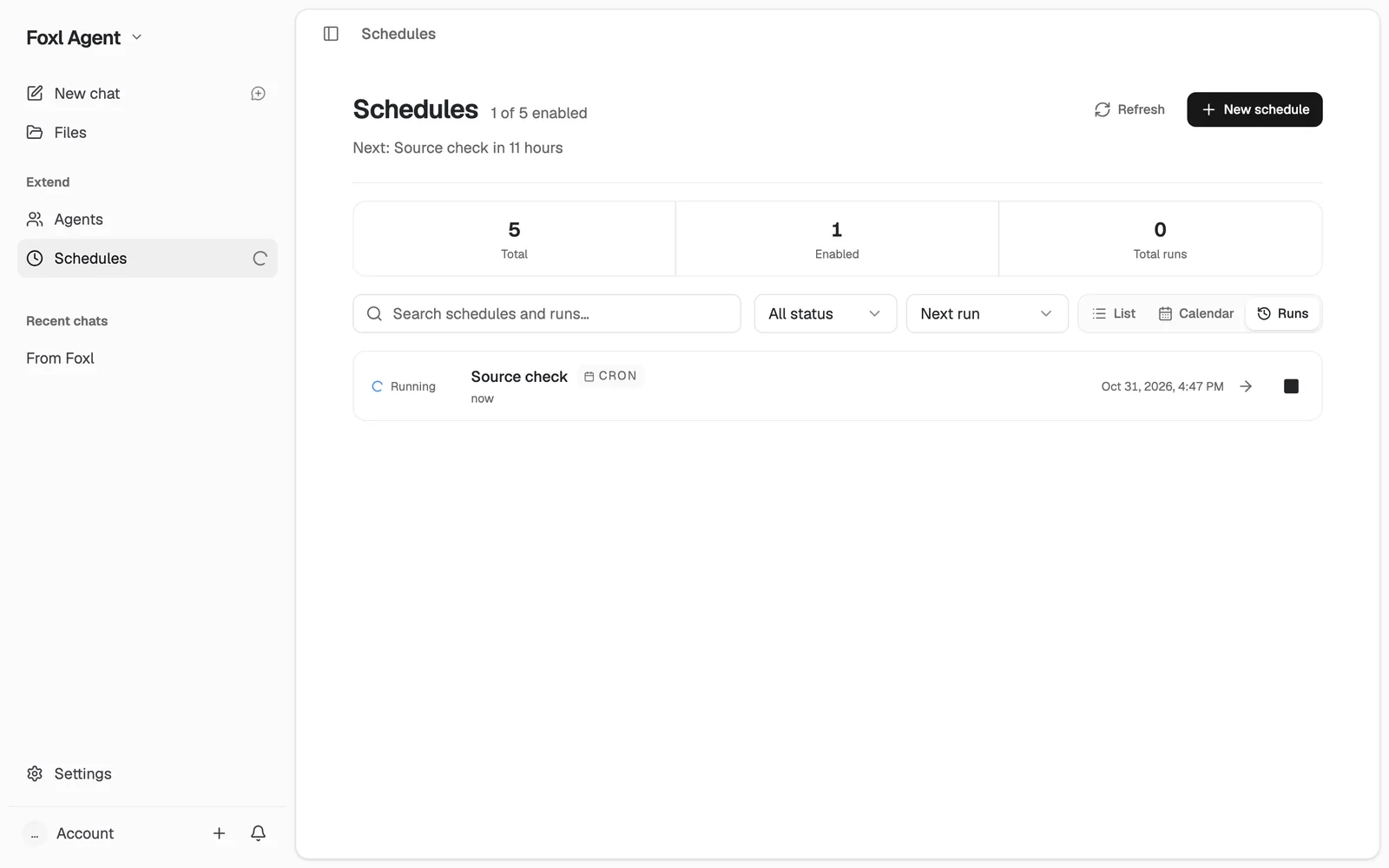
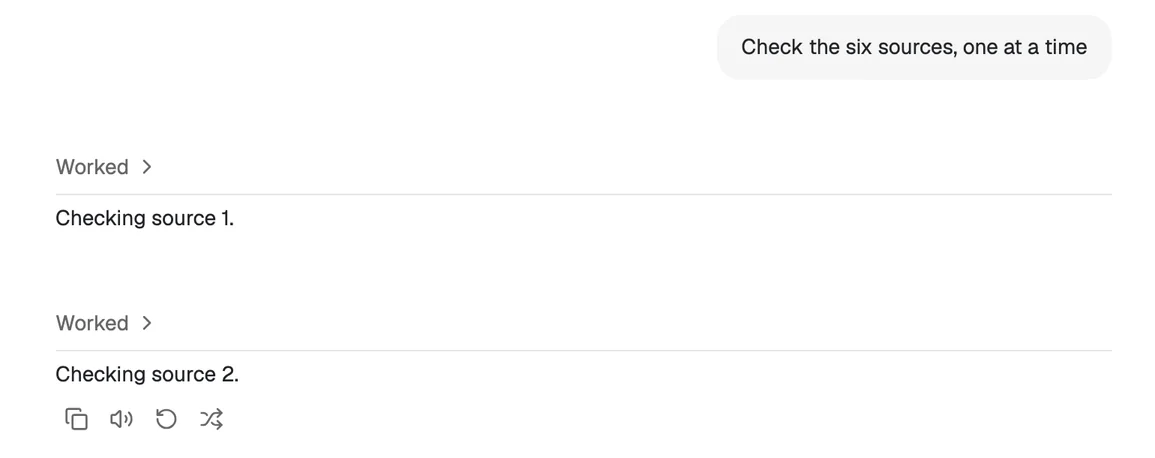
In the desktop app, the Schedules row in the sidebar shows a spinner while a schedule runs, and Run now waits for the run. A run that was cut off because Foxl closed now says Interrupted, instead of showing as running for good. On a phone, the Runs list gives a running run the same Stop button.
A calmer pet, and a Pet page that says where it lives
Your pet is calmer and less repetitive. While Foxl thinks, works or waits, the pet acts it out once and then rests, instead of repeating the same move every second or two. At rest it rests more and never does the same thing twice in a row, and a cursor passing back and forth over it gets one wave. The ragdoll no longer keeps turning its head while it thinks; it tilts its head and looks about instead. On a dark background the plush pets no longer leave a grey smudge under their feet.
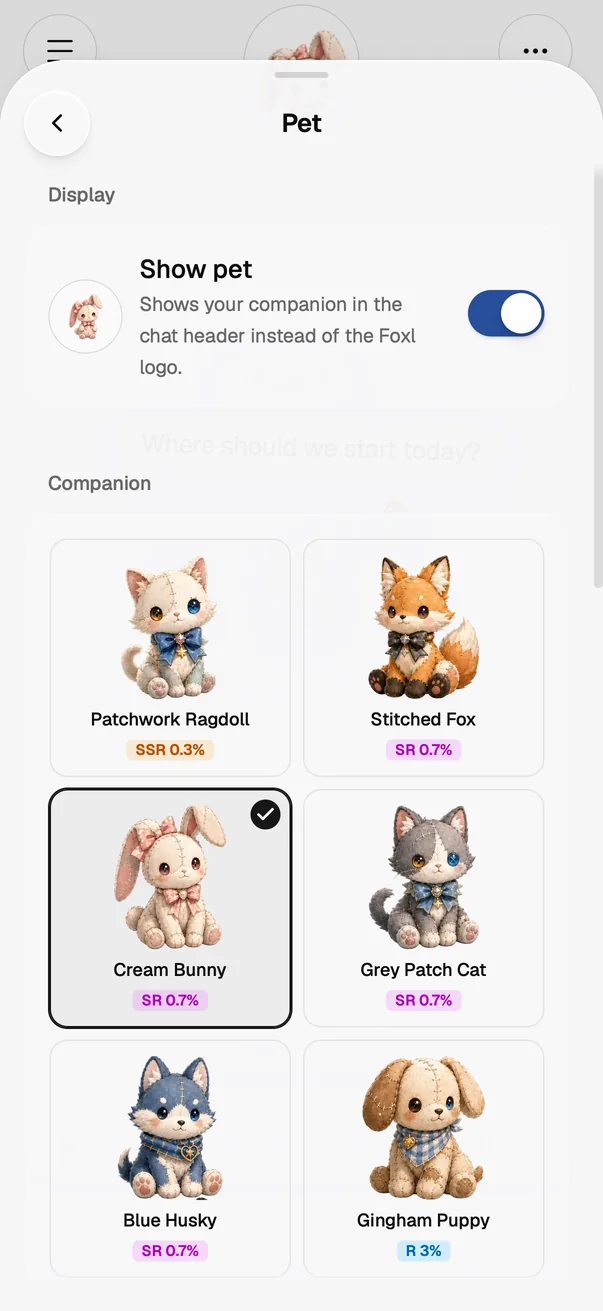
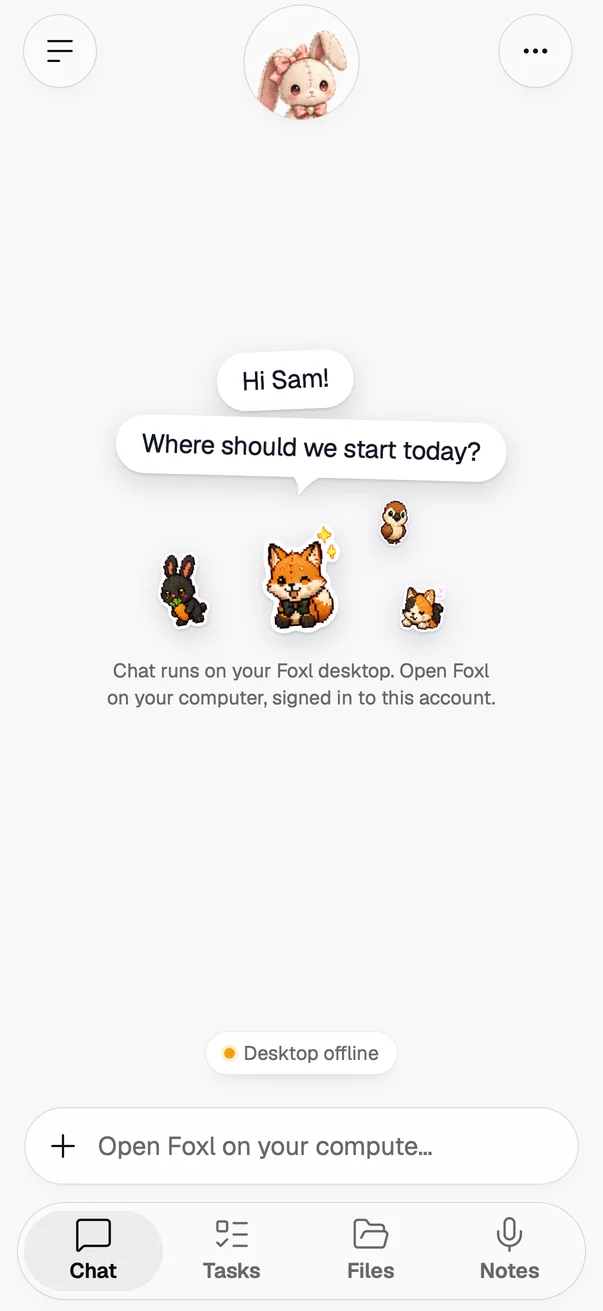
Settings > Pet now says what the pet really does on your device. On a phone, Show pet says it puts your companion in the chat header in place of the Foxl logo, with the header's own picture beside the switch. It no longer offers dragging, a size or showing the pet outside the app window, which do nothing on a phone. On a computer it still says you can drag the pet anywhere. The companion you pick is marked with a check and stays picked while the pet is off, the cards show one picture in two columns on every phone, and companions met, gems and Draw have their own Collection section with each number named. Your Foxl, which opens when you tap the round header, now names the current look: the Foxl logo, or your companion.
How the plush dolls were made and how the disc frames them is in the plush pets post.
Also in this release
- Orders through your own Chrome: when a shop takes a moment to open its confirmation page, Foxl now looks again for a few seconds instead of saying Not sure under an order that went through, so the card shows Submitted, or Order placed with the order number when the page shows one.
- Temporary chat on a phone: the line that explains a Temporary chat now starts below the round Foxl logo (or your pet) instead of being covered by it, on iPhone, Android and a phone's browser, at every text size.
- Calls in French and German: the opening line Foxl speaks on a call now says d'Alex instead of de Alex before a name that starts with a vowel or a mute h, and au restaurant instead of à le restaurant. A German call asks for Herrn Weber instead of Herr Weber.
- iPhone, iOS 26 and later: segmented choices, such as the ones in Settings and Files' Make | Folders, look like iOS's Liquid Glass control from the moment they appear, and more of the app's switches use that control when their labels fit on one line.
The full list of changes is in the changelog.
References and further reading
- Foxl v0.10.0 changelogRelease
- Download FoxlReference