Your Pet Is Now a Stitched Plush Doll, and It Peeks Into Your Chat
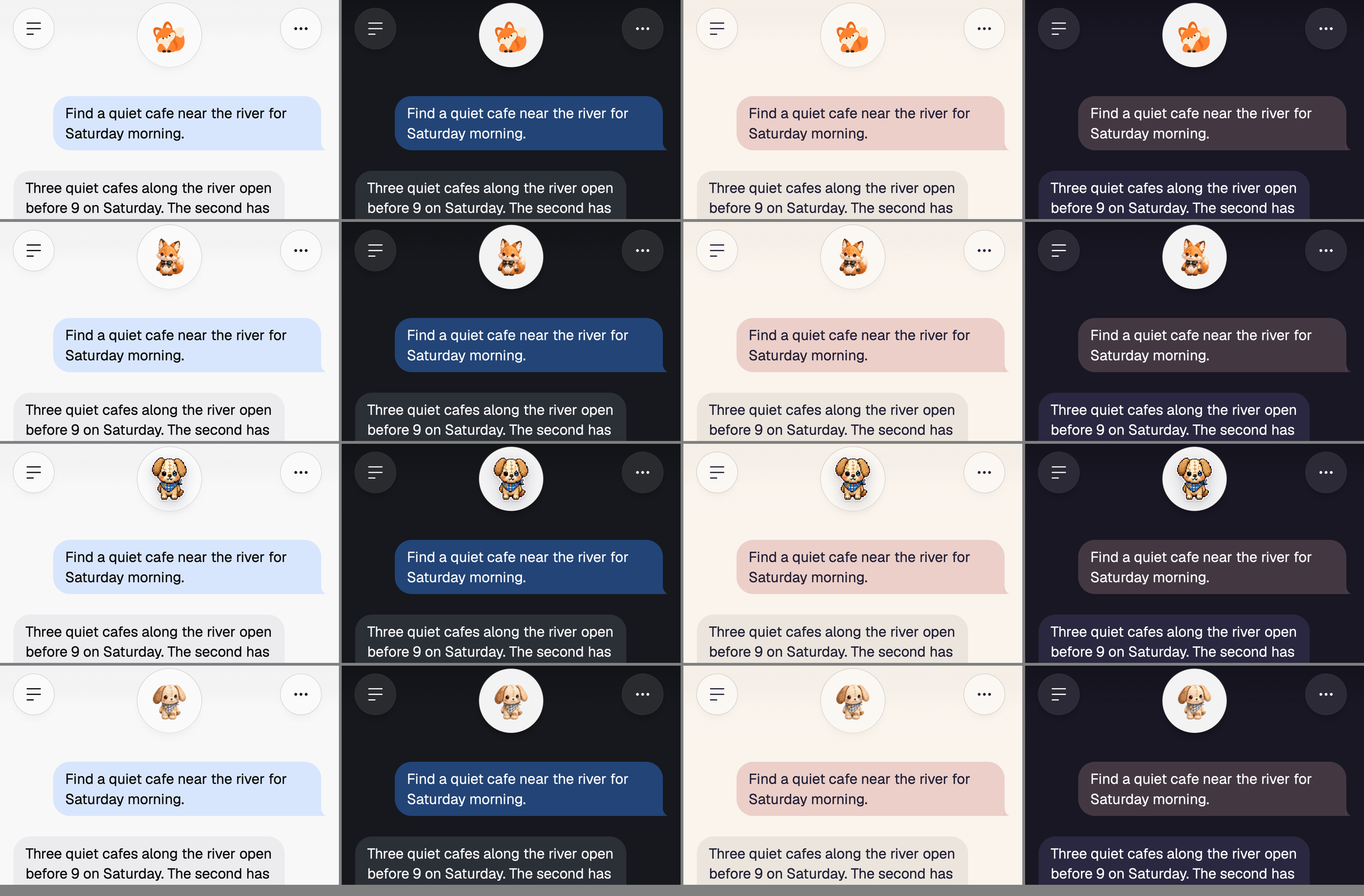
Foxl's fifteen pets are now stitched plush dolls with twelve moves each. On a phone yours lives in the round disc at the top of every chat: its head peeks in at rest, it leans in while you write, and the disc steps back to show the whole doll when it sits, naps or works.
On this page
The fifteen pets you can collect in Foxl are now stitched plush dolls, each with twelve moves of its own. On a phone your pet lives in the round disc at the top of every chat. While it rests, its head fills the disc and now and then ducks out of sight; when you start writing it leans in; and when it sits down, naps, eats, works on your task or waits for you, the disc steps back to show the whole doll. On a computer it stays where you put it, in the Foxl window or out on your desktop.
The pet is off until you turn it on: Settings > Pet > Show pet, then pick one under Companion. It works the same in the iPhone and Android apps and in a phone's browser at app.foxl.ai.
The disc at the top of a chat
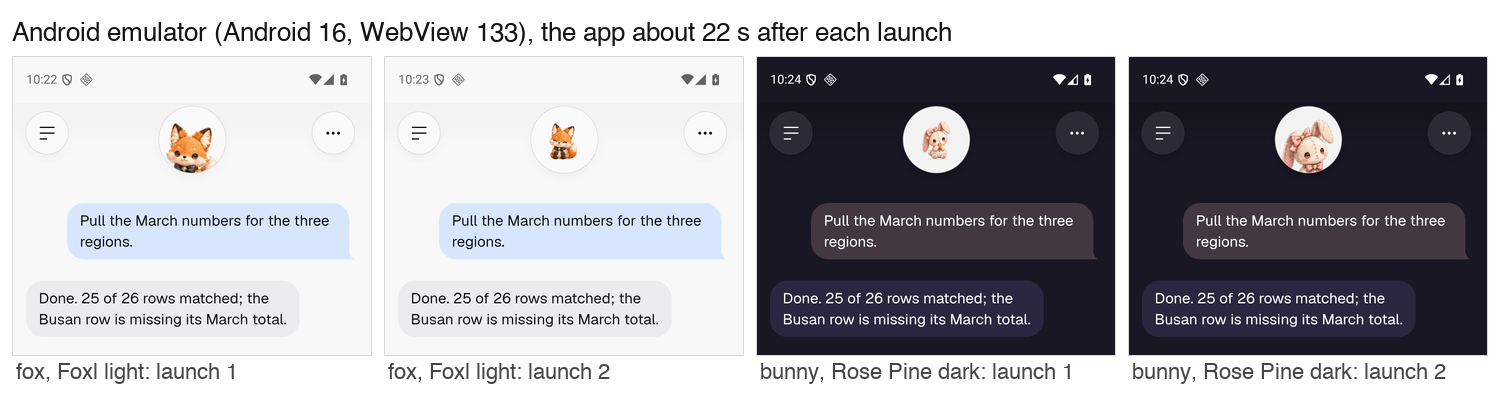
Foxl's own fox mark already lived in that disc and moved with the chat: it breathes at rest, tilts while the model thinks and bobs while a tool runs. The doll does the same in its own way. Its head peeks into the disc like a porthole, and each time the doll changes what it is doing the disc dips and swells a little. Every 16 to 28 seconds at rest it sinks until only its ears show and pops back up, which takes a second and a half. Tap it and it pops out whole to cheer.
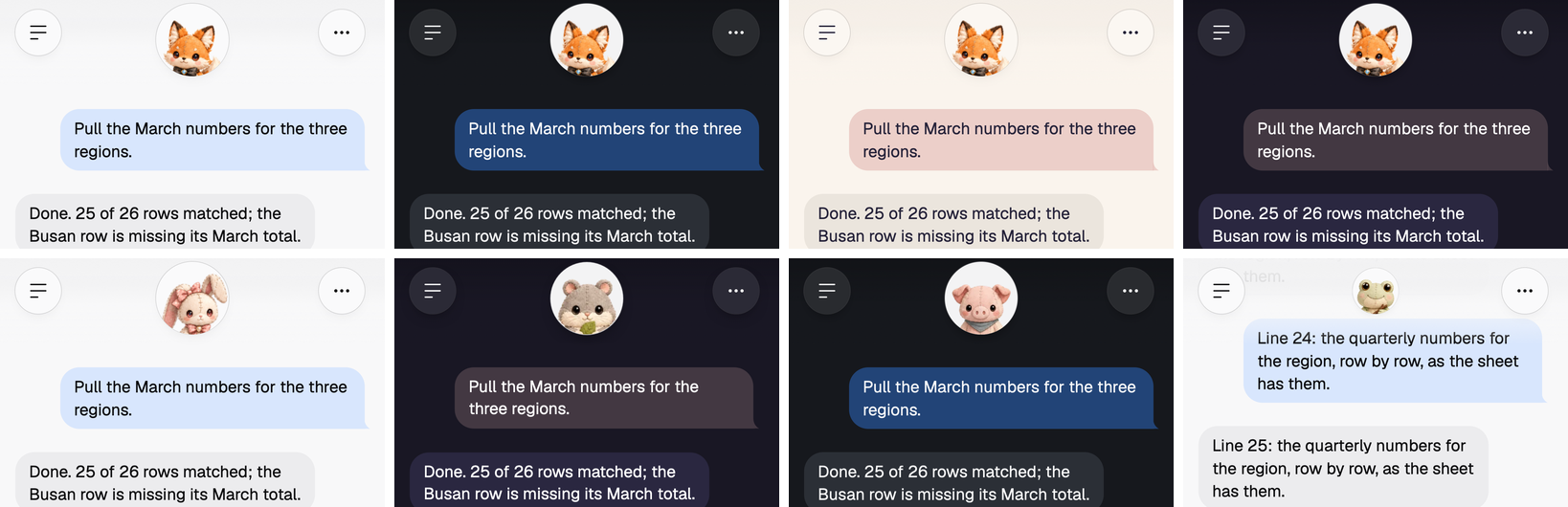
What the disc shows follows the chat. Resting, looking about or thinking, it frames the head. Writing a message leans the doll in a little closer. Sitting, eating, napping, working, waiting for your answer and cheering need the body, so the disc zooms out to the whole doll on one spring and swells as it lands. With Reduce Motion on, in your phone's settings or in Foxl's, the framing still follows the pose, at once, and nothing else moves.
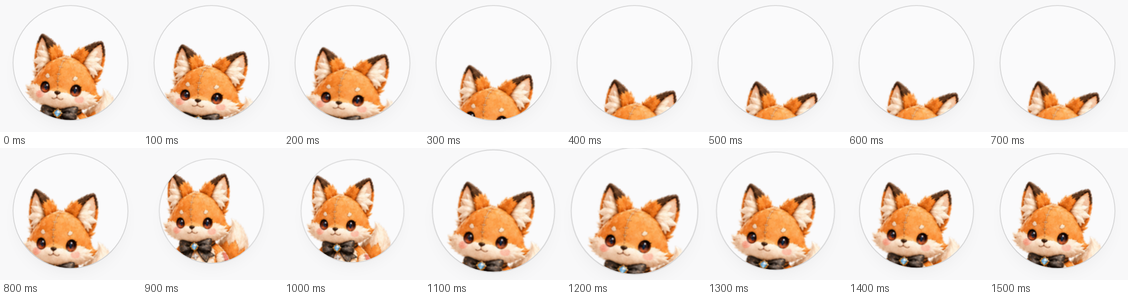
Each doll is framed by its own head, measured once from its standing frame: the neck is the narrowest row between 48% and 72% of the doll's height, and the close-up puts that head in the middle of the disc, 56% of the way down, filling 78% of it. The doll is drawn at 96 pixels and scaled down for the whole-body view, so the close-up is never a blown-up small picture. All of the motion is CSS on wrappers around the doll, by transform only, and one timer decides when the next pose or peek-a-boo is due, so the doll costs no more than the fox mark did.
On an iPhone and an Android phone
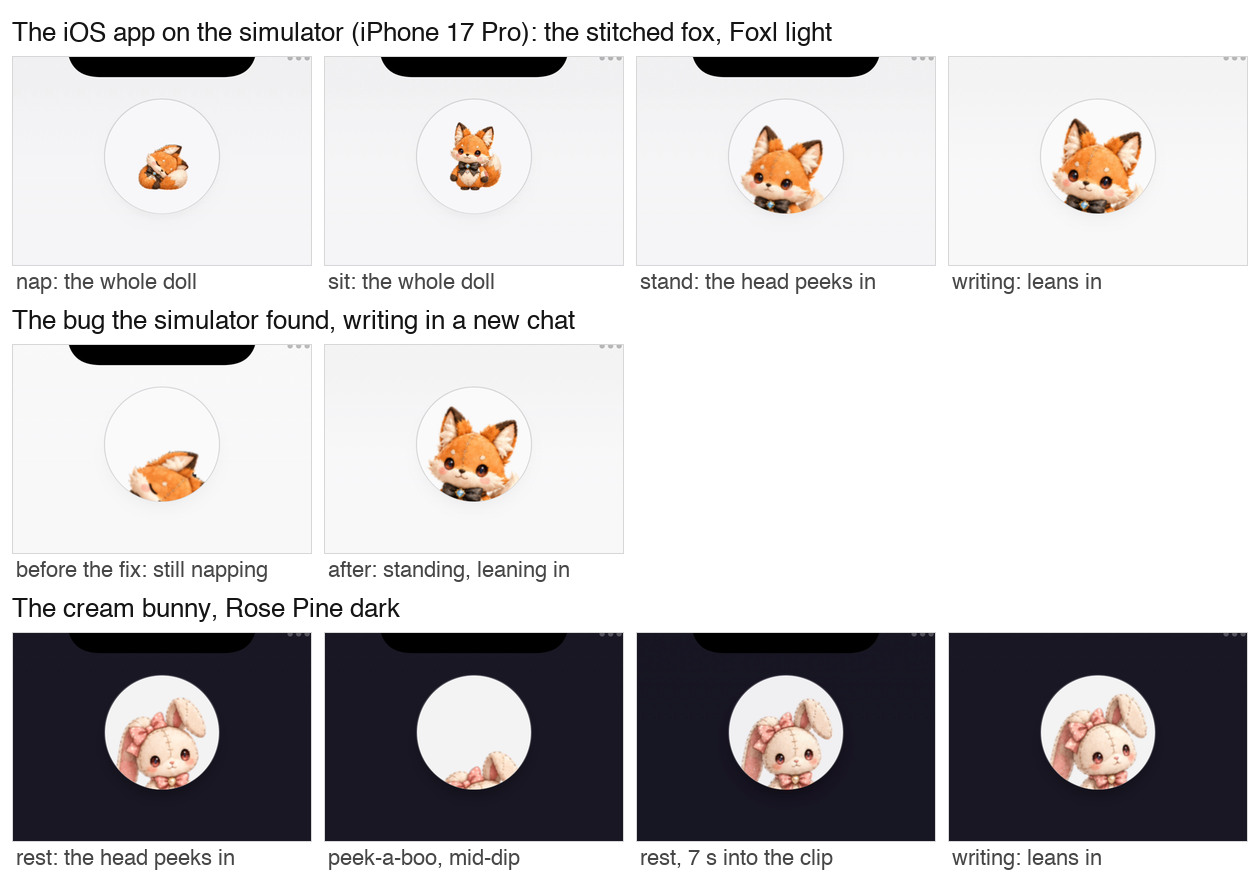
We ran the app itself on the iOS simulator and the Android emulator before this shipped. The simulator found a bug the browser tests had missed: in a brand-new chat, a doll that had sat down or fallen asleep stayed that way when you started writing, and the lean framed its standing head, so you saw a curled-up doll at the rim. Now the doll wakes up and stands when the chat gets busy, and a test that starts from a new chat holds it there.
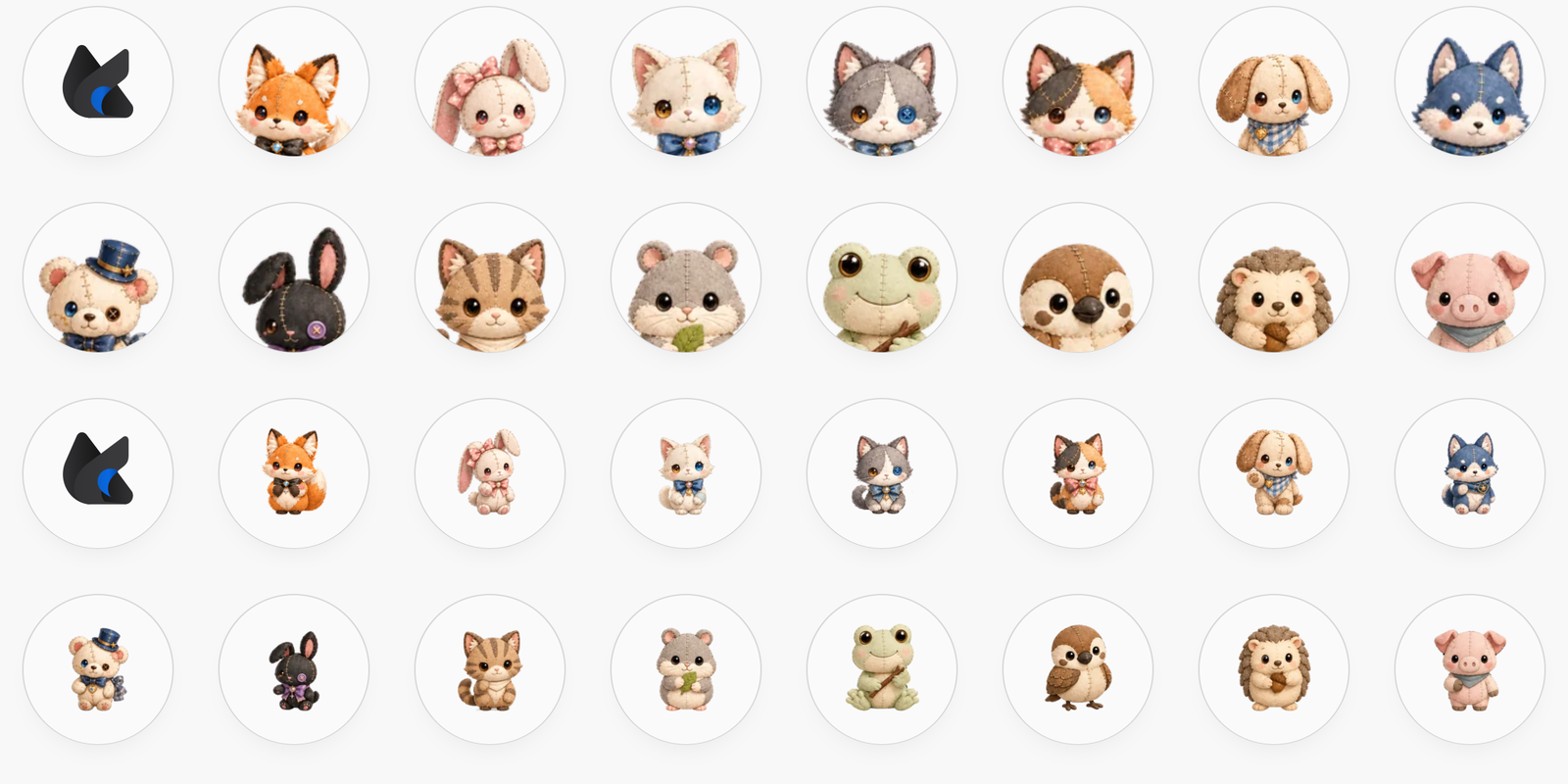
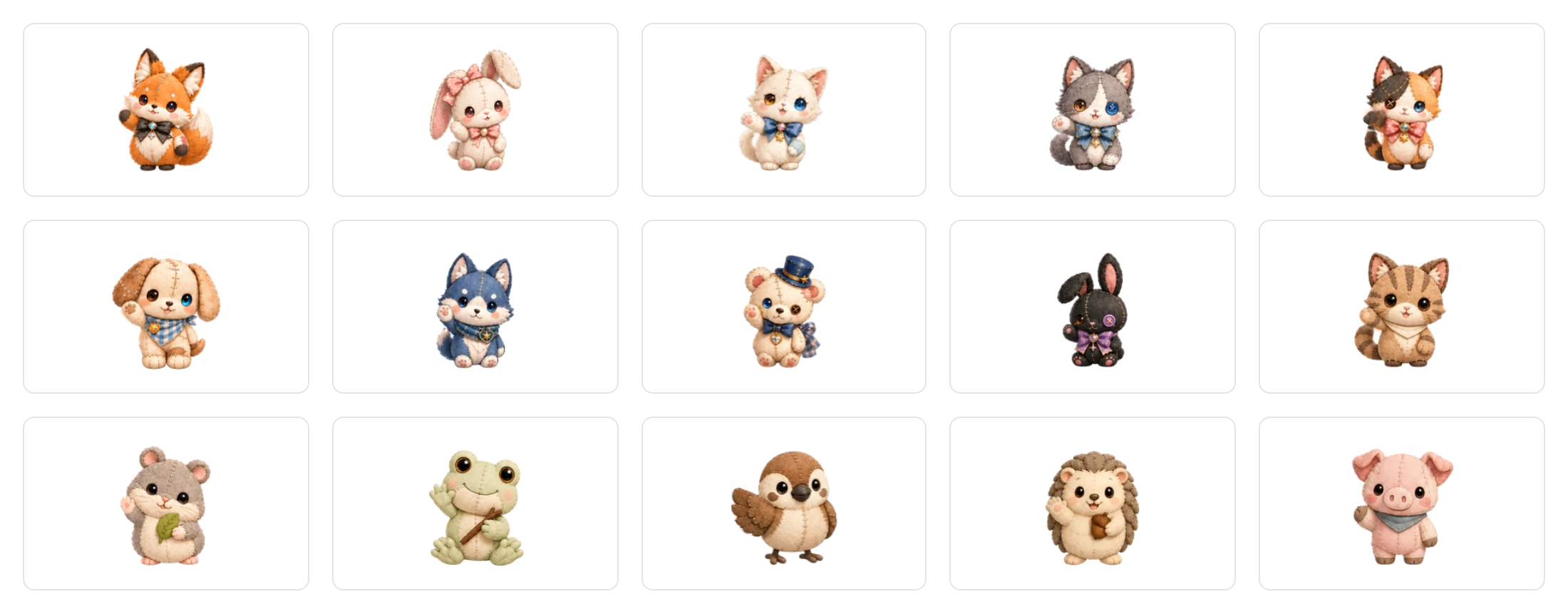
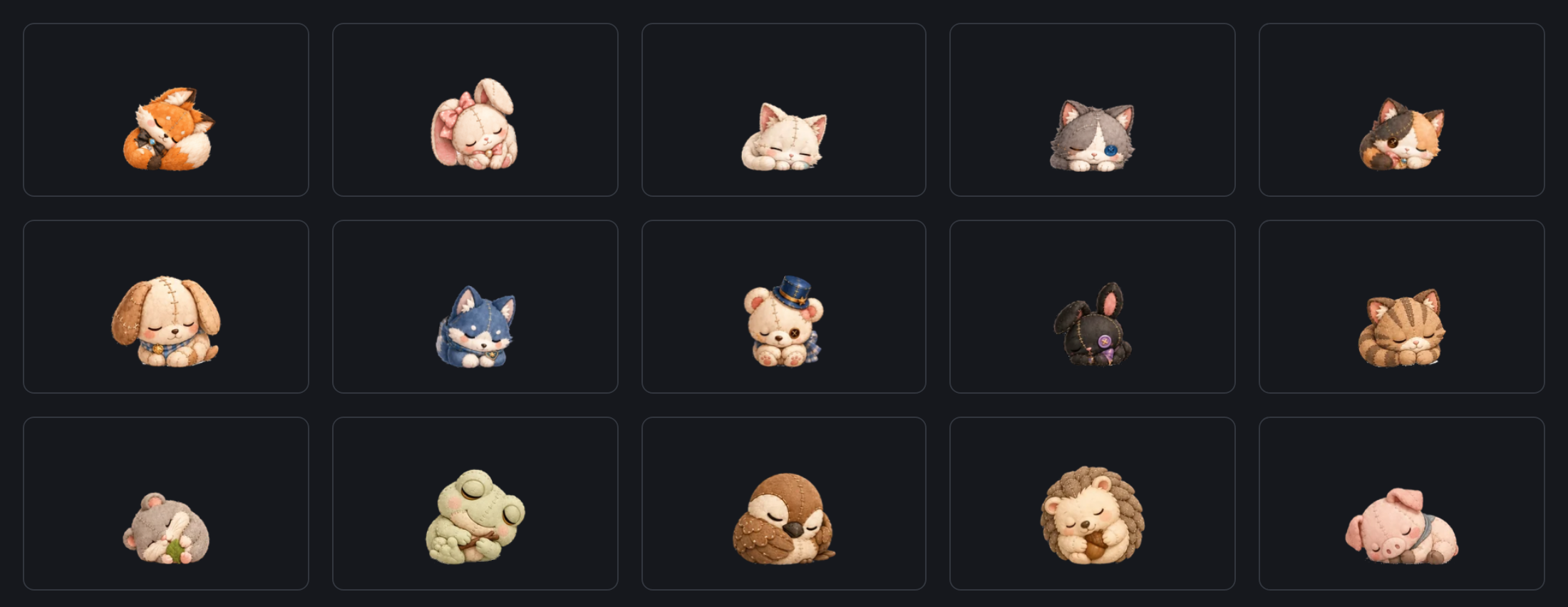
Fifteen dolls, twelve moves each
Every doll has the same twelve clips: idle, a look about, thinking, working, waiting, wave, cheer, a sad face for an error, a walk, sit, nap and eat. Each one plays the way it is meant to. Idle, thinking, working and waiting loop. Wave, cheer and eat play once and go back to idle. The error face plays once and holds. Sit and nap settle once and then loop only their resting part, so a doll that lay down keeps breathing lying down instead of jumping back up each cycle. Between tasks a doll picks its next pose itself (stand, sit, look about, eat, and a nap it has to earn, never the first thing you see), and nothing reads a finished turn as a success: the cheer is for your tap.
The pet no longer walks around the screen by itself. In the app the doll's walk read as awkward next to everything else it does, so the setting and the two menu items that sent it wandering are gone. You can still drag it wherever you like.
Drawn from the approved frames, losslessly
The dolls were drawn and animated outside the app, and an importer turns the frames that were approved into what ships. It reads the full-quality PNG of every frame, never the smaller preview strips, and checks each one against what was approved: the same transparency to the pixel, and colour within an average of 3 out of 255. Over all 2,464 interpolated frames the worst difference was 1.36, while a frame of a different doll scores 15.7 or more, so a frame swapped between two dolls cannot pass. The strips are lossless WebP, so stitches, button crosses and the highlights in the eyes come through as drawn.
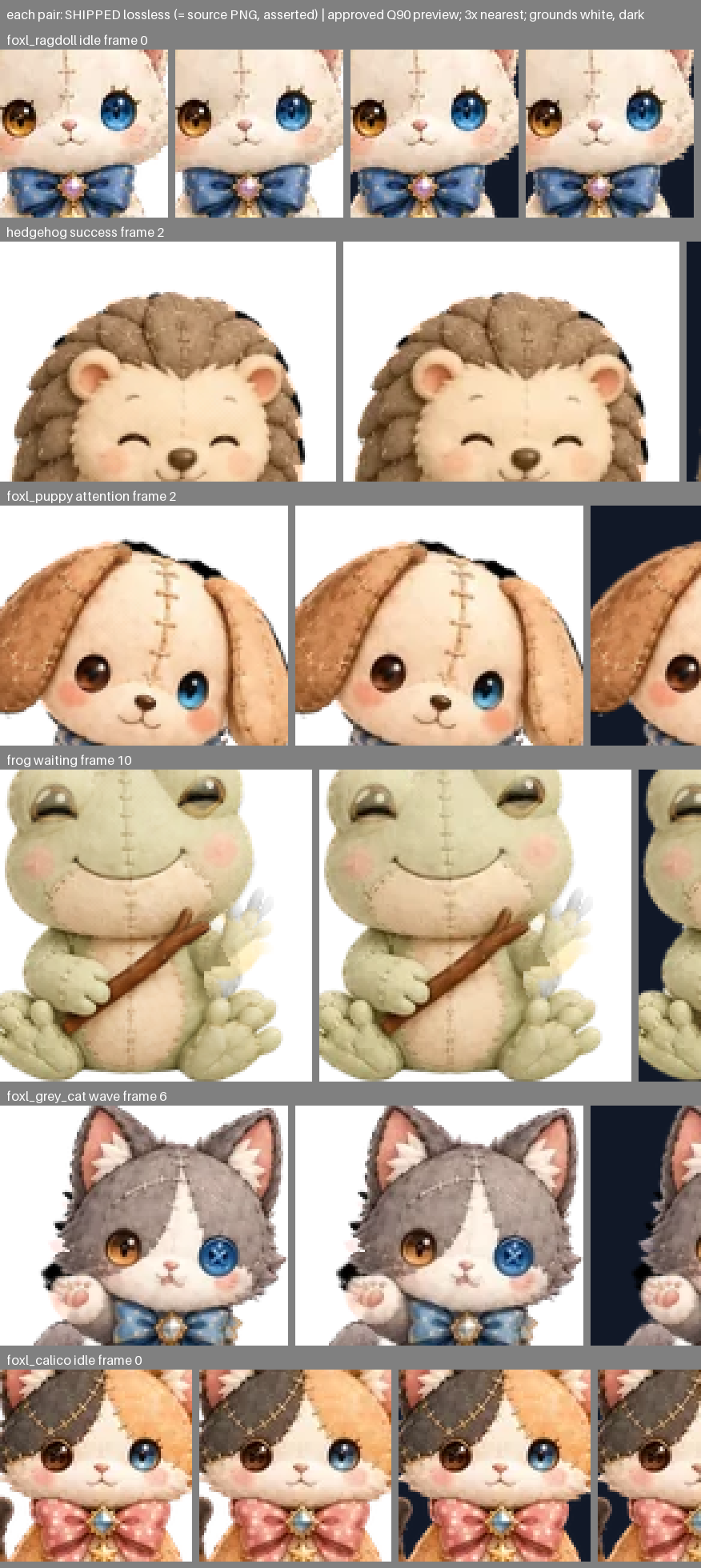
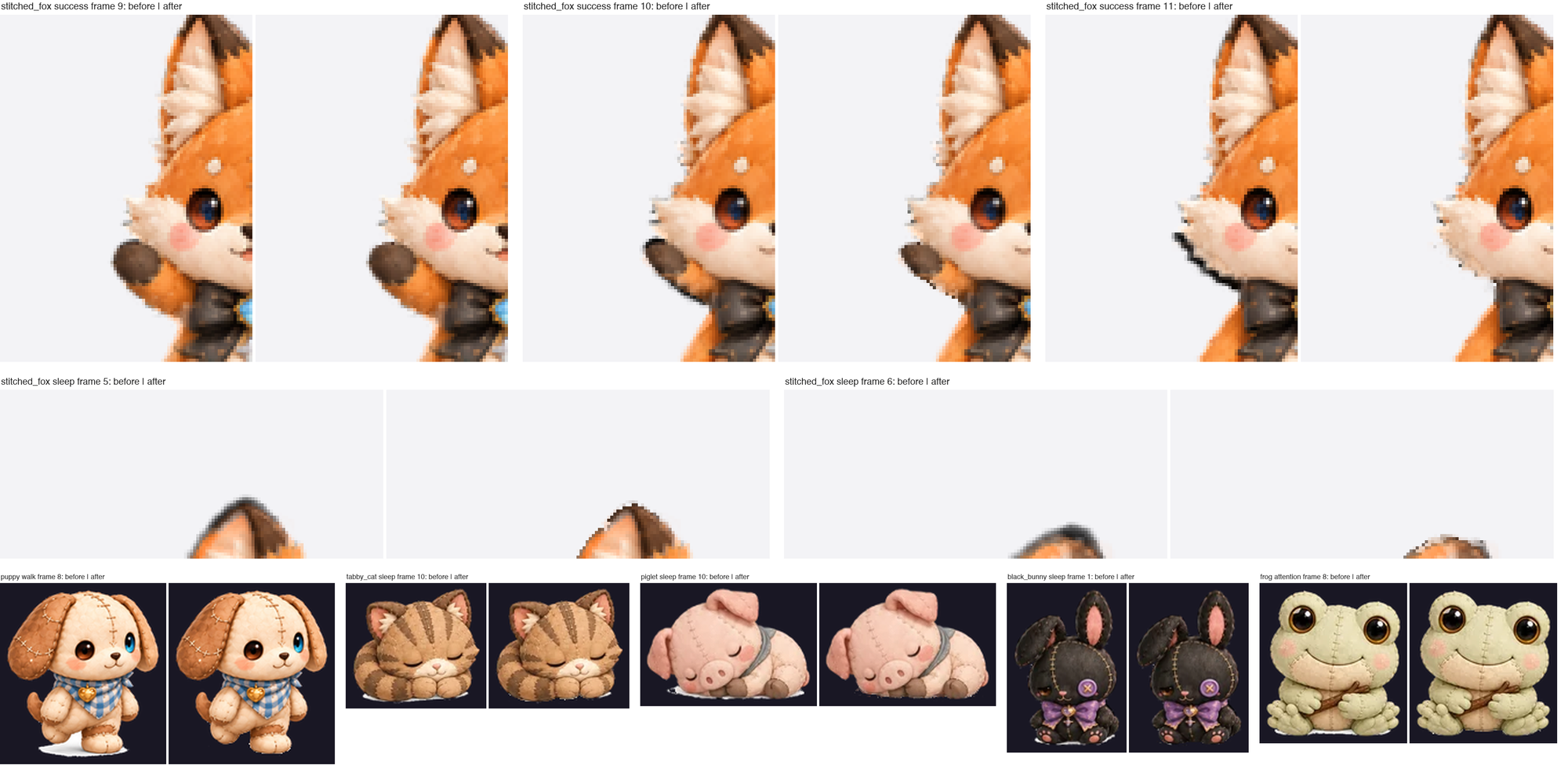
The one change to the drawn pixels is taking out background that was left behind. The in-between frames were generated over black, and where that black was not fully removed it stayed at the edge of the doll: thin black slivers beside the fox's raised arm, a dark halo round an ear as it turned, once a small black block. A few dolls also kept a little white under their feet, which disappears on the light disc and shows as a white smear on a dark page. The importer now removes both. It reads each edge pixel as the doll's own colour blended with that background, and keeps the doll's colour with the right transparency, so the edge stays soft. Dark parts of the doll itself, like the fox's brown ear tips, its bow and its button eyes, are left as they are.
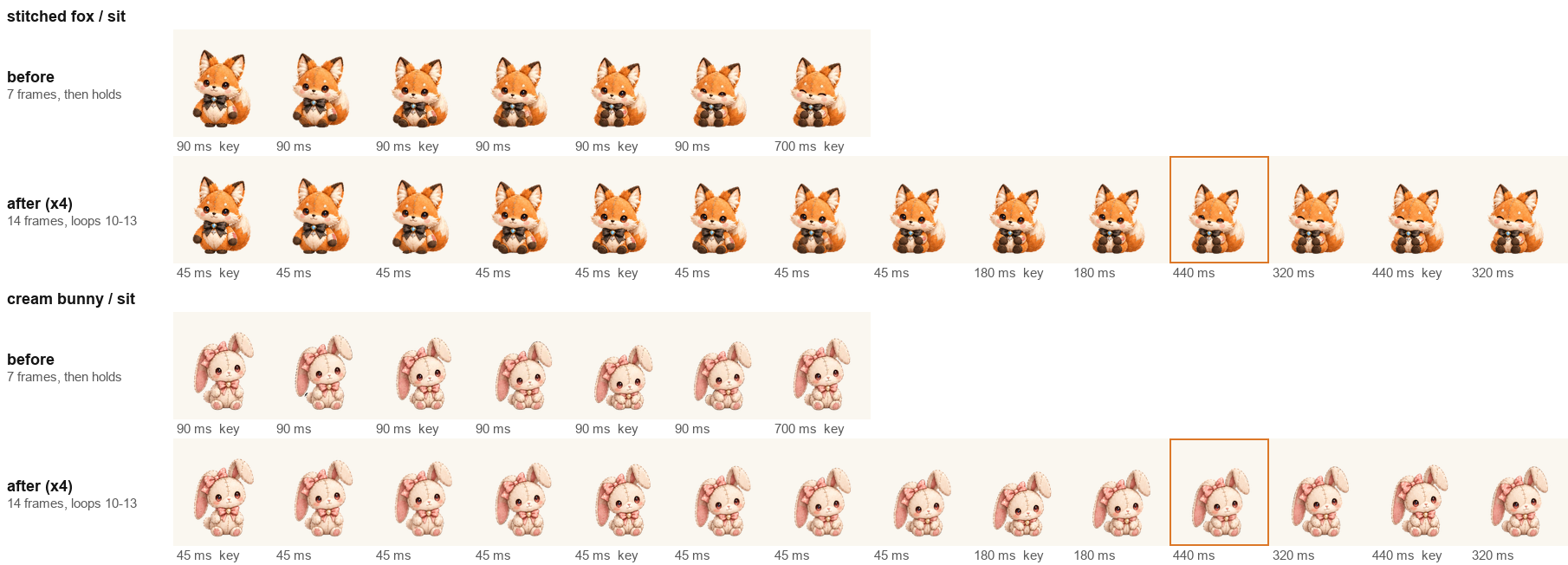
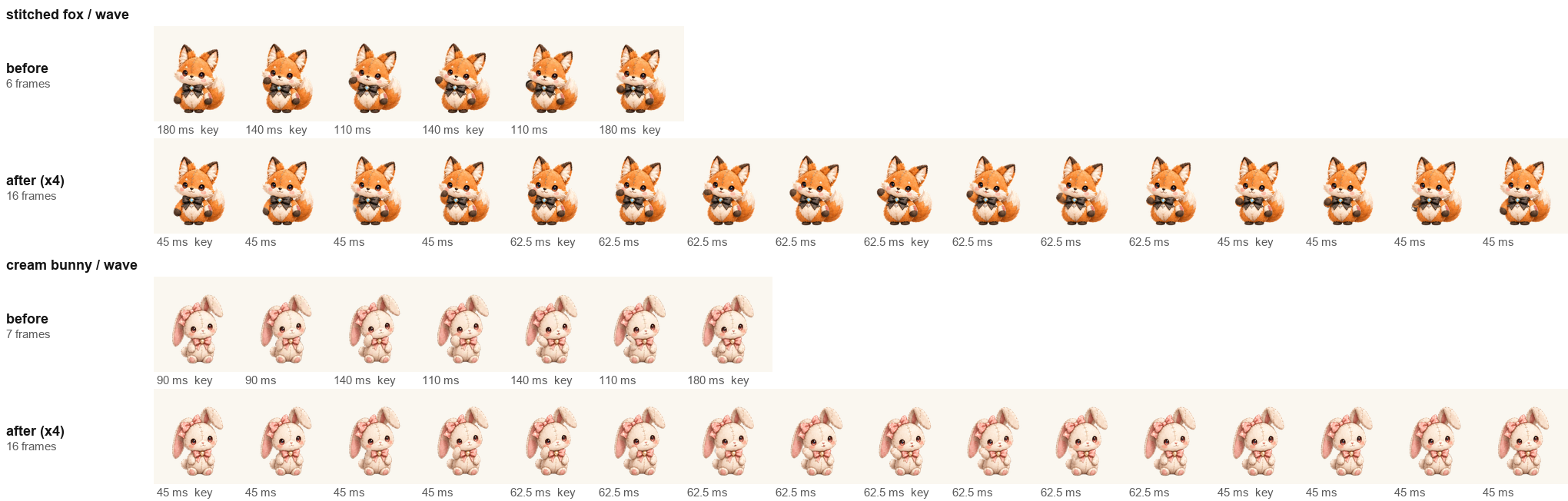
Smoother in-betweens for the fox and the cream bunny
Thirteen of the dolls were made with three new frames between every pair of key poses. The fox and the cream bunny came from an earlier set with one, and beside the others they looked choppy. They now get the same treatment from the same key poses: the fox went from 84 frames to 188 and the bunny from 87 to 188, and their sit and nap settle and then keep sitting instead of holding a single frame.
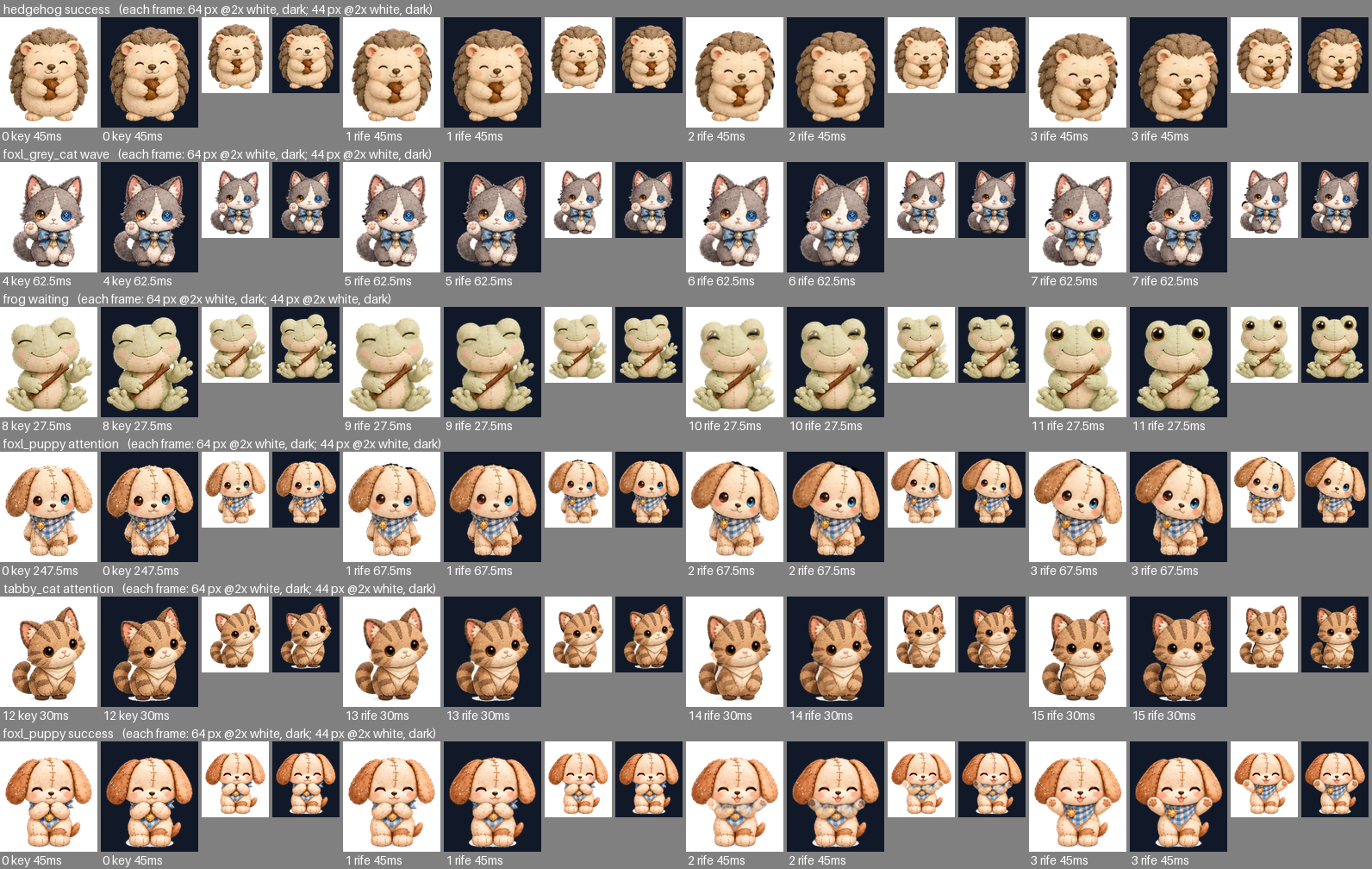
Generated in-betweens are not perfect. A review of every clip left 25 small notes: a thin dark rim on white for a frame of the hedgehog's cheer, a faint see-through paw mid-swing in the frog's wait. Each lasts 45 to 68 milliseconds and is hard to see at the sizes the app draws, so they shipped as approved rather than with frames nobody had reviewed.
What the apps download
All fifteen dolls take about 59 MB, which is far too much to put in every app download. So the web app at app.foxl.ai serves them all, and the iPhone, Android and desktop apps carry only the fifteen portraits and the stitched fox's resting clip, about half a megabyte. The first time your doll makes a move the app does not have, it downloads that one clip from app.foxl.ai, about a third of a megabyte, and keeps it. Until then, and offline, the doll shows its portrait, never an empty disc.
Before and after
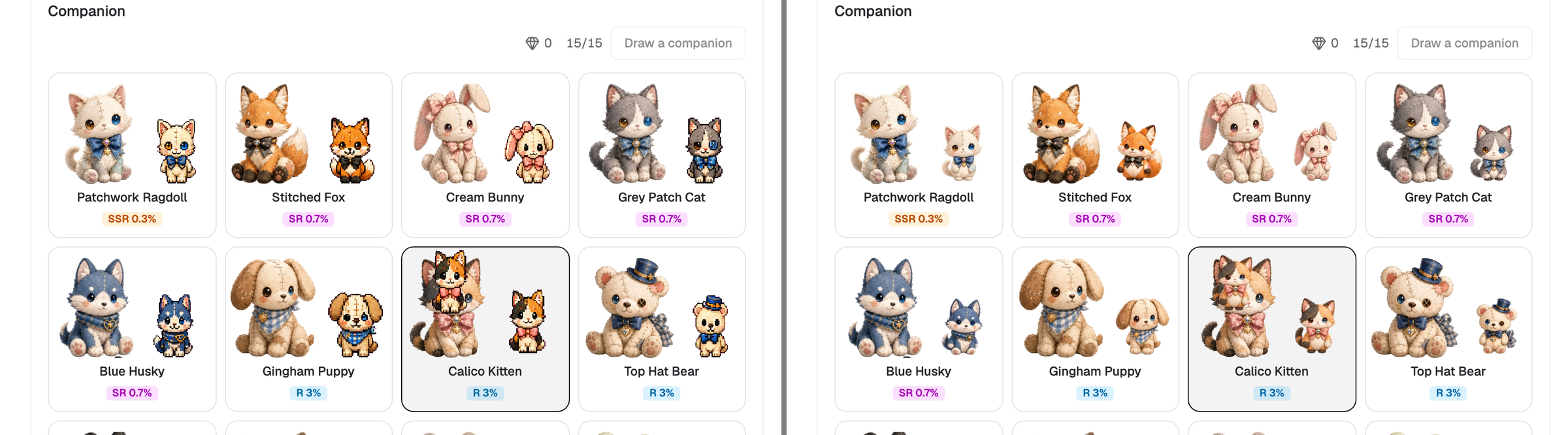
Before this release the pets were small pixel sprites, and the fox in the chat header a flat drawing. The same companions, the same ones you own and the same names, are the plush dolls in every place a pet appears: the disc, the Foxl window, your desktop, the gallery in Settings, Your Foxl and the gift pages.

Limits
- Phones only, for the disc. From 640 pixels wide the chat header has no disc, so on a computer the pet lives in the Foxl window or on your desktop instead.
- Not on code.foxl.ai. Foxl Code shows no pet.
- The first move needs the network in the apps. Each clip downloads once; before that, and offline, the doll shows its portrait.
- Your pets and settings carry over. Which pets you own, the one you chose, its size and the switch that turns it on are unchanged.
References and further reading
- Foxl changelogRelease
- Download FoxlReference