Foxl v0.10.5: Calls That Last the Whole Conversation, and a Brief for Your Whole Day
Foxl v0.10.5 is out. Phone calls can run up to 30 minutes and use the number Foxl finds, your morning brief is written in your language and covers your whole day, each chat's pointer on a Mac has its own color, and on your phone the bar that says Foxl is using an app tucks into the menu.
On this page
Foxl v0.10.5 is out. When you don't say how long, a phone call now goes on until the conversation is done, up to 30 minutes, and Foxl calls the number it finds for a business without asking you to type it. Your morning brief is written in your language and covers your whole day. On a Mac, each chat's Foxl pointer has its own color, and on your phone the bar that says Foxl is using an app tucks into the menu.
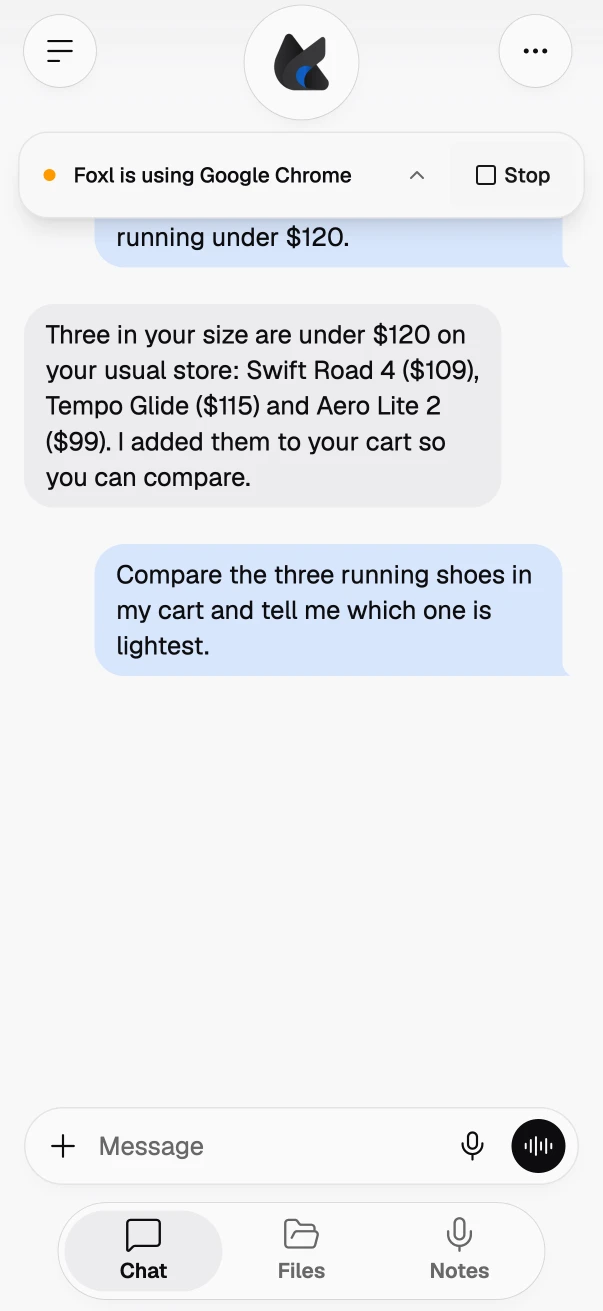
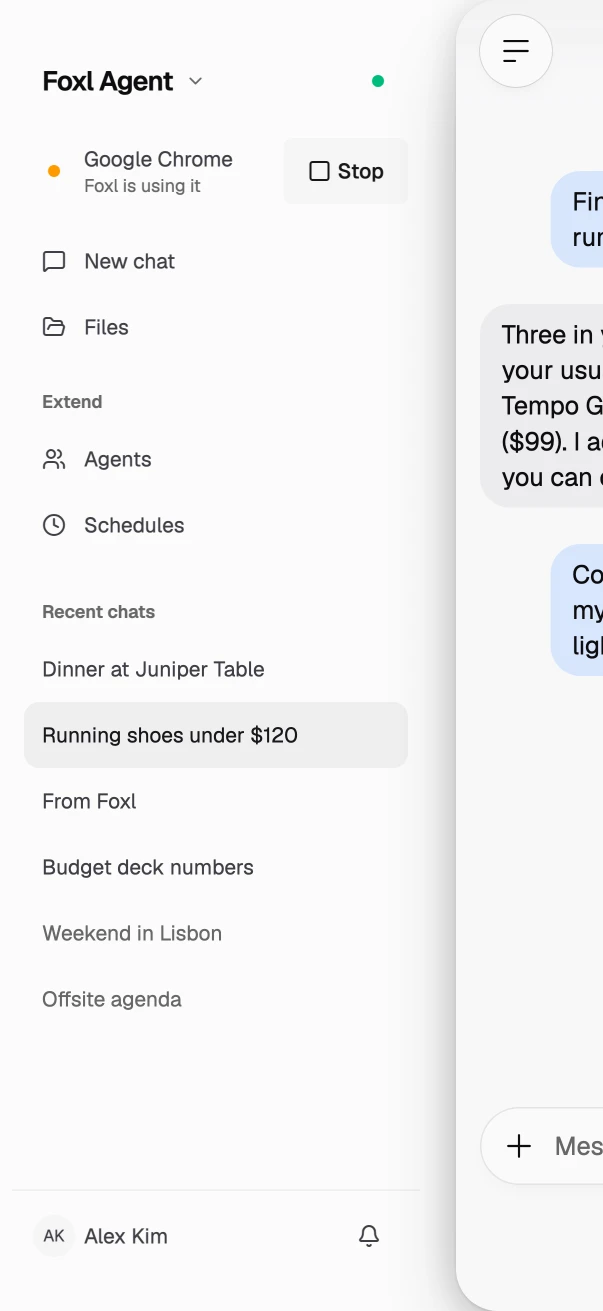
The phone pictures below are this release's own app, as a phone's browser shows it, with sample data. The restaurant, the people, the meetings and the charge are made up, and nothing was dialed, sent or bought.
Calls that last as long as the conversation
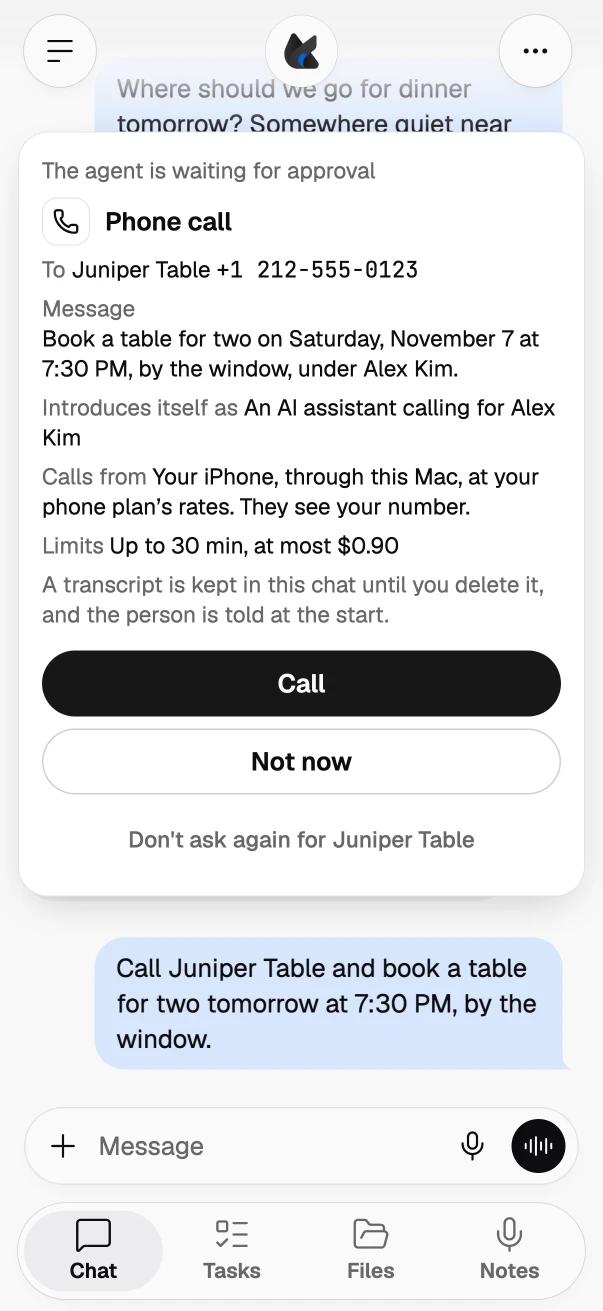
When you don't say how long, a call now goes on until the conversation is done, up to 30 minutes, with Foxl's part of the call within $5. Before, a call lasted 3 minutes unless you said otherwise, 5 at most, within $1. A call to a pricier destination is made shorter to stay within $5, and the call card shows both limits. A call through your iPhone also uses your phone plan's minutes at its rates, as the card says.
A call to a number you always allow still lasts at most 5 minutes unless you ask for longer, and a call whose voice runs on Foxl credits keeps its 5-minute limit.
Foxl also calls the number it finds without asking you to type it. Ask Foxl to call a business or an office and it uses the listed number it looked up. The call card shows the whole number, and you press Call.
Transcripts that write dates and times the way you do
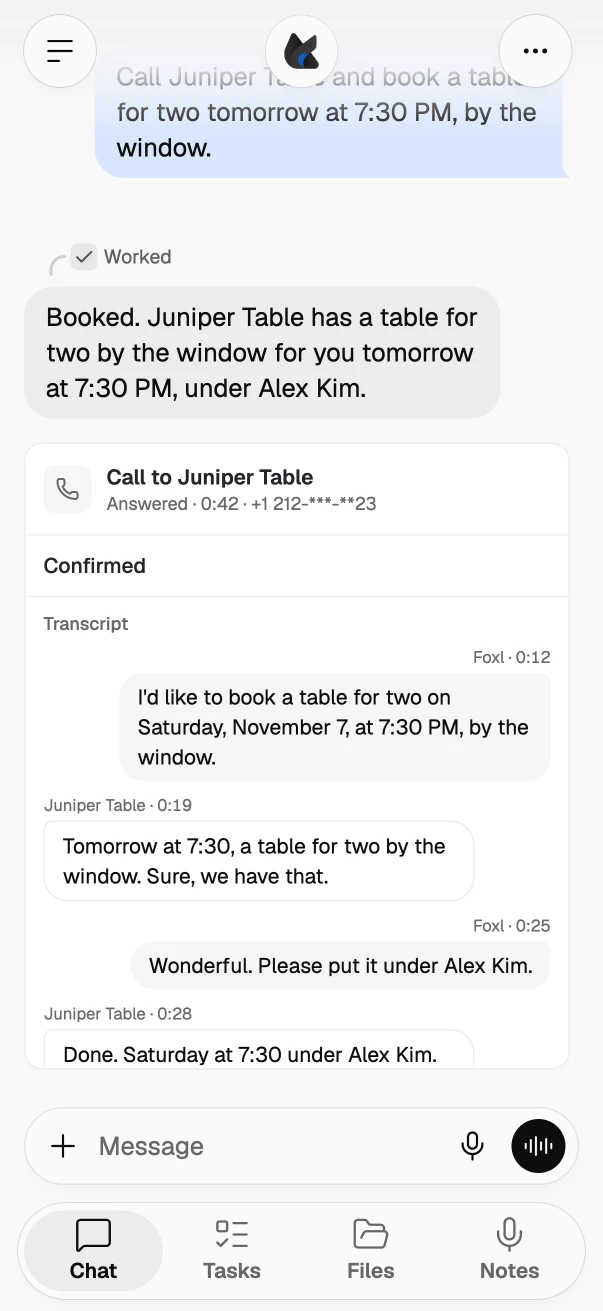
A phone call's transcript and card now write dates and times the way you would write them. Where the call voice spelled them out, such as the date and "seven thirty" in words, the lines now read like "November 7, at 7:30 PM", in every language a call is held in except Hindi, and so do the other side's lines. On a Korean, Japanese or English call the voice also no longer says the year of a date in the coming six months, as a person booking a table would not; a date further ahead keeps its year.
Calls in Chinese got two fixes. Once the other side has said the place's name, Foxl no longer asks again whether it reached it, also when the name it hears sounds the same but is written in other characters. And "您请说" (go ahead) is no longer taken as a yes when Foxl asks whether it reached the right place: Foxl asks once more, and if the answer is still not a yes, it apologizes, says goodbye and reports a wrong number.
Calls you take yourself, asked the same way
When Foxl runs a command that hands a call to your iPhone, FaceTime or your computer's phone app, the call card now shows who and the number first, the way a Foxl call does, and says the call rings on your own phone or in FaceTime and that you talk on it yourself. A schedule, a check-in or a subagent cannot start such a call.
A number with a pause, an extension or a code before it shows everything it dials. For a meeting dial-in such as +1 669 900 6833,,850 1234 5678#, a number with an extension such as x1234, or one with *67 before it, the card shows the number and the whole string your phone will be given, and it asks every time. On a Mac the card also says that Apple documents its Phone app as not dialing a link with * or # in it; elsewhere it says that what comes before or after the number may not be dialed.
A morning brief in your language, for your whole day
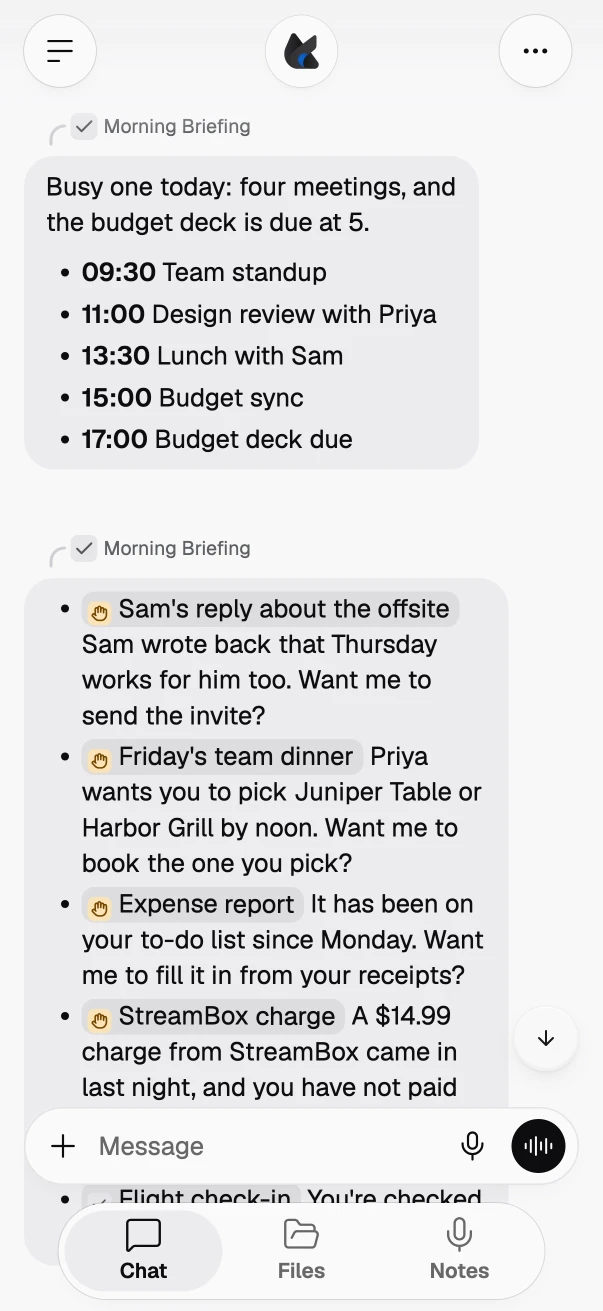
Your morning brief is now written in your language: the one your USER.md or AGENTS.md asks for, or else the one you write to Foxl in. It opens with today's meetings and deadlines and their times, as their own message, then names everything that needs you rather than stopping at three: replies, decisions, overdue items on your own to-do list when your memory says where it is, and unexpected charges on your accounts.
Each one reads like a short text, ending with what Foxl can do for you, and follows the tone you asked for in your memory. A brief you rewrote on the Schedules page keeps your own words. Check-ins got quieter too: a service's routine notices, such as a "CI passed" or "backup finished" email, are left out unless something failed.
On your phone, the "Foxl is using an app" bar tucks into the menu
While Foxl is using an app on your computer, your phone shows a bar that says so. Tap the bar's arrow and it now goes into the menu button instead of shrinking, leaving the chat, its welcome and the message box clear, keyboard up or not. Open the menu to see which app Foxl is using and to stop it, and tap that line to bring the bar back. Your phone remembers where you put it, and hiding it never stops what Foxl is doing. On a computer and an iPad, Hide still makes the bar smaller.
In the iPhone and Android apps, the side menu also taps back when you swipe it: a swipe in from the edge that opens it, and a swipe on the page that closes it, now give the same light haptic as tapping the menu button or tapping the page to close it. A swipe you turn back gives none.
On a Mac, a pointer color for each chat
While you are working somewhere else, the pointer a chat uses in an app now wears that chat's soft pastel, with a faint glow, a white edge and a gentle sway, so two chats using apps at once are easy to tell apart. While you are in the window it is working in, it is the small gray pointer of before.
A Quick Chat asks before Foxl acts for you
In a Quick Chat opened from another chat, a call, a change to Foxl's own instructions, a skill or an agent role, a calendar change, an event trigger, a message Foxl sends, a purchase and a saved sign-in now wait for your tap on their card, as they do in a chat after Foxl has read a page or a mail. The same goes for a Notes AI Assistant chat, and for any chat once a message in it includes another chat. A call to a number that only Foxl's checklist names also waits for you to press Call.
Also in this release
- A tab for each task on a site you are signed in to: when Foxl keeps your sign-in for a site, every task on it at once, such as two helpers, a chat and a schedule, or a watch signing itself back in beside your chat, now works in a tab of its own in that site's browser, signed in once for all of them. Before, they steered one page and could read or click each other's. A watch on such a site checks it in that browser while the browser is open, so a sign-in made there counts at once.
- Your first notes stay yours: a note you save to your memory files right after a fresh install is no longer replaced by the starting template. The same holds for a skill you add then with the name of one of Foxl's built-in skills, and when Foxl cannot set up one of its built-in skills as it starts, it no longer resets your changes to the others.
- Nothing left running when you quit: on a Mac and on Linux, quitting Foxl no longer leaves a background helper for one of its browser tabs running, or starts a new one, for over an hour after Foxl is gone. Foxl now stops them as it quits.
The full list of changes is in the release notes, under v0.10.5.
References and further reading
- Foxl v0.10.5 release notesRelease
- Download FoxlReference