Foxl v0.10.4: Calls That End at Goodbye, and Cards That Say What Happened
Foxl v0.10.4 is out. Phone calls wait for the other person's answer and end at goodbye, the card after an order or a booking can add what Foxl's AI read on the page, a calendar change Foxl can't make says why on its card, and your memory in a cloud chat is cached for your account alone.

On this page
Foxl v0.10.4 is out. On a phone call, Foxl now waits for the other person to answer its question, and once it has said goodbye it says nothing more. After an order or a booking on a site Foxl has no rules for, the card under the reply can add what Foxl's AI read on the page, and a calendar change Foxl can't make says why on its card. Your memory in a cloud chat is cached for your account alone, and tasks that use Foxl's browser at the same time no longer move each other's page.
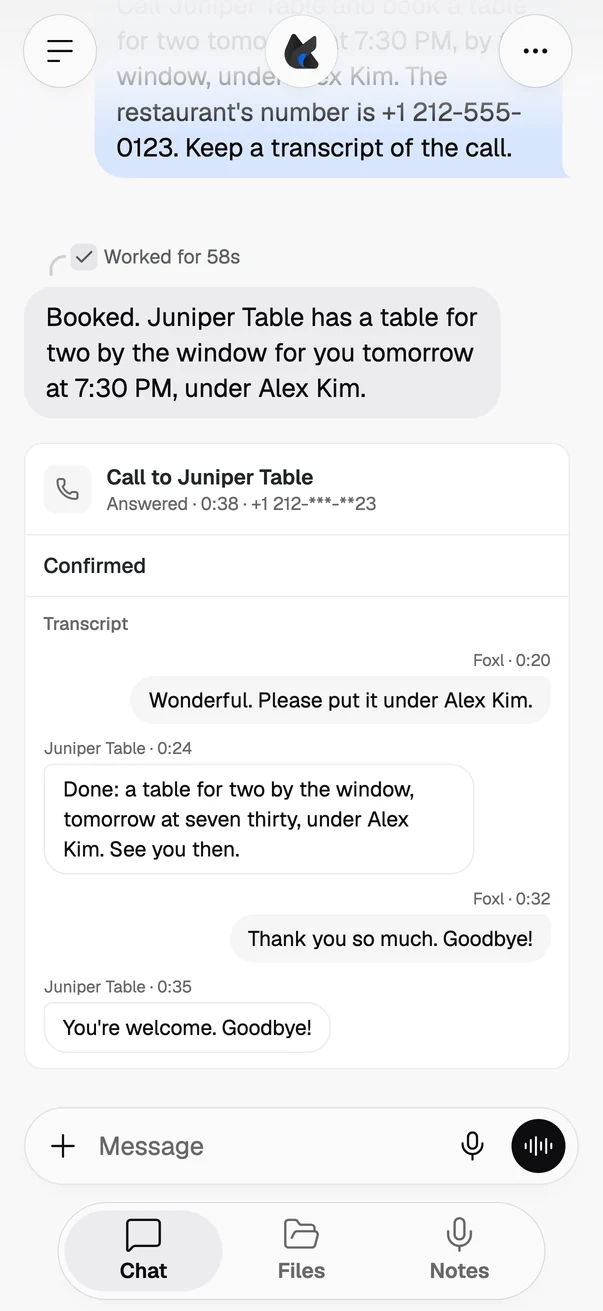
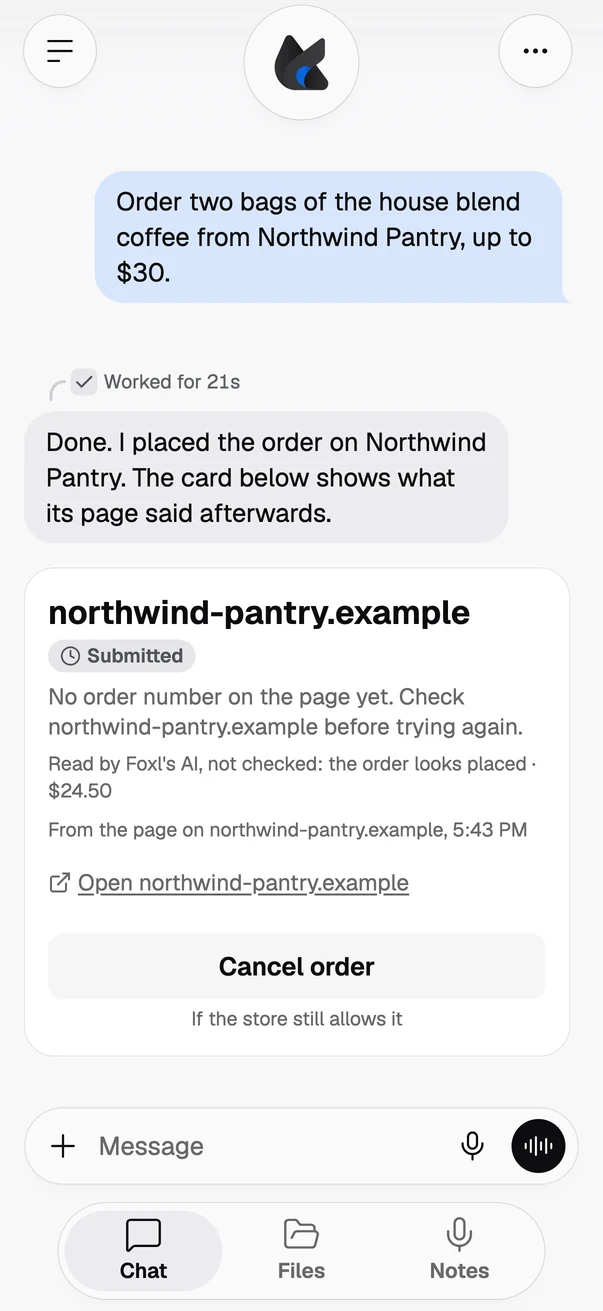
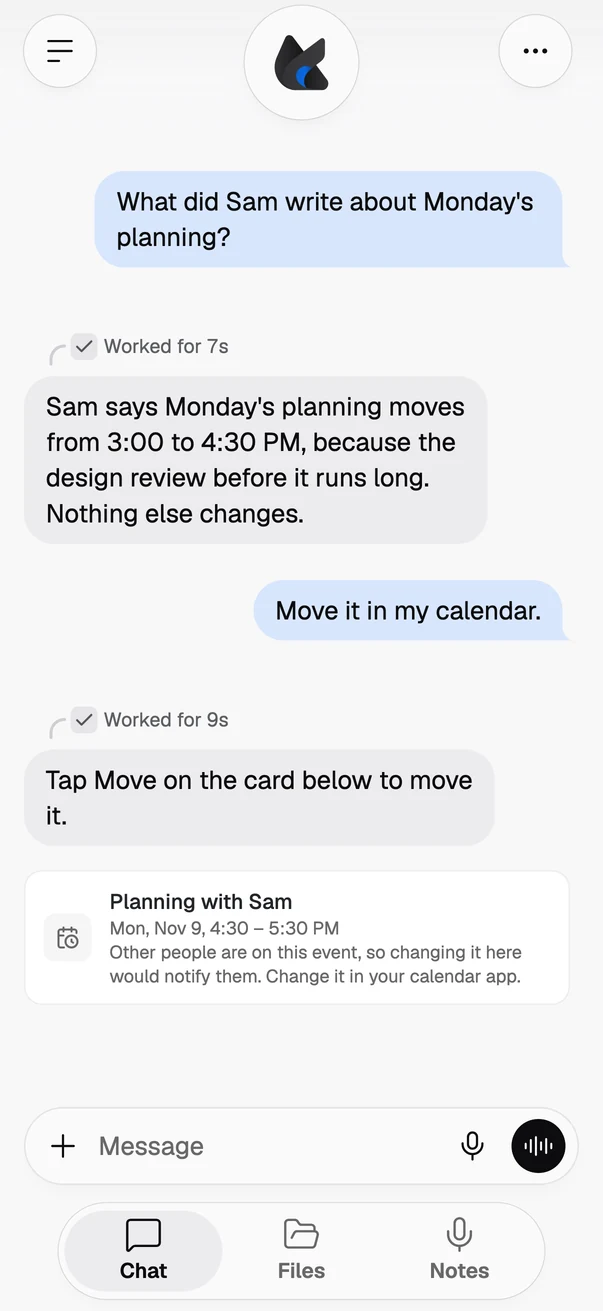
The phone pictures below are this release's own app, as a phone's browser shows it, with sample data. The restaurant, the shop, the people and the meeting are made up, and nothing was dialed, bought or changed.
Phone calls that wait for the answer
On a phone call, Foxl now stops after its own question and waits for the other person, instead of going on to answer it for them. What the voice writes after its question in the same turn is no longer said or added to the transcript. The call card says Confirmed only when the other person has spoken since Foxl's last question. When they have not, it says "They did not confirm it themselves."
Calls also end the way people end them. Once Foxl has said goodbye and ended the call, it says nothing more of its own: a second goodbye after the other person's goodbye, or a remark that the call has already ended, is no longer said to them or added to the call card, and the call ends after their goodbye. If they say more than goodbye, or spoke over Foxl's goodbye before it finished, Foxl still answers them. The notes the voice writes to itself as the call ends, and notes in brackets written in place of speech, stay off the line and off the card, while Foxl's goodbye still plays in every language.
When the voice writes its request to end the call as text instead of making it, as it sometimes does, Foxl now keeps that text off the line and the call card and ends the call with the result the voice wrote, also when the voice splits the request in two. Before, a request in a form Foxl did not expect was read out to the other person, and the call stayed open. When no result can be read from it, the call still ends, and the card shows the voice's own note about the call or, when it wrote none, says "Foxl ended the call without recording how it went."
A call also knows what day it is where the other side is. The voice is told the date and weekday of the call in the time zone of the person it calls, so when a restaurant says "tomorrow", that can be the day Foxl is booking.
Order and booking cards that say what the page said
After a purchase or a booking on a site Foxl has no rules for, the card under the reply can now add what Foxl's AI read on the page after the step, such as "the order looks placed · $24.50". The line sits under the card's own status, such as Submitted, is marked as not checked, and says the order looks placed only when the page showed the step was sent. When the site asks for one more confirmation, the card names the button it asks for.
When a cancellation or a booking opens the site's own next step, such as Naver 예약's reason box and its "정말 취소하시겠어요?", Foxl now presses on in the same reply instead of stopping to ask you to check the site. Once that step is done, the card under the earlier reply, and its approval, show what the page said after it, such as Submitted, instead of Not sure. A card that says Submitted without a confirmation still asks you to check the site before trying again.
A card you answered now says what its step did. When Foxl showed you a review or an account deletion before taking it, its card says Posted or Deleted once the site's page said so, Not posted or Not deleted when the step failed, and what the page showed otherwise, where it used to say Approved either way, and one nobody answered reads Timed out instead of Denied. A booking card or a command's card whose step failed says Failed.
A few stores read better too. After an order on Coupang, the card shows the order number and the amount you paid, not the price before the discount, and a cancelled Coupang order shows that it was cancelled. When the page after a payment lists several order numbers, the card says Submitted instead of naming the first one as this order. Buy Now on Amazon in France, Spain, Japan and Saudi Arabia no longer puts a "Frequently bought together" total on the purchase approval as the price of the one item you buy, and on noon in Saudi Arabia Foxl reads prices written with noon's own riyal sign.
Calendar changes Foxl can't make, said up front
Asked to move or remove an iCloud or Naver event that other people are on, or one that repeats, Foxl now says so up front instead of showing a card to tap. A change waits for your tap when the chat has read someone else's words, such as an email. When that change can't be made, such as a move of an event in your Mac's Calendar app with other people on it, its card now says why in place of its button, so you know to change it in your calendar app.
Reading or adding to a calendar also no longer fails when the model leaves an optional field empty, and neither does saving a skill from text the chat wrote.
Kept to you
In a cloud chat, the part of the prompt that holds your memory files is now cached for your account alone: it can no longer match anyone else's request, whatever they write into their own memory.
Signing out of the phone app now clears a photo or file you shared to Foxl from another app and had not opened yet, so it no longer goes to whoever signs in next on that phone. On a Mac or Linux, when Foxl saves or edits a file that belongs to another person's account in a folder you can change, such as a shared project folder, it leaves the file as it is and tells you why, instead of handing it to your account. And Foxl asks for a saved key again only when the service turned the key down, revoked it or let it expire: a rate limit, or a page the key has no access to, keeps the key.
Several steps at once
When the AI asks for the same step several times at once, with the same details, and that step fails, the first one runs and the copies are not run, each saying the first one failed. A read of a file, a search or memory, asked for again with nothing changed in between, runs once, while a step that changes something, like a key press, or that can answer differently each time, like a web page, still runs as many times as the AI asked.
Pages Foxl opens together in your Chrome, for example while comparing nearby restaurants, now load at the same time instead of one after another, still in new tabs in Foxl's own tab group. In Foxl's own browser, a task that starts while another one is using it gets a window of its own, so a schedule that opens a site while your chat fills in a form no longer moves the form away, and subagents comparing two shops each read their own. Tasks also no longer wait for each other's steps. Sign-ins stay shared, your chat keeps its page between your messages, and a task's own window closes when the task finishes, or after an hour without use.
Checking a deck or a Word document no longer starts your Google Chrome. To look at its own work, Foxl renders each page through officecli, which used to start your Google Chrome (or Firefox) in the background every time. On macOS and Linux, Foxl now gives it a headless browser of its own, downloaded once the first time it checks a deck or document (about 105 MB on a Mac, 128 MB on Linux), and none of your browsers is started for it.
For scripts and coding agents
A script, a shortcut or another agent that calls Foxl's local chat API and then cancels or times out now stops Foxl's work: Foxl stops the command it was running and takes no further step. Before, the command finished and the next steps still ran, with nobody waiting for the answer.
Claude Code hooks now run when a Foxl helper finishes, too. A SubagentStop hook in your hooks file runs once each time a helper Foxl started finishes its work, with the helper's type, id and report and the other helpers still running, as Claude Code passes them, and the same agent-type matcher, for example to get a notification or to check the helper's report. It does not run for a helper you stopped or one that failed, and like Foxl's Stop hook, it runs in the background and does not keep the helper going. A memory Foxl edits also keeps its dollar signs now: a line holding "$$500", a shell variable or LaTeX math is saved as written.
Also in this release
- More services from a chat: when a task needs monday.com, Attio, Close, ClickUp, PostHog or GitLab, Foxl shows a Connect card in the chat. You sign in on the service's own page, and Foxl uses that service's official MCP server. On GitLab.com, it works if you have GitLab Duo Agent Platform.
- Your brief: a brief that arrives in the afternoon or evening now says "Afternoon" or "Evening" instead of "Morning", in all ten languages, and on your phone a pill in the brief that names one of your chats opens it, as long as the chat still exists.
- Sky on your phone: Foxl's sky is back on your phone, if you want it. In Settings > Appearance > Surface, pick Sky to put the blue day with its clouds, or the night with its stars, behind a new chat, the Notes home and Foxl Code's first screen, in any color theme. It is on phones only (the iOS and Android apps and a phone's browser); with nothing picked, those screens stay on the plain page color.
- Usage at AWS's rates: the cost under a reply, the Usage page and your spending limits now count Claude and GPT calls on your own AWS account at the rate AWS bills. Models that run on Bedrock's US profile, such as Opus 5.5 and GPT-6 Sol, are counted at that profile's rate, which AWS bills 10% above the global rate, and the GPT-5.6 models at AWS's US-profile rate too, which is lower than the cost they showed before. Usage recorded before this update keeps the cost it was recorded with.
- Files where they are: when a file is not where Foxl looked, such as a file in Foxl's workspace that it looked for in your home folder's Documents, the answer now names the file with that name in the workspace or the chat's folder, and Foxl reads it at once instead of spending up to three minutes searching the disk. Foxl looks only inside those two folders, never in your other folders.
- Projects fold: click the Projects heading in the sidebar to hide every project, and click it again to bring them back. The section stays folded the next time you open Foxl on that device.
- Problem reports: when you ask Foxl to tell the Foxl team about a problem, the report card now also shows the model your chat ran on and your computer's system before you press Send, and both are sent with the report.
- Replies: while a reply is being written, the arrows that switch between its versions are dimmed and say why, and scrolling back to the bottom of a chat while a reply streams follows the reply again.
- Slides: in a deck you open in Foxl, text wraps between words as PowerPoint wraps it, a deck set in Aptos or Calibri shows in Foxl's own font when your device lacks it, a word too wide for its box makes that box's text smaller, and tables draw their cell colours, including PowerPoint's default table style.
- Older page encodings: Korean, Japanese and Chinese pages in EUC-KR, Shift_JIS, GBK or Big5 now read correctly when Foxl reads or watches them, so a watch for a word on such a page fires.
- Right-to-left text: in Messages, a name or a last message written in the other direction reads the right way round; with the app in Arabic, Settings > About shows this computer's folders left to right; and in the terminal, a long Arabic line no longer covers the column before it.
- Names cut short: in the iPhone app and in Safari, more names cut short with "..." keep the whole "...".
- Titles: tabs and windows read "Notes | Foxl", "Tasks | Foxl Code" or "Chat | Foxl", like foxl.ai and docs.foxl.ai.
The full list of changes is in the release notes, under v0.10.4.
References and further reading
- Foxl v0.10.4 release notesRelease
- Download FoxlReference