Hearing the Whole Meeting: How an Empty AirPods Transcript Rewrote Two Releases
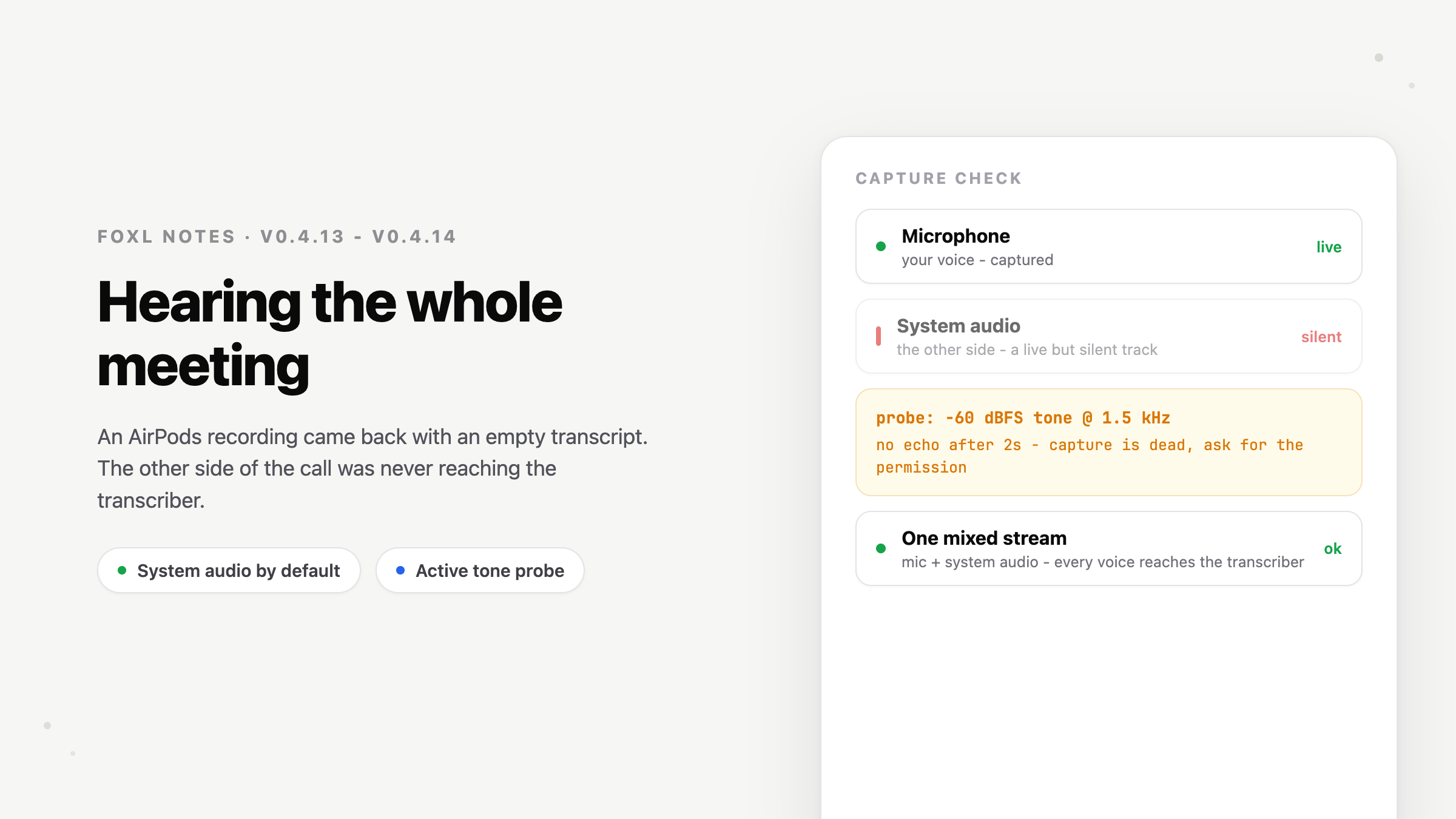
An AirPods recording came back empty because Foxl captured system audio only when live translation was on; on speakers, the mic had been picking up the other side by accident. v0.4.13 and v0.4.14 made system audio the default, added an inaudible tone that detects a missing macOS permission, moved iOS recording into native Swift, and closed six gaps in a ten-item phone-app audit.
On this page
Foxl v0.4.13 and v0.4.14 shipped a day apart, and most of what is in them traces back to one bug report: "I recorded a meeting wearing AirPods, and the transcript came back empty." Fixing it involved a macOS permission that never prompts, an inaudible test tone, a GPL license we decided not to touch, a WebKit behavior with no public opt-out, and finally a native Swift recorder. Along the way we audited the iOS app against ten things a native app can do that a browser tab cannot, and closed the six it was missing. This post covers both releases, including the dead ends.
The bug that speakers were hiding
Foxl Notes transcribes meetings. You hit record, it streams audio to a speech model, and a diarized transcript builds up live. It had worked for months - as long as your meeting audio came out of your laptop speakers.
The report said: with AirPods in and the mic muted, the recording captured nothing. Reading the recorder code made the reason plain. The pipeline captured system audio - the sound your Mac is playing, which is where the other participants' voices live - only when live translation was switched on. A plain recording captured the microphone alone. On speakers nobody noticed, because the other side's voices came out of the speakers, crossed the room, and re-entered through the mic. The feature looked like it worked because of an acoustic accident.
AirPods removed the accident. The remote voices played inside your ears and never reached the air near a microphone, so none of the other side was recorded. With the mic also muted, the recorder kept streaming digital silence to the transcription service and metered credits for audio that contained nothing at all.
The fix that was already in the codebase
The capture machinery already existed and already worked; live translation had used it for months. A single WebAudio graph mixes the microphone and the system audio into one stream, so the speech model hears each utterance exactly once and speaker diarization stays coherent. The bug was a condition on it: the mixing pipeline only armed when translation was on.
So the fix was to make system-audio capture the default for every desktop recording, with a switch in Settings for anyone who really does want mic-only. One decision worth recording: we reuse the single-pipeline mix rather than transcribing mic and system audio separately. An earlier version of Foxl ran two parallel pipelines and, on speaker setups, the mic re-heard the remote party - every sentence transcribed twice. The one-graph design makes the double-hearing structurally impossible, which is why we didn't revisit it.
macOS fails silent - literally
Then we hit the problem most of the remaining work went into. Capturing system audio on macOS requires a permission called System Audio Recording Only - not Screen Recording, which is a different grant in the same settings pane. And macOS never prompts for it on its own. If the permission is missing, the capture API does not throw an error. It returns a live, healthy-looking audio track that carries nothing but silence.
For a meeting recorder, that means everything looks right - the timer runs, the level meters exist, the file saves - and forty-five minutes later you have a transcript of your own half of the conversation. You find out only after the meeting is over.
Our first instinct was a watchdog: listen to the captured track for twelve seconds, and if it never rises above the noise floor, warn. We built it, looked at it, and threw it away - a quiet meeting would false-alarm, and twelve seconds of "maybe" is not a diagnosis. What shipped instead is an active self-test: when a recording starts, Foxl plays a tone through your speakers at -60 dBFS - about a thousand times quieter than conversation, inaudible on any output at any volume - and checks whether that exact frequency comes back through the capture. The loopback path is purely digital, so a working capture must echo the tone within a couple of seconds, and a dead track never can. The tone sits at 1.5 kHz because Bluetooth headsets drop to a low-bandwidth profile while their mic is engaged, and an ultrasonic probe would vanish in that mode and report a healthy capture as dead.
When the probe hears nothing back, Foxl now says so - in onboarding, which gained a "Hear the whole meeting" step with a test button; in Settings, which shows a standing warning until the permission is granted; and at recording start, with a button that deep-links into the exact System Settings pane. The permission only needs granting once, and the check means you find out before the meeting rather than after it.
The road not taken: a virtual audio driver
We seriously considered the approach many Mac audio tools use: bundle a virtual audio driver like BlackHole and route system audio through it. We decided against it for two reasons. Legally, BlackHole is GPL-3.0 - shipping it renamed inside a proprietary app is a derivative work, which means either open-sourcing or negotiating a commercial license. Practically, drivers are heavy: an admin-password installer, an audio subsystem restart, a support surface that outlives the feature. The industry has been moving off this model, since current macOS APIs can tap system audio natively, and that native tap is what Foxl's capture path uses. What was missing was the tone probe, not a driver.
The iPhone, where the rules are different
The same report had an iPhone counterpart: recordings on iOS died the moment you switched apps or locked the screen. This one took us into WebKit internals. Foxl's iOS app renders the same React bundle as the web app inside a system web view - and iOS suspends a web view's microphone capture when the app leaves the foreground. Declaring the audio background mode, the documented way for an audio app to keep working, does not help: the suspension happens inside WebKit's media session handling, and there is no public API to opt out, so nothing the web code does can prevent it.
So the recorder left the web layer. v0.4.14 adds a native Swift recorder to the iOS app: an audio engine taps the microphone, resamples to exactly the format the transcription service wants, and streams the chunks across the bridge to the same JavaScript pipeline that handles sockets, transcripts, and billing on every other platform. Only the capture moved; everything downstream is shared code. With the audio background mode declared and a native engine running, iOS keeps the recording alive through backgrounding and screen lock, with the system's orange recording indicator showing - phone calls interrupt and resume cleanly, and swapping AirPods in or out mid-recording re-anchors the capture instead of going quiet.
Capturing the other side of a call, which the Mac now does, has no equivalent on iPhone. We looked into it: capturing another app's audio requires a screen-broadcast extension that the user must start from Control Center every session, with a persistent recording banner. That is the platform working as designed - apps cannot silently listen to other apps - and a workflow that heavy would promise something the phone can't deliver. On iPhone, Foxl records your side of the conversation; for the whole meeting, use the Mac.
Ten things a phone app should do
Fixing the recorder meant using the iOS app for a week, which raised a question: if the phone app renders the same bundle as the web app, what makes it worth being an app? We wrote down the ten capabilities a native app has that a browser tab doesn't, audited Foxl against the list, and found we had four. The rest of v0.4.14 is the other six.
Share sheets. Every chat reply now has a share button that opens the real iOS share sheet. Notes exports go through it too - which also fixes exporting on iOS, because the browser-style download the web build used simply discards the file inside an iOS web view. Now a transcript AirDrops to your Mac or lands in Files.
Icon badges. Replies that finish while you're away now mark their conversation unread, the app icon carries the count, push notifications set it, and opening the app clears both the badge and the pile of delivered notifications. The badge had never worked on mobile: the unread tracking that fed it lived only in the desktop code path.
Quick actions. Long-press the Foxl icon for New Chat or New Recording - the latter jumps into Notes and starts recording in one gesture.
Deep links. Foxl's sidebar has always offered "Copy link" for a conversation, producing a foxl:// URL. On the phone, those links used to launch the app and then do nothing, because the only deep link the app understood was the sign-in callback. Now conversation links, new-chat links, and record-now links all navigate properly, including from a cold start.
Status bar color. Switching Foxl between light and dark now flips the clock and battery icons to stay legible. It previously followed the system setting regardless of the app's theme - dark icons on a dark header if the two disagreed.
Swipe-to-dismiss sheets. The model picker and Settings follow your finger on a downward drag and dismiss past a threshold - the gesture their grab handles always implied. This one shipped twice, because the first version had two bugs: the gesture listener attached to an element that a UI portal hadn't mounted yet, so the model picker never received a single touch; and on dismiss, clearing our drag styles mid-slide let the exit animation replay from the top, so the sheet visibly bounced back up before leaving. Both are the kind of bug you only find on a device, which is why we stage these builds before releasing them.
The rest of the list is haptic feedback on the taps that matter (opening the sidebar, starting a chat, sending, picking a model), and the pieces that were already in place - push notifications with per-category settings, the native recorder above, and the keyboard docking work from v0.4.10. With those, the phone app covers all ten items on the list.
Desktop kept pace
Two smaller desktop changes came out of the same week. Cmd+1, Cmd+2, and Cmd+3 now switch between Foxl Agent, Notes, and Code, listed in the View menu like any native app. And the menu-bar tray gained "New Recording", which brings up only the floating meeting panel - your main window stays wherever you left it. That floating panel also stopped taking seconds to appear: it was building its window from scratch on every open and tearing it down on every close. It now boots invisibly at startup and hides instead of closing, so it opens instantly.
What we'd tell you to take away
Three lessons from this pair of releases, none of them new. A feature that works by accident - speaker bleed standing in for system-audio capture - stops working without an error the moment the hardware changes. When a platform fails without an error, prove the path end-to-end instead of trusting it; the inaudible tone probe is twenty lines of code that turns a forty-five-minute silent failure into a two-second diagnosis. And when a platform cannot do something, say so: the iPhone will not capture the other side of a call, and saying that in the product is better than a Control Center ritual that pretends otherwise.
Update, October 2026: try it with AssemblyAI
Since this post, Foxl Notes can send a recording to the speech-to-text service you choose. If you have no AWS account and no Apple Silicon Mac, AssemblyAI is the quickest start: new accounts begin with free credit and need no credit card (see its pricing page). These screens are Foxl 0.8.2 on a Mac.
- Create an account at assemblyai.com and copy your key from its API keys page.
- In Foxl, open Settings, then Recording under Notes, and set Transcription Provider to AssemblyAI (your API key).
- Paste the key into AssemblyAI API key and press Save. It is stored encrypted on your computer and is not sent to Foxl.
- Press Start Recording, or Import a recording to transcribe a file you already have. Then press Summarize.
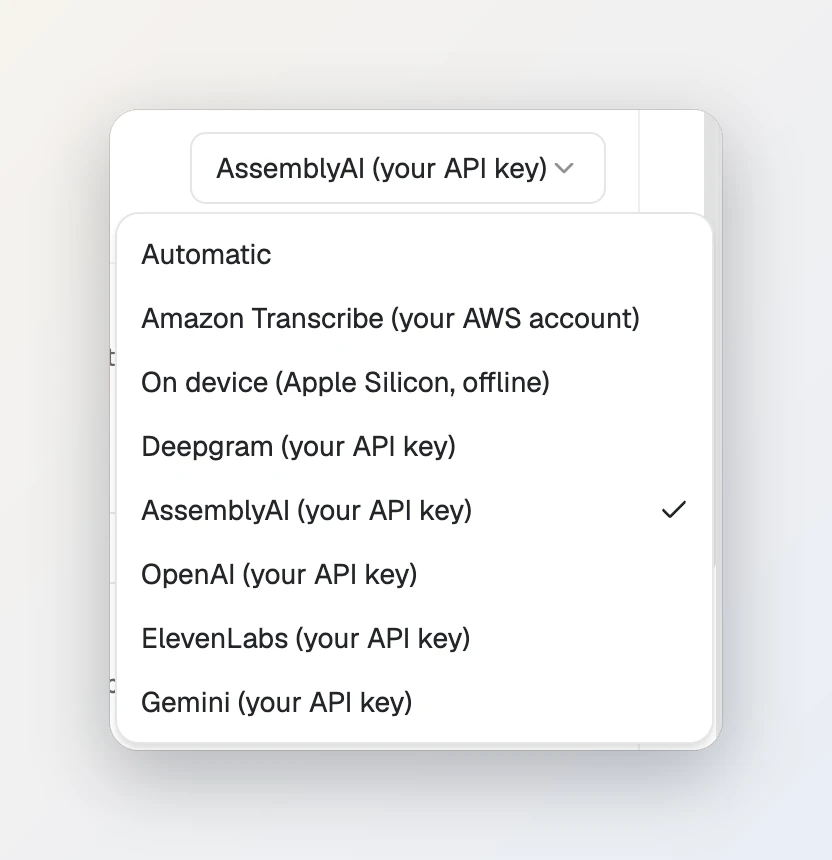
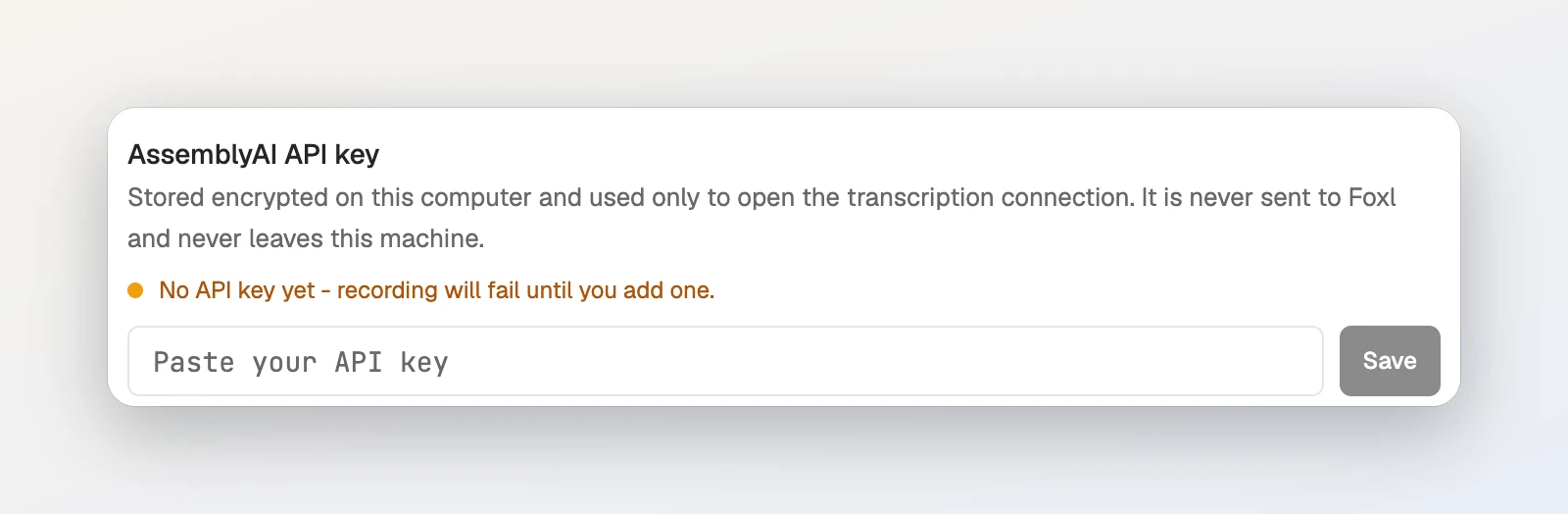
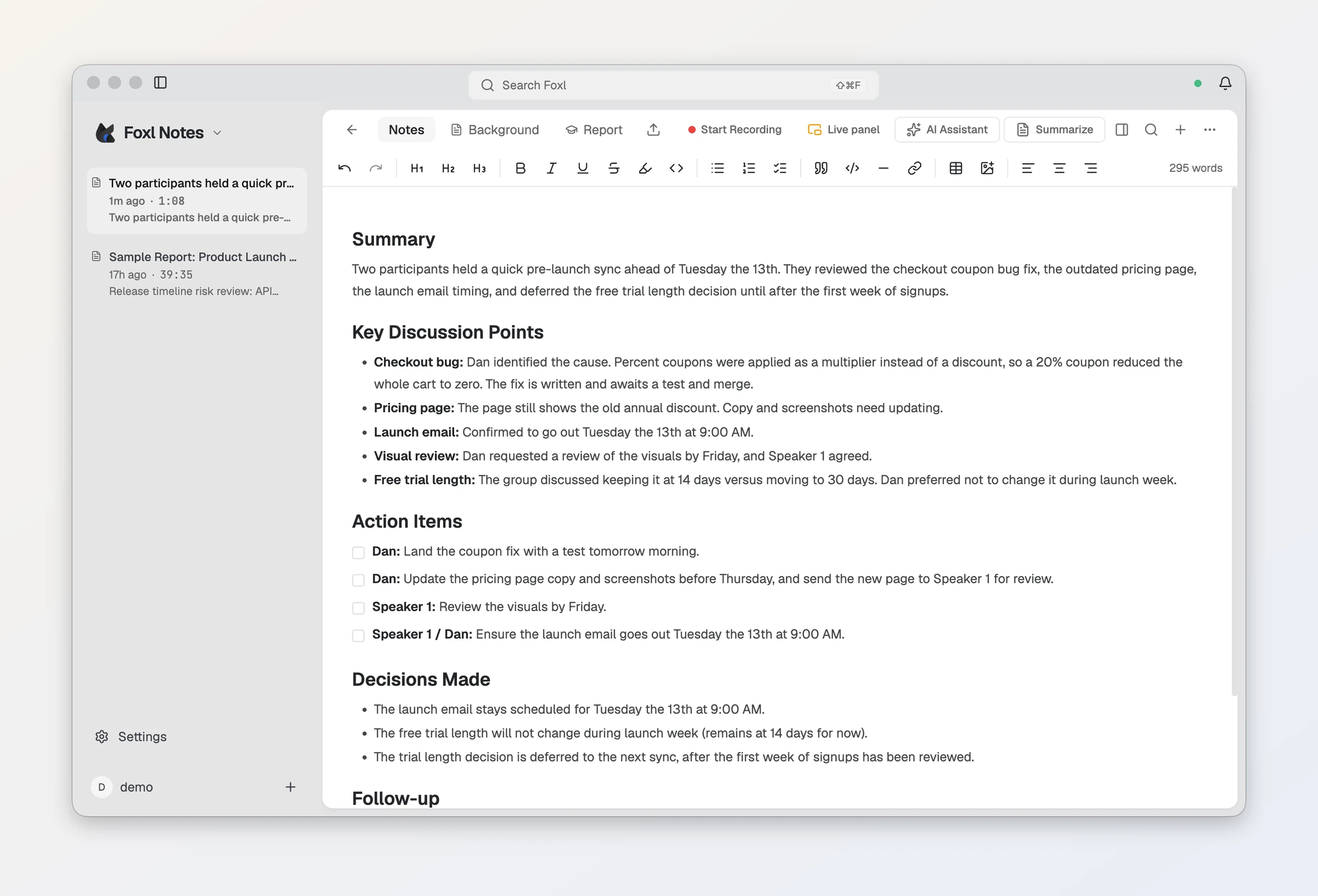
The bill is AssemblyAI's, for the time Foxl is connected while it transcribes, and the free credit is used first. In our test with a new account the session ran on Universal-3.6 Pro Realtime, which its pricing page (read October 7, 2026) lists at $0.45/hr, with streaming speaker labels at +$0.12/hr. Foxl always asks for speaker labels, so an hour of meeting is about $0.57. AssemblyAI notes that the default model can differ between free and paid accounts. The full walkthrough is Your first note in the docs.
Upgrading
The web app at app.foxl.ai updates automatically. The desktop app updates itself, or grab the latest from the Foxl homepage - the first recording after updating will ask once for the System Audio Recording permission. The iPhone and iPad app is on the App Store. The full list of changes is in the changelog.
References and further reading
- Foxl v0.4.14 changelogRelease
- Your first note (docs)Documentation
- AssemblyAI pricingReference
- Download FoxlReference