Get Told When a Web Page Changes, or When New Mail Arrives
Ask Foxl to watch a page and your computer checks it every 5 minutes without the model, until the first match. For Outlook, Foxl can act on new mail: summarize it, tell you, or draft a reply, and only ever read.
On this page
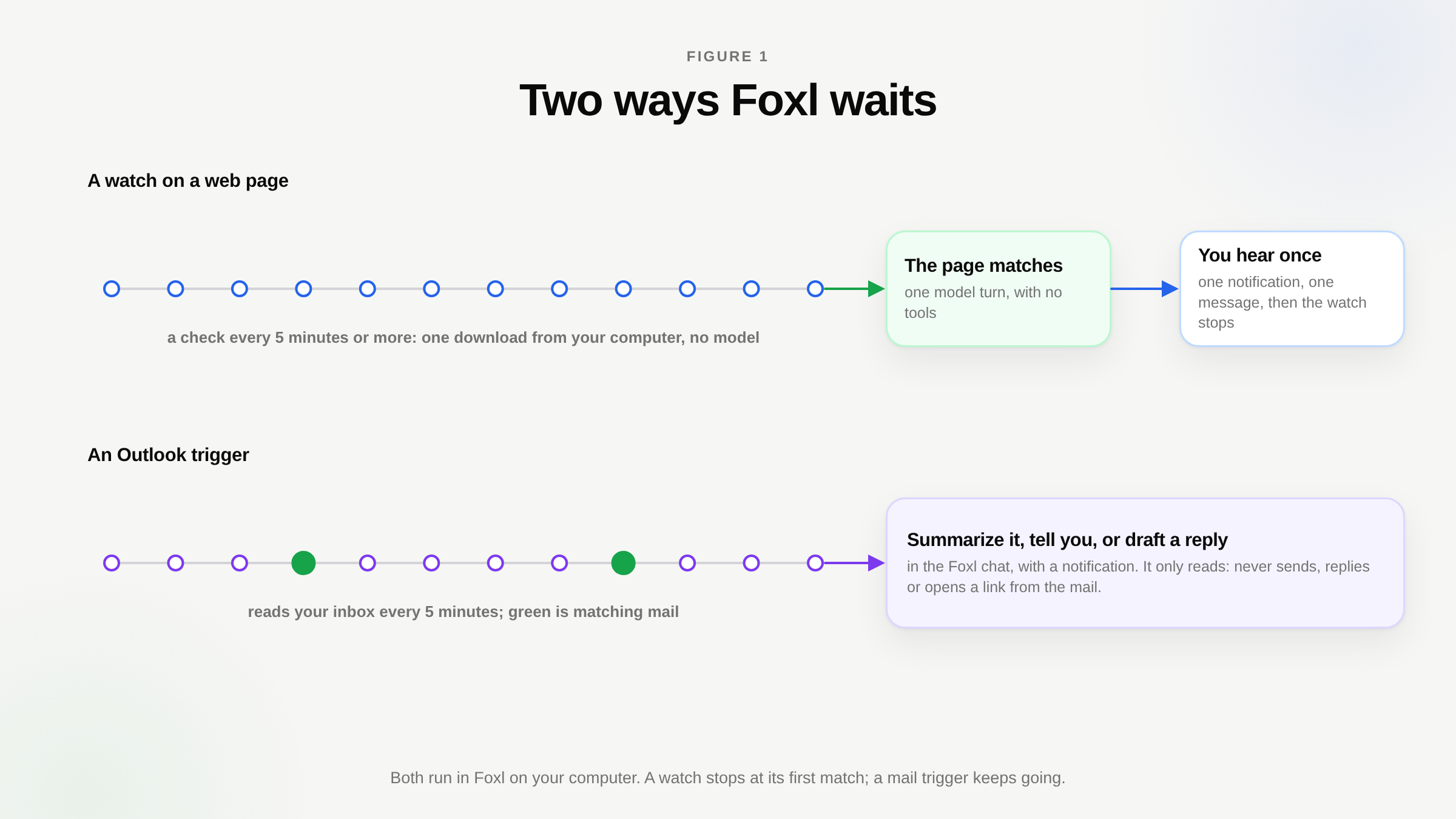
To get told when a web page changes, ask Foxl in a chat: "tell me when this jacket is back in stock", with the link. Foxl turns that into a watch. Your computer checks the page no more than once every 5 minutes until the end you set, and a check is a plain download of the page, so it uses no model and costs nothing. The first time the page matches, you get one notification and one message in the Foxl chat, and the watch stops. On our own release day, a watch on foxl.ai's changelog found v0.9.6 on its 16th check, 17 seconds after the release finished deploying the site.
Foxl can wait for new mail the same way. Ask it to act when an email from your landlord arrives in Outlook, and once you confirm, it summarizes each such email, tells you about it, or drafts a reply for you to review. Both kinds of waiting run on your computer, and both reach your phone.
What a watch can wait for
When Foxl makes a watch, it writes down one condition, and every check decides it without a model:
- Words appear, such as "In stock" or a new episode's title. Case and spacing do not matter.
- Words are gone, such as "Sold out". This one also needs a part of the page to read, or a word that must still be there, because an error page or a redesigned page lacks "Sold out" too.
- A number goes above or below a value, such as a price under 200. Foxl reads the first number in the part of the page it was told to read.
A watch always has an end, at most 30 days away, and stops at the first match. On the Schedules page, on your computer, in a phone's browser and in the iPhone and Android apps, each watch shows what it waits for, how often it checks and until when, how many of its checks it has used, and Found or Stopped once it ends. Check now runs a check at once, and you can switch a watch off or delete it there.
Will a watch work on my page?
A check downloads the page the way a link preview does: one request, no browser, no sign-in. So a watch sees exactly what the page's own HTML says. A shop that writes "Sold out" into the page works. A page that loads its prices with JavaScript after it opens, or shows them only after you sign in, looks empty to a watch.
You can test a page in ten seconds. Open it in your browser, view its source (Option + Command + U in Chrome or Safari on a Mac, Ctrl + U on Windows) and search the source for the words or the number you care about. If they are there, a watch can see them. If they are not, ask Foxl for an ordinary schedule instead, which opens the page in its browser on every run and uses the model each time.
Some pages are refused or stop a watch on purpose. A watch reads public addresses only, so nothing on your home network. A site on your Web Access blocked list is refused. A page that asks whether you are human (a CAPTCHA or a similar check) stops the watch and tells you to open the page yourself, because Foxl never solves one. A page that cannot be read three checks in a row stops it too, with the reason.
What a watch costs, and how it treats the site
Each check is one download of one page from your computer, up to 400,000 characters of it, within 20 seconds. A check goes through no Foxl server and runs no model, so a watch that never matches costs you nothing but a little bandwidth. The model runs once, when the page matches: one turn that writes the message you get, with no tools, so it cannot click, book or buy anything.
| Bound | Value |
|---|---|
| Time between checks | 5 minutes at least, up to 24 hours |
| Checks per watch | at most 3,000 (30 days at 5 minutes would be 8,640) |
| Longest watch | 30 days |
| Watches at once | 10 in all, 1 per site |
| A busy site (HTTP 429 or 5xx) | the time between checks doubles |
The one-per-site rule and the 5-minute floor hold for every site, ticket sellers included, so a watch never hammers anyone. When a busy site keeps failing, three failures in a row pause the watch.
We watched our own release
On October 28, 2026 we asked Foxl to tell us when v0.9.6 showed up on foxl.ai's changelog, the page this site updates on every release (Figure 1). In one turn it read the page to see what was there, made the watch and answered: three calls to Claude Sonnet 5.5 on Amazon Bedrock, $0.07. From then on our computer checked the page every 5 minutes.
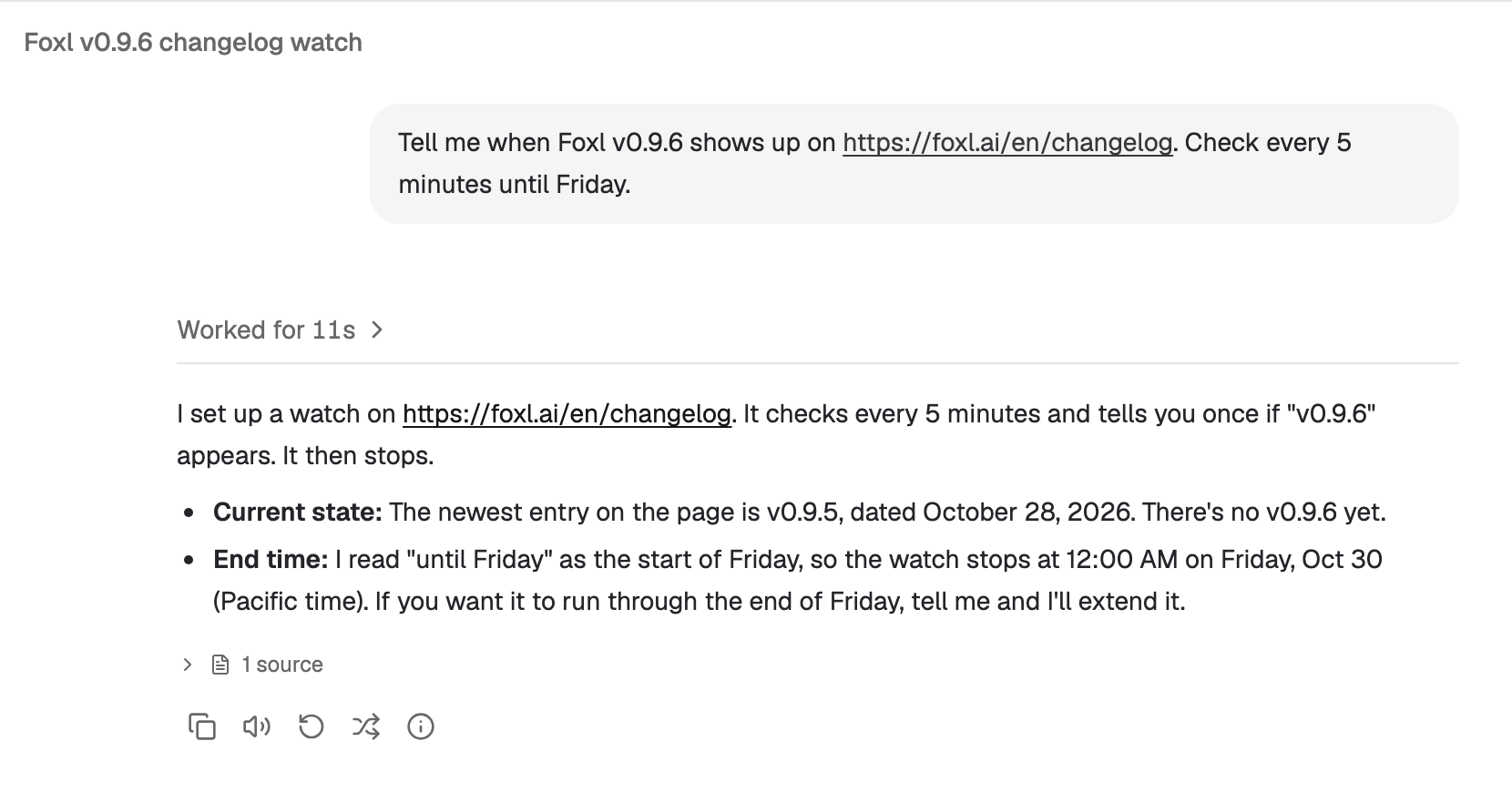
The step of our release that deploys foxl.ai finished at 06:26:46 UTC. The watch's next check, at 06:27:03, found "v0.9.6". It was the 16th check, 1 hour and 15 minutes after the watch was made. Only then did the model run again, once, for $0.0135, to write the one message in the Foxl chat (Figure 2). None of the 15 checks before it ran the model or added a run to the Runs list; the Schedules page counted them and then marked the watch Found (Figure 3).
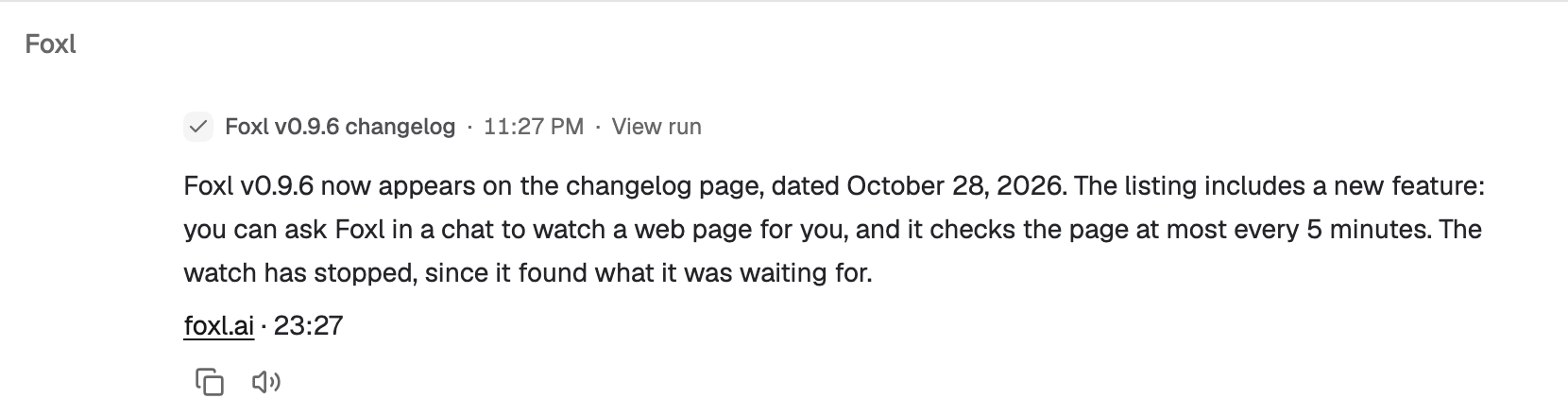

The whole watch cost $0.084 in model calls, and $0.07 of that was setting it up. Before v0.9.6 the same request could only be an ordinary schedule, a full model turn on every run: 16 turns for the same answer.
Acting when new mail arrives
The second way Foxl waits is for mail. With Microsoft 365 connected on your computer, ask in a chat, for example "when an email from my landlord comes in, summarize it". Foxl shows what it will watch for in one sentence, who the mail is from or which words are in its subject, and what it will do, and it starts only after you confirm. It never sets itself up.
Your computer then looks at your Outlook inbox every 5 minutes. When matching mail arrives, Foxl does the one thing you chose and posts it in the Foxl chat with a notification:
- Summarize the email.
- Tell you it arrived.
- Draft a reply for you to review, written in the chat. Foxl does not put it in your mailbox or send it.
A triggered run only reads: it never sends, replies or opens a link from the mail, so a stranger's email cannot make Foxl do anything. It handles at most 10 mails an hour and runs at most 12 times a day unless you ask for other numbers, and when it cannot read your inbox it says so instead of staying quiet. You can have up to five, and ask Foxl in a chat to list, pause or delete them. Mail triggers run in the desktop app, for Outlook.
When it is time to act
A match tells you; acting on it is your call, in the chat. Reply to the message ("order it in medium"), and that is an ordinary chat turn, which asks before it pays or books.
Since v0.9.6 the waiting goes both ways. When Foxl asks before a step in your chat while you are away from your computer, your phone gets a notification that names only the kind of step, such as "Foxl needs your OK to send an email", never what it would send. If you tap Not now, or do not answer within a minute, the step waits in that chat for 12 hours, marked Waiting, while Foxl carries on with the rest of the task. Approve later runs exactly that step. Steps that act on your screen, pay or book, or sign in still ask you there and then. If you have check-ins on, the daily one also names what is still waiting.
Limits
- Your computer has to be on. Watches and mail triggers run in Foxl on your computer; while it sleeps, nothing is checked.
- One request per check. Pages that need a sign-in or JavaScript to show what you want are out of reach for a watch.
- Outlook only, for mail. Mail triggers read an Outlook inbox through Microsoft 365. Gmail is not a trigger source yet.
References and further reading
- Foxl changelogRelease
- Download FoxlReference