Foxl v0.9.3 on Your Phone: Make, Approval Cards and One Message Bar
Foxl v0.9.3 brings more of what your computer does onto your phone. A new Make tab collects the documents, decks, sheets, pages and pictures an agent wrote on your computer, a request for your approval shows the email or command itself with Send, Approve and Not now, and Foxl Code's message bar on a phone has Chat's shape, with the repository and model in its +.

On this page
Foxl v0.9.3 brings more of what your computer does onto your phone. A new Make tab collects the documents, decks, sheets, pages and pictures an agent wrote on your computer. A request for your approval now shows exactly what Foxl is about to send or run. Foxl Code's message bar on a phone has the same shape as Chat's.
In the Android app and in a phone's browser at app.foxl.ai, these arrive with v0.9.3. On the iPhone they come with the App Store update. The table at the end says what each part needs.
Make: what Foxl made, in one tab
On a phone, the tab bar's default row is now Chat, Tasks, Make and Notes. Make lists what an agent wrote on your computer, newest first, each file as a card that shows its top: a Word document's title and first lines, a deck's first slide, a sheet's first rows, the page or the picture itself. Tap a card to open the file in a sheet with Foxl's own viewer, and pin a card to keep it on top. Channels moved to the menu, and a tab bar you arranged yourself stays the way you left it.
What counts as made is decided on your computer, from what it already records. A file is listed when an agent wrote it, with a file write or edit, a command or an image it generated, and when it is a format the viewer opens: Word, PowerPoint, Excel and CSV, PDF, web pages, Markdown and pictures. Files you saved yourself, your uploads, Foxl's own memory files and the files of a command that changed 40 or more at once, such as a clone or an install, are left out. Pins are kept on your computer as well, so a pin shows on every phone you use.
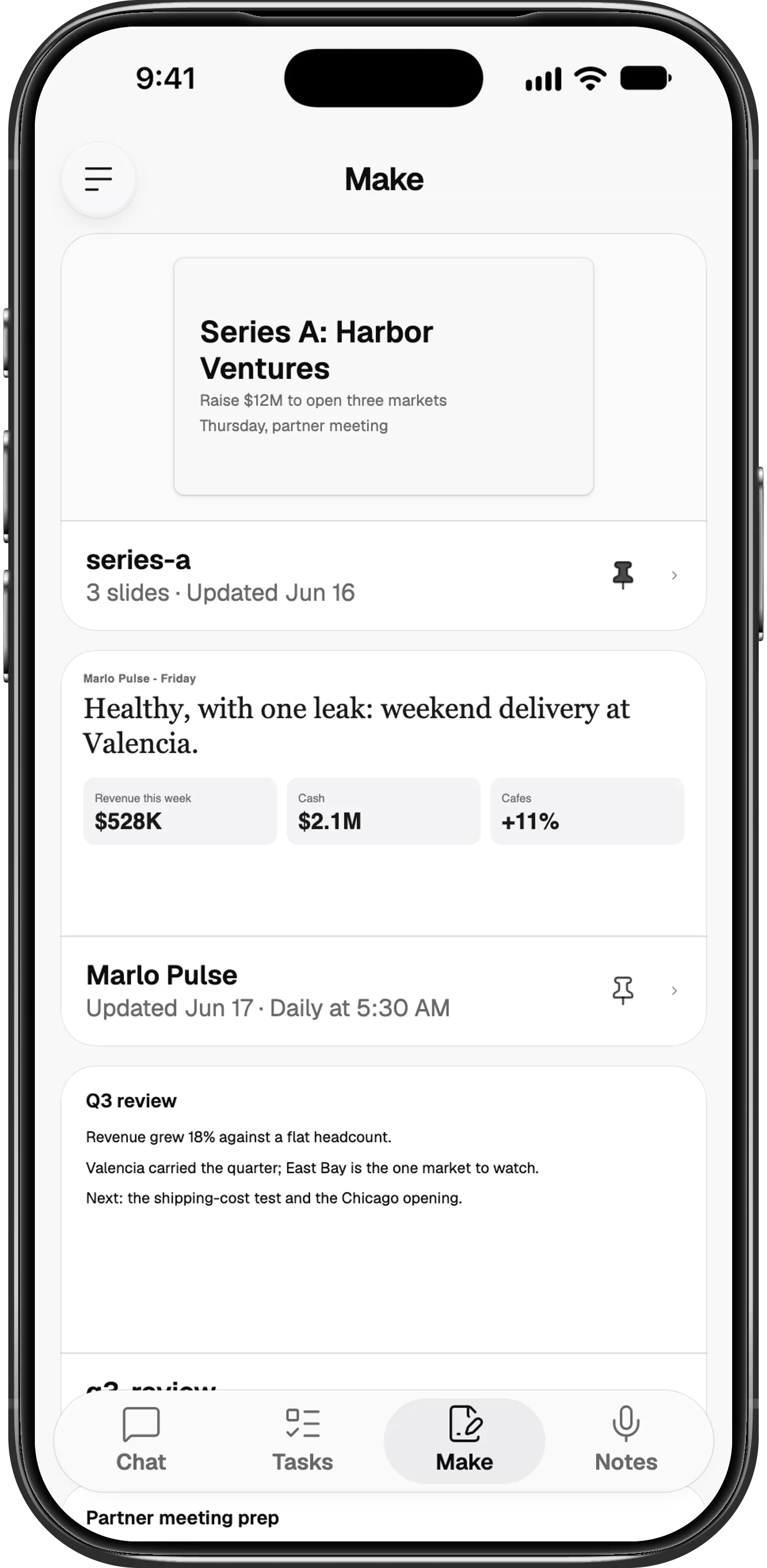
The same card appears in the chat, under the reply that made the file, when that reply names the file for you. A page that a schedule keeps rewriting, such as a daily dashboard, is titled by the schedule and says when it was last updated and when it refreshes. A file that a scheduled run or a subagent wrote stays in Make after Foxl clears that run's history, for as long as the file is on your computer. Make needs your computer connected and running v0.9.3. With an earlier version on your computer, the tab asks you to update Foxl there.
Approvals that show what Foxl is about to do
When Foxl asks before a tool runs, a phone now shows the request as a card with the thing itself on it. An email or a channel message Foxl would send shows who it goes to, Cc and Bcc included, the subject and the words, with Not now and Send. A command shows the command and the folder it runs in, and any other step shows its details, with Approve and Not now. Always allow sits under both, and your answer takes the buttons' place in the card, so a chat you scroll back through still shows what you decided.
Not now declines the request, as Deny did; nothing is put off for later. Only the look changed: the same three answers reach your computer, and the desktop and the iPad keep the prompt they had. A new install runs every tool without asking (Settings > Safety > Auto-approve all tools), so these cards appear once you turn that off.
One message bar for Chat and Code
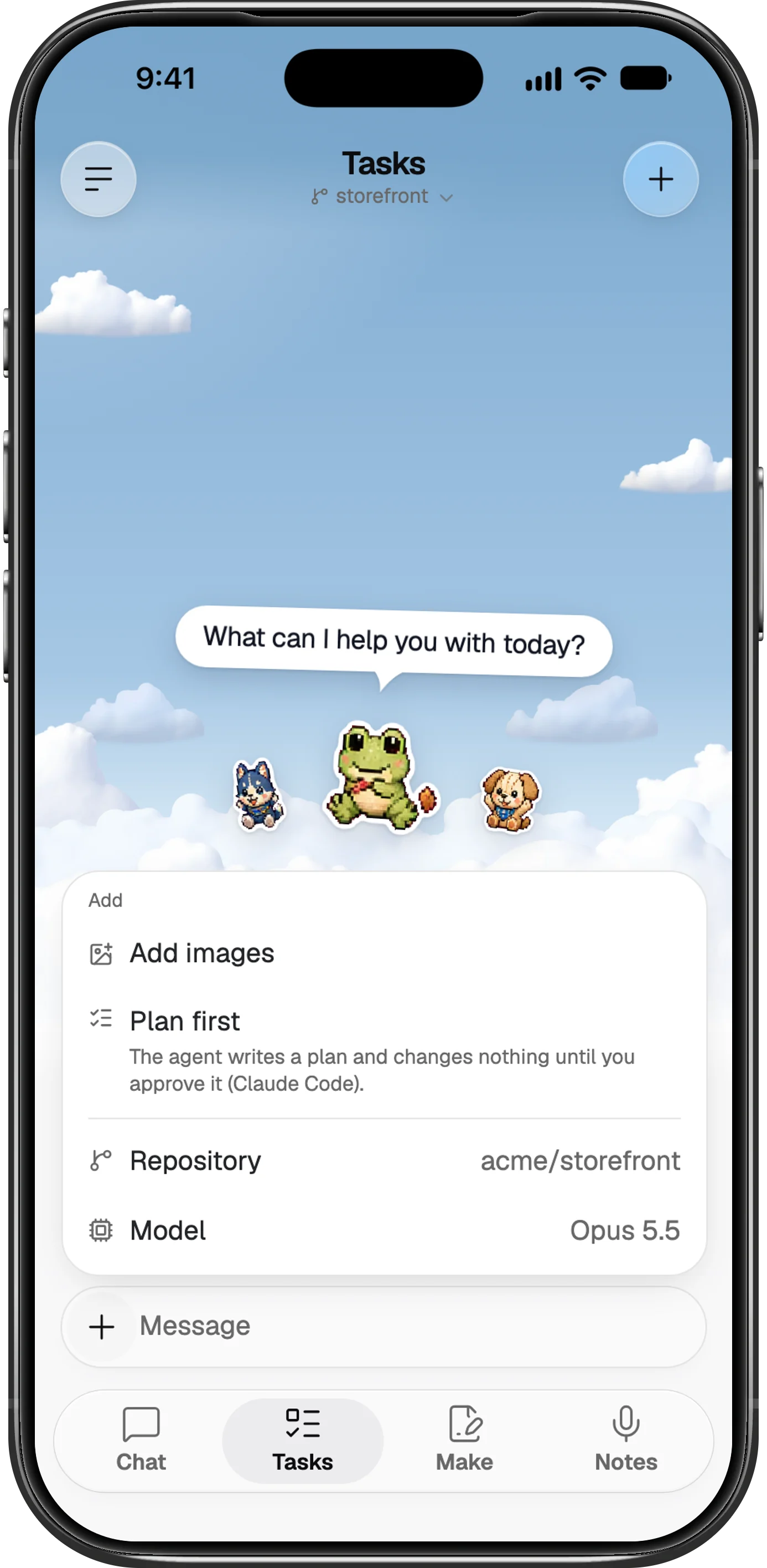
On a phone, Foxl Agent's message bar stays one round capsule while you type. It grows a line at a time, and a round black Send button appears beside the microphone once there is something to send. The model, the terminal and, when tools ask before they run, the approval mode moved into its +.
Foxl Code's message bar on a phone now has the same shape: +, Message and the microphone. The repository and the model are picked from the + menu, which names the current choice of each, and inside a task the Repository row names that task's repository. On an iPad and a computer, both bars keep their buttons.
The microphone in both bars shows only where what you say can be transcribed. On a phone with no computer connected, it is there only on accounts Foxl Relay transcribes for, so the figure below, taken that way, has none.
One fix belongs with these: in the iPhone app, a long message no longer loses the message box's background, its + and its Send or Stop button when a panel above it, such as the plan, closes.
Where each of these works
| What | iPhone app | Android app | Phone browser | Needs your computer |
|---|---|---|---|---|
| Make tab | After the App Store update | v0.9.3 | Yes | Yes, running v0.9.3 |
| Approval cards | After the App Store update | v0.9.3 | Yes | Yes, the request comes from it |
| Chat and Code message bar | After the App Store update | v0.9.3 | Yes | No |
| Message box fix | After the App Store update | Not affected | Not affected | No |
The rest of v0.9.3, on the desktop, in Foxl Notes and in Foxl Code, is in the changelog.
References and further reading
- Foxl changelogRelease
- Open Foxl in a browserReference
- Download FoxlReference