Foxl v0.2.19: gpt-image-2 on Your ChatGPT Subscription
This release added image generation through ChatGPT OAuth, corrected GPT model routing, and updated the agent SDK. Later notes clarify provider-controlled eligibility, quotas, and model changes.
On this page
Published on April 24, 2026, this post records the image generation and OpenAI OAuth behavior shipped in Foxl v0.2.19. Model access, account limits, and endpoint behavior are time-sensitive and should not be inferred from this release snapshot.
Shipped behavior
- A new
generate_imagetool generated, edited, or composed images through the user's ChatGPT OAuth session. - The tool was registered only when Foxl found a Codex credential file at process startup.
- GPT-5.5 was added to the OpenAI OAuth catalog. Unsupported top-level entries such as
gpt-image-2andgpt-5.4-codexwere removed from the language-model picker. - Stale aliases that rewrote
openai-oauth/gpt-5.4togpt-4.1were deleted. @strands-agents/sdkmoved from1.0.0-rc.3to1.0.0-rc.5.
Implementation implication
gpt-image-2 was not called as the response model. Foxl sent a language-model request to the Codex Responses backend and enabled image generation as a built-in tool:
{
  "model": "gpt-5.4",
  "tools": [{ "type": "image_generation", "model": "gpt-image-2" }]
}
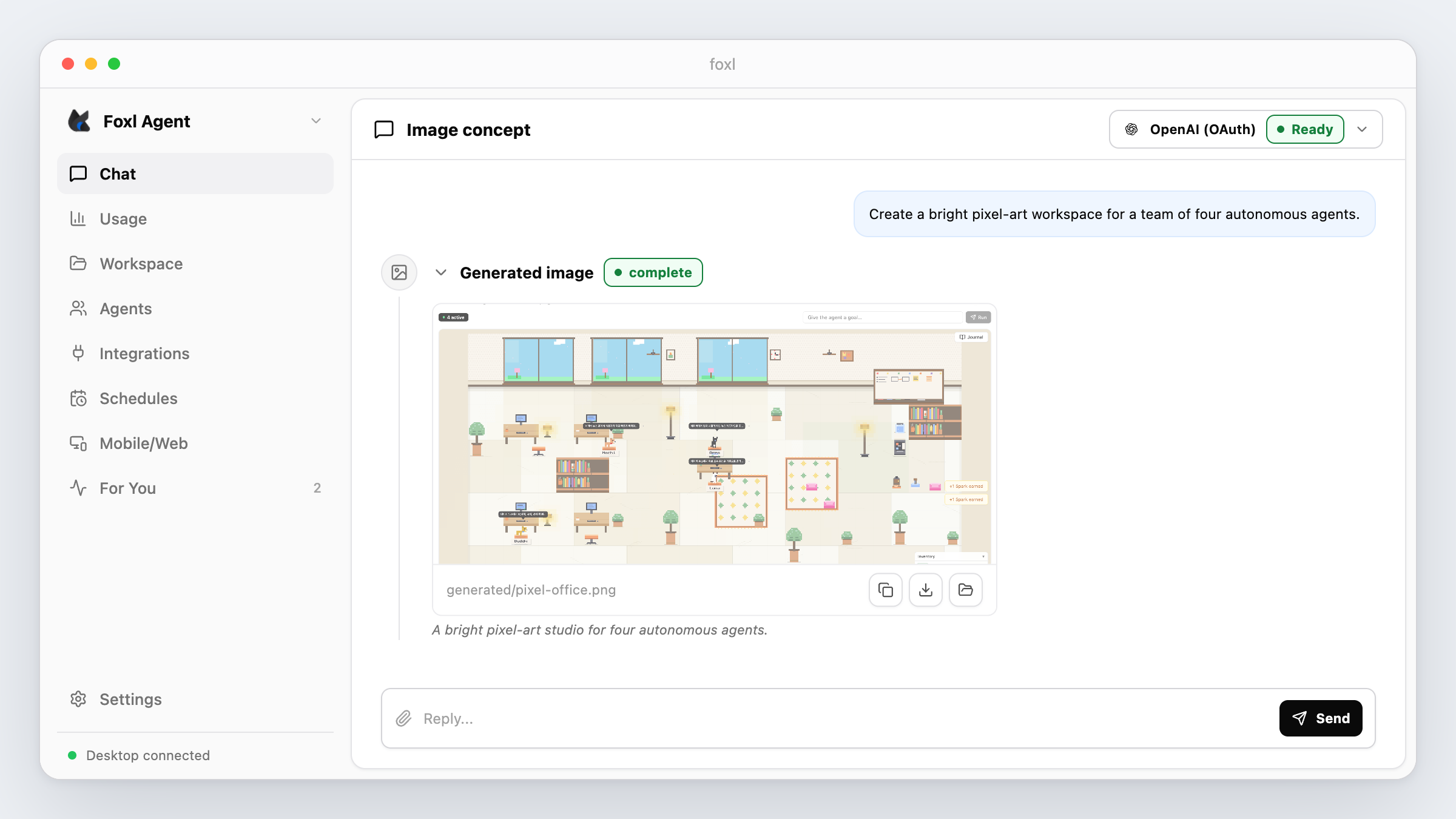
Source images stayed as file paths in the model's generate_image arguments. The server read those files and encoded them only when constructing the request to the Codex backend. The tool accepted up to ten input paths for edit or composition requests.
Generated PNG files were written under data/workspace/generated/. The tool result returned the output path and a resized JPEG preview for inline rendering. This kept the full-resolution PNG out of the tool result, but the preview still formed part of that result and should not be treated as free context.
Chat attachments were persisted under data/workspace/attachments/, and their paths were appended to the user turn. This let the model reference an attachment without placing its base64 bytes in a tool call.
GPT-5.4 routing fix
The selected model passed through a shared resolver before the provider created the request. Two old namespace aliases changed the OAuth selection to gpt-4.1, which the ChatGPT Codex endpoint rejected. Removing those aliases allowed the transport-prefixed GPT-5.4 id to reach the provider unchanged.
Known limitation and follow-up
Finding a local OAuth credential file made the tool visible; it did not prove that a particular account could use image generation. Users who authenticated after Foxl started needed to restart the server before module-load registration could see the credential.
The feature did not require an OpenAI API key in Foxl, but that implementation detail was not a guarantee of unlimited use or fixed billing. OpenAI controls ChatGPT plan eligibility, quotas, charging, model names, and Codex backend behavior.
FOXL_CODEX_DEBUG=1 was added for non-success responses. It logs request and response bodies and should be enabled only for targeted local diagnosis because those bodies can contain user content.
Correction: April 30, 2026
v0.2.21 replaced the release-candidate SDK with stable 1.0.0. Later recorded milestones included 1.1.0 on May 11, 1.7.0 on June 27, and 1.9.0 on July 15. The rc.5 version above is historical, not a current dependency recommendation.
Correction: May 9, 2026
v0.2.25 fixed Copy Image and Save Image As for generated images. The original renderer paths failed under Electron file security and clipboard user-activation rules, so v0.2.19's inline display and Open Folder flow should not be read as evidence that every image action worked.
Correction: July 16, 2026
Current OpenAI OAuth source also lists GPT-5.6 Sol, Terra, and Luna, while retaining GPT-5.5 and GPT-5.4. The direct OpenAI and ChatGPT OAuth paths retain the catalog's 1M context setting; a July 15 correction reduced the separate AWS and Foxl relay GPT path to its observed 278,528-token limit. gpt-image-2 remains a built-in image tool rather than a top-level ChatGPT OAuth language model.
How to verify
- Check
/api/providers/openai-oauth/statusfor the credential source Foxl discovered. - After startup, inspect
/api/tools.generate_imageshould appear only when a supported credential file was present during registration. - Generate a small image and confirm the tool result names a PNG under
data/workspace/generated/. - For an edit, attach one image and confirm the model passes its saved path in
inputImages.
References and further reading
- Model providers and authenticationDocumentation
- Foxl toolsDocumentation