Foxl v0.2.0: DB-Backed Agents, Smarter Scheduling
SQLite-backed auto-continuation prevents duplicate agents, cron scheduler gets weekday support, and the sidebar shows real-time agent timers.
On this page
Foxl v0.2.0 is the biggest reliability update since launch. It makes multi-agent workflows predictable and fixes a scheduler bug that could run weekday-only tasks on weekends.
Durable multi-agent continuation
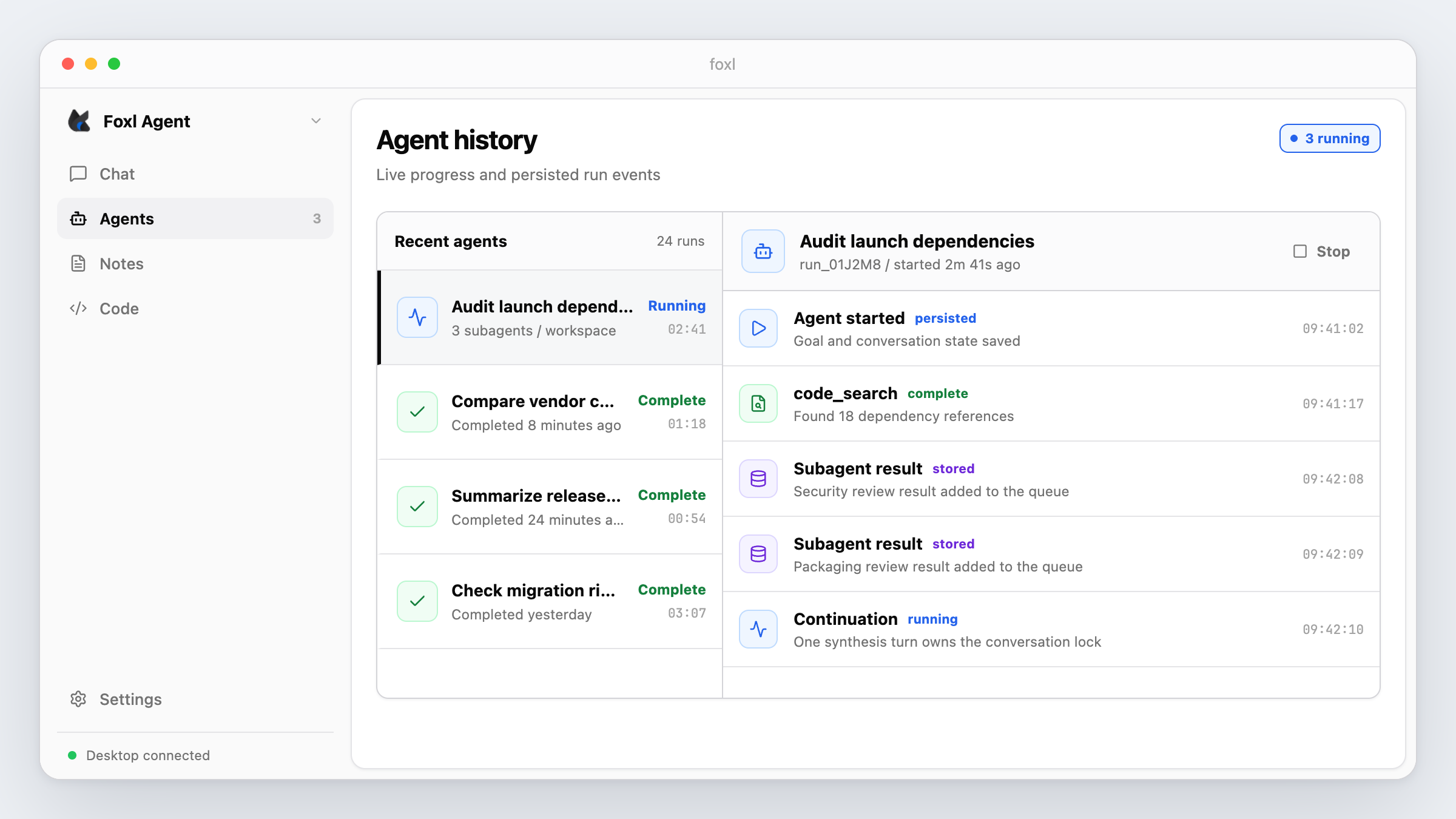
The largest change replaces two competing in-memory result queues with one SQLite-backed queue. Previously, several parallel Foxl subagents finishing at nearly the same time could start duplicate continuation turns and make a request for three agents look like six.
A per-conversation database lock now allows only one queue drain at a time. Results are recorded before synthesis begins, and locks left behind by a failed run expire after five minutes. Operationally, concurrent completions no longer depend on two process-local queues staying in sync.
No more raw result injection
A related bug exposed raw [SUBAGENT COMPLETED: ...] text in chat when a completion arrived while the parent was active. v0.2.0 removes that injection path. Subagent results now reach the parent through the database queue and are presented for synthesis instead of being inserted as user-visible text.
Update (May 6, 2026): v0.2.24 kept the durable queue but changed when it drains. v0.2.0 could synthesize once per arriving completion; current behavior waits for the parallel batch to finish and produces one synthesis turn.
Cron weekday fix
The scheduler had ignored the weekday field. A schedule such as 0 18 * * 1-5 could therefore run on a weekend. The parser now handles a single weekday, ranges such as 1-5, lists such as 1,3,5, and mixed expressions when calculating the next run. The current Foxl scheduling guide covers supported triggers and operational constraints.
Later scheduler corrections (April 14-15, 2026): v0.2.1 added an execution-time weekday guard for laptop sleep and wake, and v0.2.4 made cron, display, and active-hours checks use the timezone configured in
USER.md. Those fixes are required for the complete behavior described today.
UI improvements
- Sidebar agent list - elapsed time, a stop action, and a compact running-count badge.
- Agent timeline - consecutive reasoning and tool events are grouped, while persisted events remain visible after a WebSocket disconnect.
- Message queue - clearer queued-message styling and a delete action.
- Terminal sync - session counts refresh when terminal processes start or exit.
Build fixes
An esbuild banner variable collided with minified output and prevented the packaged app from starting. v0.2.0 gives the banner a product-specific name and also clears six TypeScript errors that had been allowed to accumulate.
Known limitations
At launch, queue serialization prevented duplicate drains but did not yet gather a whole parallel batch into one response. The scheduler also remained a common-pattern five-field parser rather than a complete cron implementation. Use the Schedules page's calculated next run as the source of truth before enabling an important job.
Upgrade and verify
After updating and restarting Foxl, run two or more independent subagents from one chat and confirm that the parent produces a single final synthesis on a current build. For a weekday schedule, confirm that Next Run lands on the intended weekday and in your configured timezone before leaving it enabled.
Read the full Foxl changelog or download the Foxl v0.2.0 GitHub release.
References and further reading
- Scheduling in FoxlDocumentation
- Foxl v0.2.0 releaseRelease