Use the Codex CLI from your phone
Use Codex on mobile two ways: OpenAI’s remote connections for the ChatGPT desktop app, or a real terminal on your Mac, Windows or Linux PC for the Codex CLI.
On this page
OpenAI’s own route is remote connections: the ChatGPT app on iOS or Android controls the ChatGPT desktop app on a Mac or Windows PC, and OpenAI says it cannot be set up from the Codex CLI. If you work in the Codex CLI, or on Linux, open a terminal on your own computer from your phone instead. Foxl does that, for free.
Here is what that looks like. The same request was typed on an iPhone twice, once into the Codex CLI and once into Claude Code. Each ran the project’s tests on the computer, found the bug, fixed one line and ran the tests again.
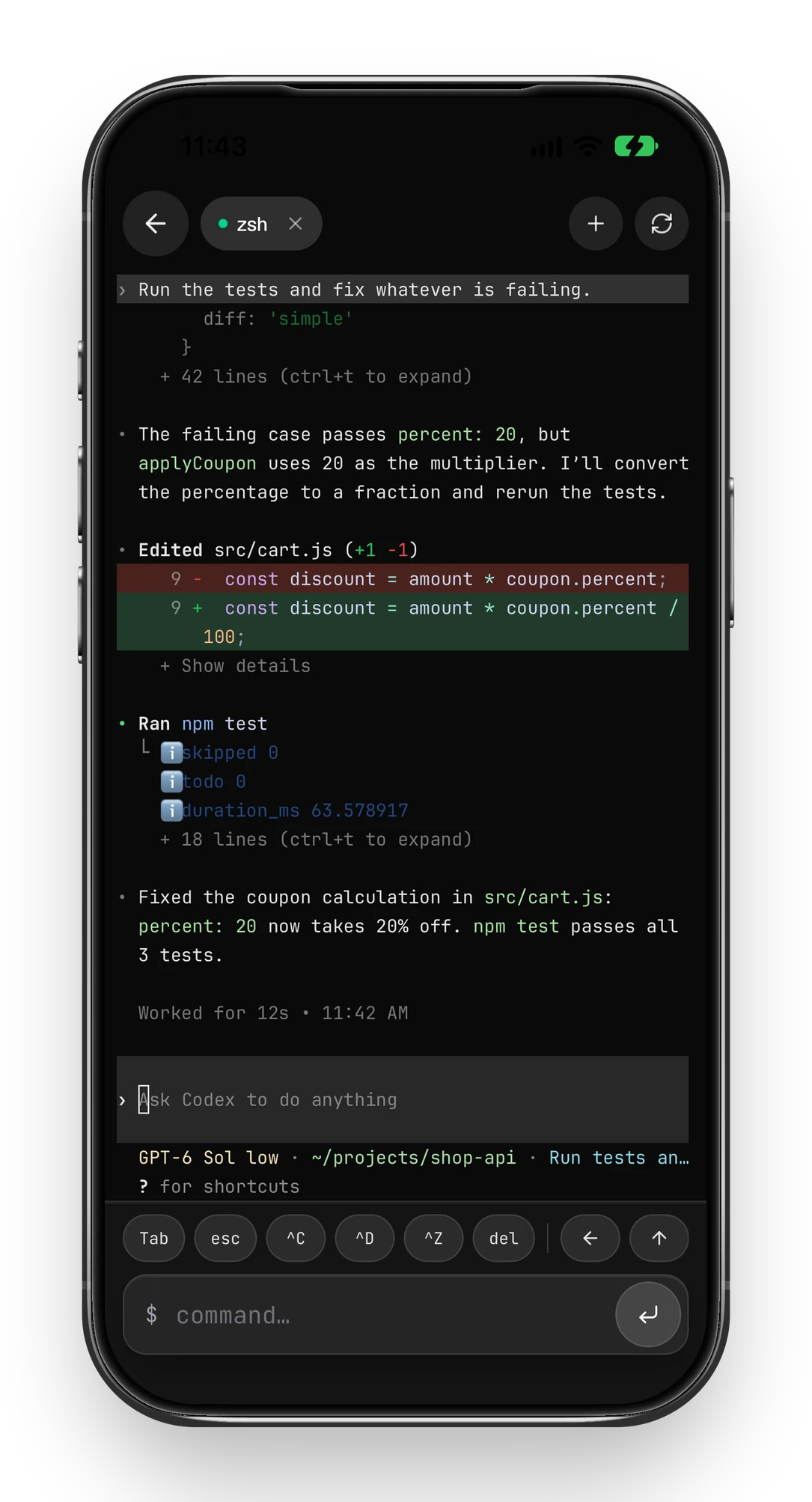
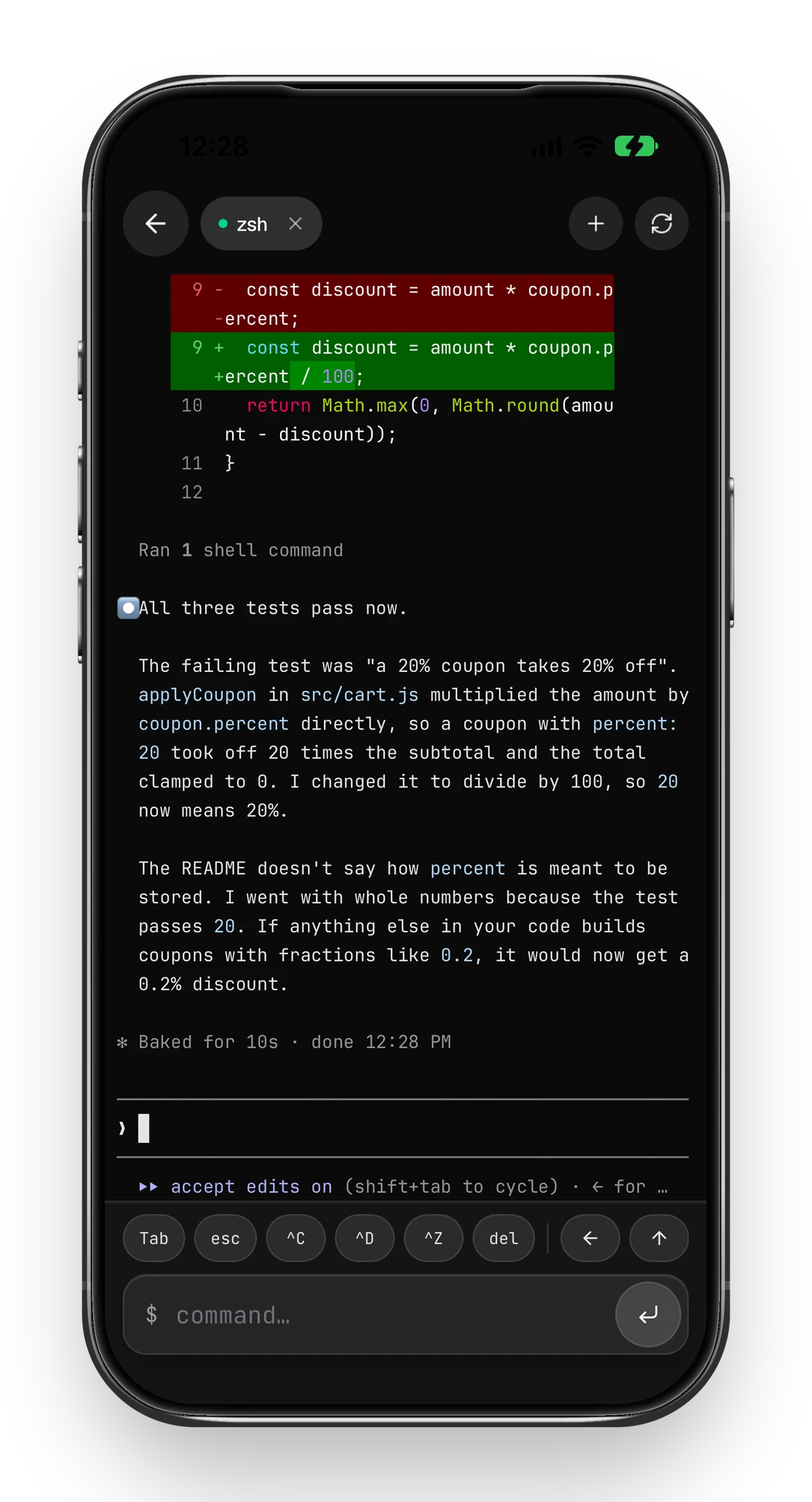
On this demo computer both CLIs reach Amazon Bedrock. With a ChatGPT or Claude sign-in, or an API key, the path is the same: the phone only drives the CLI that is already set up on the computer, and the full-screen interface stays intact at phone width.
Option 1: OpenAI remote connections
This controls Codex inside the ChatGPT desktop app. OpenAI lists what it needs:
- Codex access in the ChatGPT account and workspace you use.
- The latest ChatGPT app on an iPhone or Android phone.
- The ChatGPT desktop app on a Mac or Windows PC that is awake, online and signed in to the same account.
- Setup from the desktop app: Settings > Connections > Control this Mac or PC. OpenAI notes that availability can vary by rollout.
Option 2: A terminal on your computer, opened from your phone
Here the phone is a window onto a real shell on your computer, so the Codex CLI runs exactly as it does at your desk, with your login and your files.
- Download Foxl from foxl.ai and sign in. It runs on macOS 13 or later, Windows 10 or later (64-bit) and Linux x86-64 (AppImage). Install it on the computer where
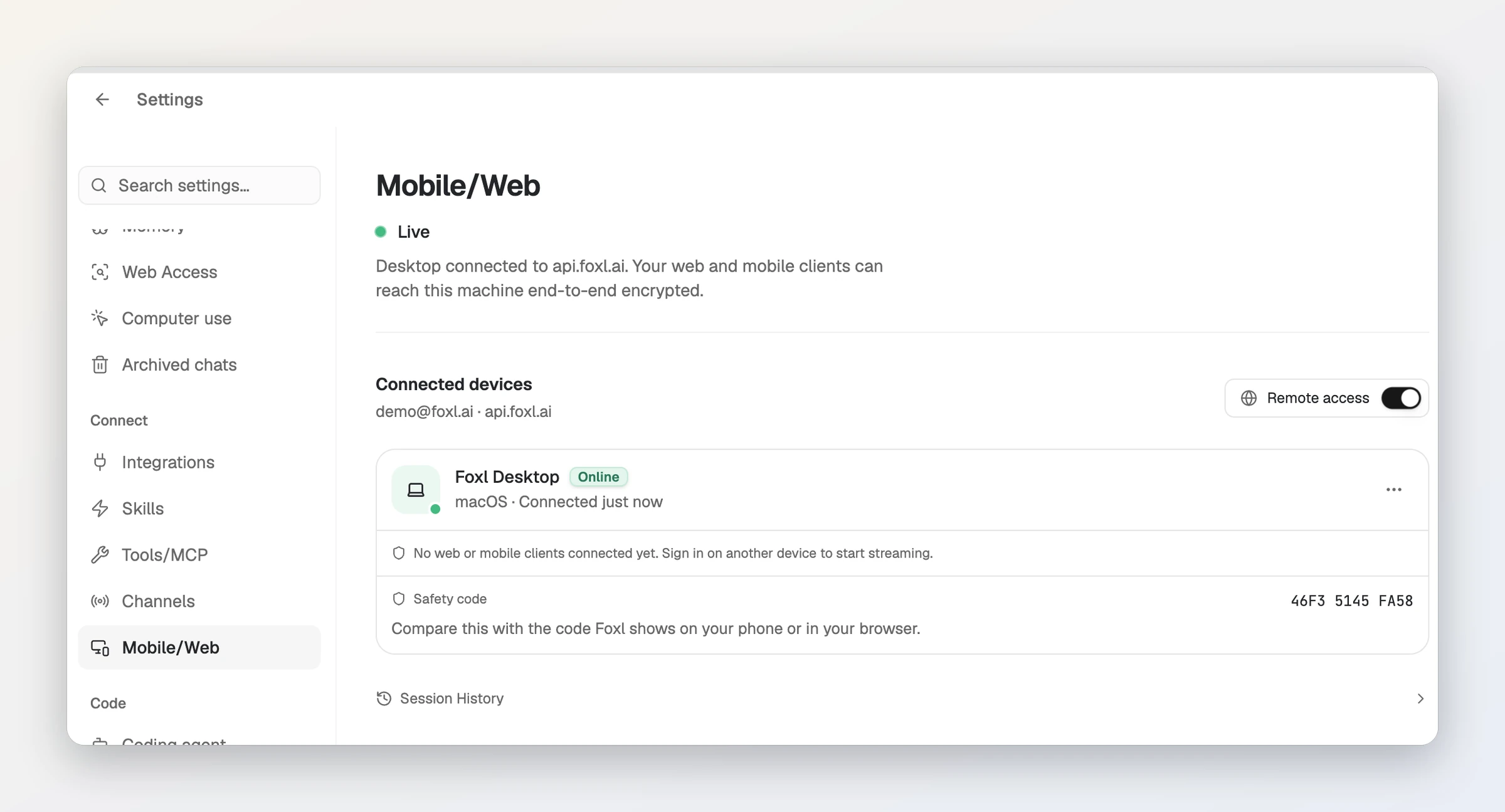
codexalready works. - In Foxl on that computer, open Settings, then Connect > Mobile/Web, and check that the status reads Live. If it does not, press Enable remote access; from then on the Remote access switch turns it on and off.
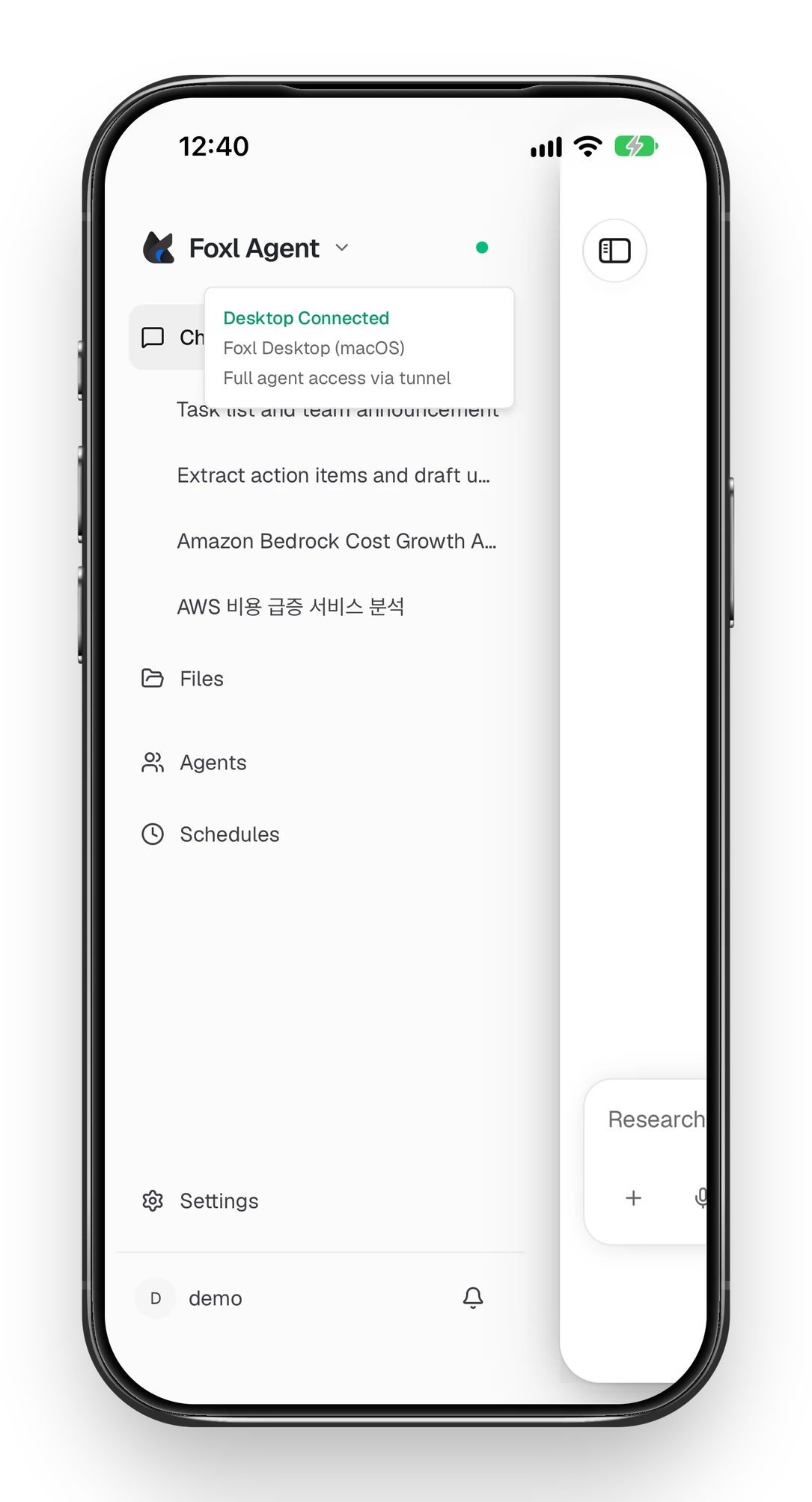
- On your phone, sign in with the same account: the Foxl app for iPhone, the Android APK from foxl.ai, or app.foxl.ai in a browser. There is no pairing code; a green dot beside Foxl Agent in the sidebar means the computer is connected.
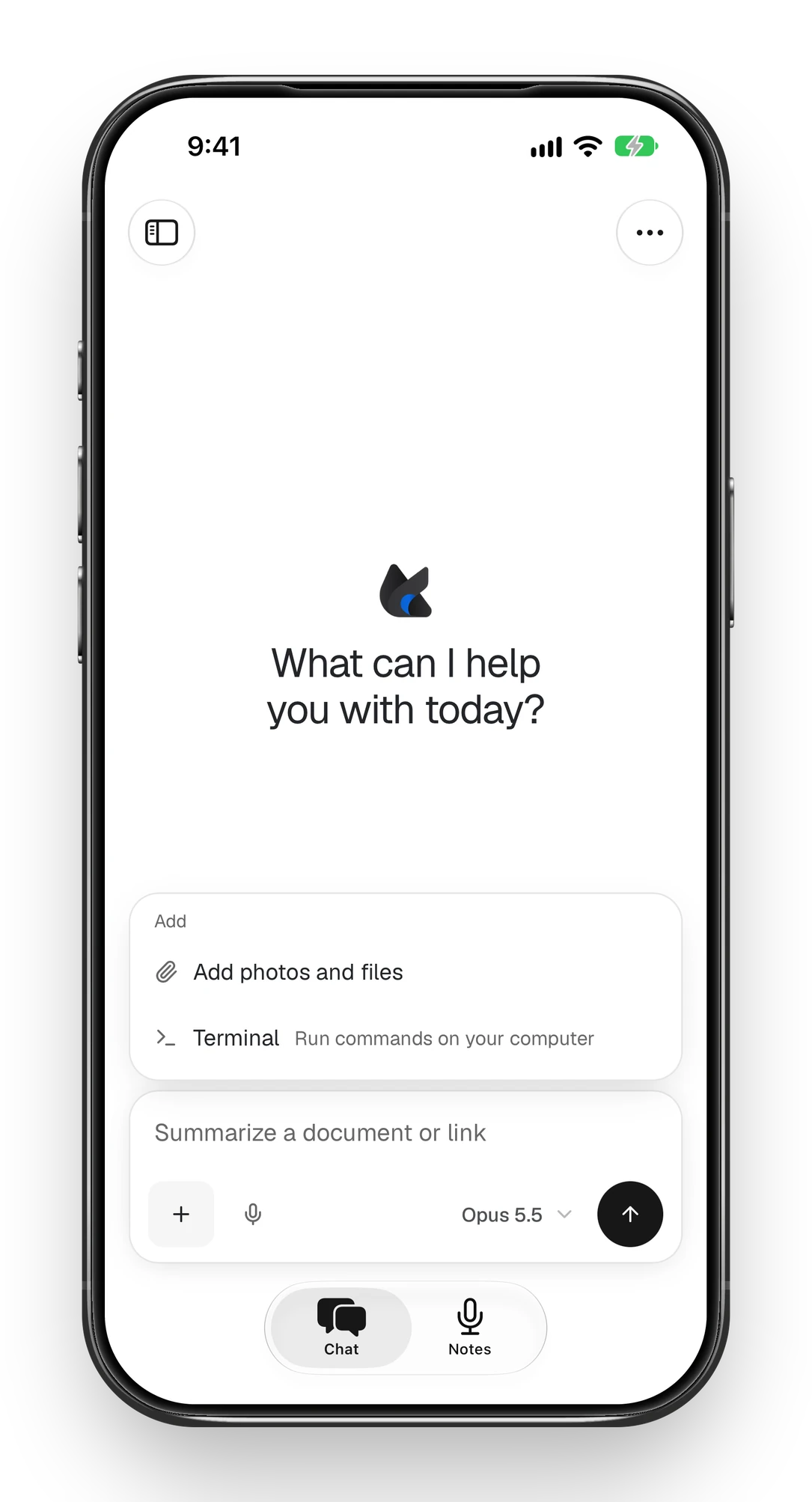
- In a chat, tap + below the message box and choose Terminal. A shell on your computer opens; the + at the top of the terminal opens another one.
- Type
codex. It starts with your existing Codex login, because the terminal runs your usual shell with your usual environment. Then type your request in the same field; if it stays in Codex’s input box, press send once more with the field empty, which sends Enter on its own.
The computer has to stay awake and online. Turn on Keep running when closed in Foxl’s General settings so it stays reachable after you close the window.
Which one to use
| OpenAI remote connections | Terminal through Foxl | |
|---|---|---|
| Computer | Mac or Windows | Mac, Windows or Linux |
| What you drive | Codex in the ChatGPT desktop app | The Codex CLI, or any other CLI, in a real shell |
| On the phone | ChatGPT app (iOS, Android) | Foxl app (iOS, Android) or a browser |
| Price | Part of your ChatGPT plan | Foxl is free; Codex still uses your plan or API key |
What travels between the phone and the computer
Foxl’s relay carries the connection. Terminal output and what you type are encrypted between your phone and your computer with keys the relay never holds, once both ends run Foxl 0.6.27 or later. Live chat is protected by TLS only. The Desktop Relay docs describe exactly what is covered.
Questions people ask
Can I set up Codex remote access from the Codex CLI?
Not with OpenAI’s remote connections: OpenAI says mobile setup starts from the ChatGPT desktop app and cannot be set up from the Codex CLI or IDE extension. A terminal opened from your phone runs the CLI itself instead.
Does this work for Claude Code too?
Yes, as the second screenshot above shows. The Foxl terminal is a normal shell on your computer, so any CLI installed there runs, Claude Code and Gemini CLI included. Anthropic also offers its own Remote Control for Claude Code on Pro, Max, Team and Enterprise plans.
Is it free?
Foxl, its phone apps and remote access are free. Codex itself uses your ChatGPT plan’s limits or your API key, as it does on the computer.
Does my computer have to stay on?
Yes. The terminal runs on your computer, so it has to be awake and online. Turn on Keep running when closed in Foxl’s General settings to keep it reachable after you close the window.
References and further reading
- OpenAI: Codex remote connectionsDocumentation
- OpenAI: Codex pricing and usage limitsDocumentation
- Anthropic: Claude Code Remote ControlDocumentation
- Foxl docs: Desktop Relay and its encryptionDocumentation