Use Amazon Bedrock from a desktop app
Chat with Claude and other Amazon Bedrock models from a free desktop app on Mac, Windows and Linux, signed with your AWS profile or SSO login.
On this page
Amazon Bedrock is an AWS API, not an app. To chat with Claude or other Bedrock models on your computer, you need a client that signs requests with your AWS credentials. Foxl is a free desktop AI agent for Mac, Windows and Linux that uses the AWS profile, SSO login or access keys you already have in ~/.aws.
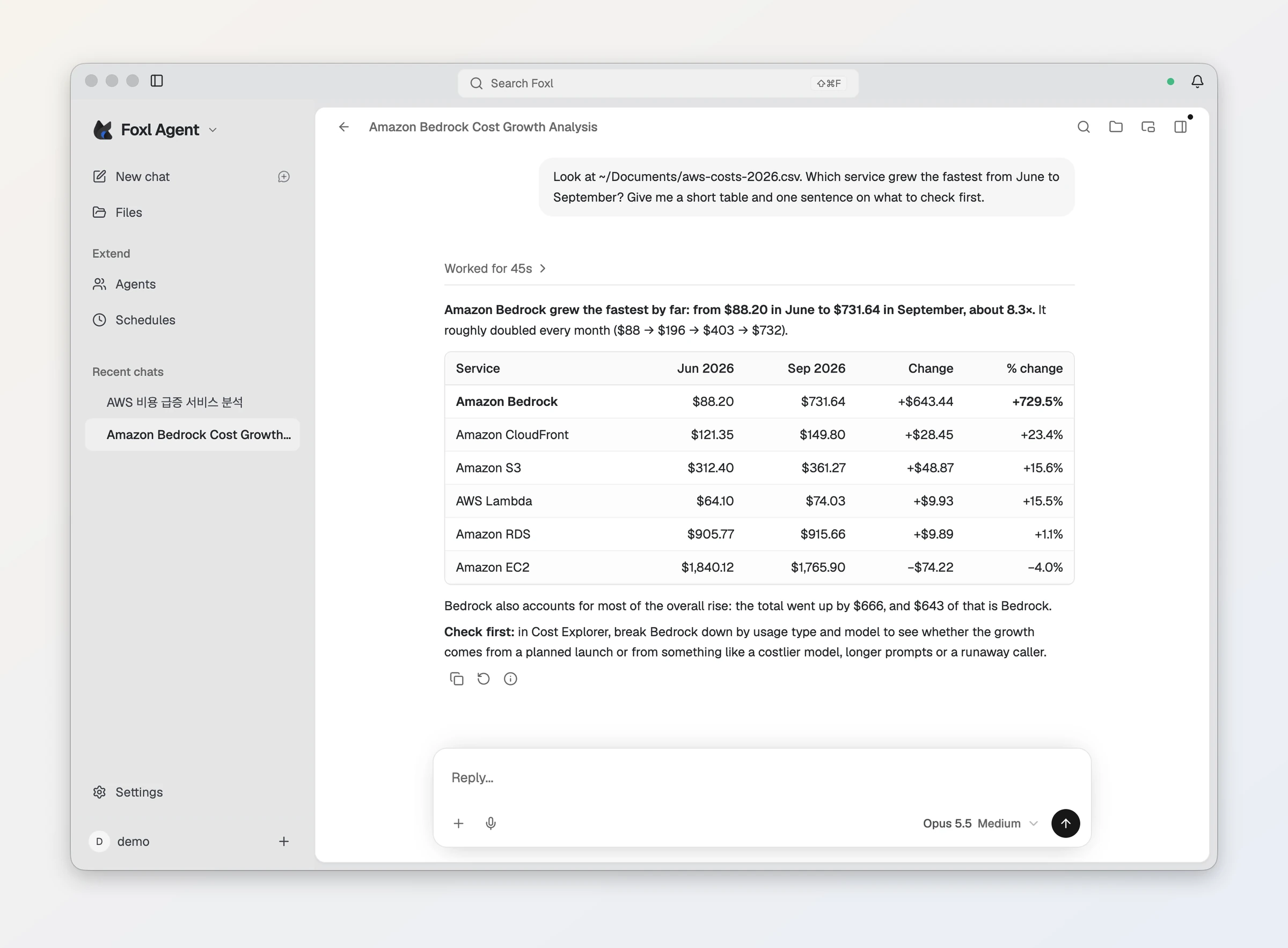
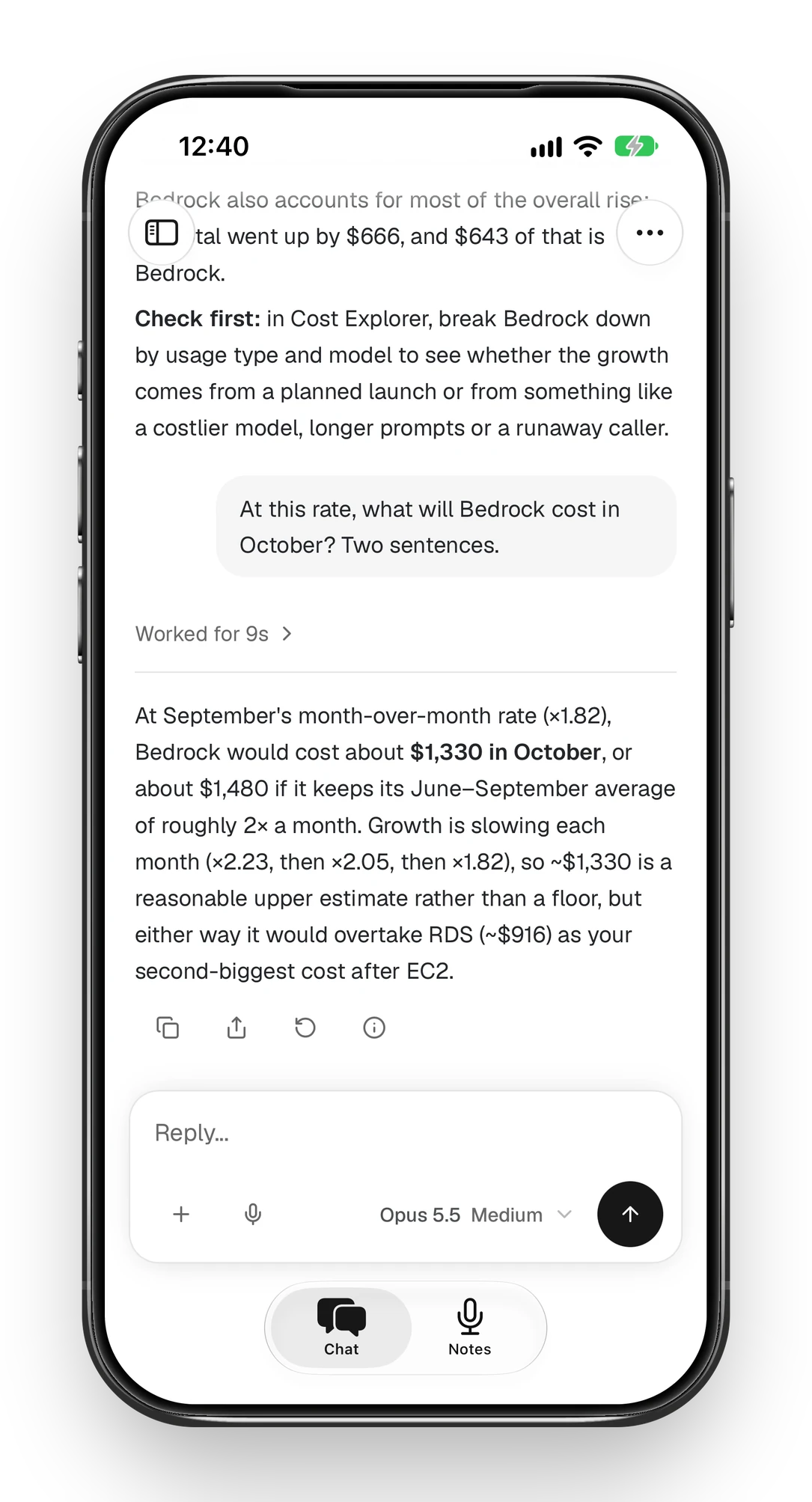
Here is what that looks like: Claude on Bedrock reads a cost export on the computer and finds what grew, and the same chat continues on an iPhone later in this guide.
Before you start: model access in your AWS account
AWS enables access to many Bedrock foundation models by default, given the right AWS Marketplace permissions. Some models need extra account-level access, and Anthropic’s models need the one-time First Time Use form before the first call. Your AWS identity also needs permission to invoke Bedrock models.
Step 1: Put your AWS credentials on the computer
Foxl reads credentials the same way the AWS CLI and SDKs do, so set them up with the AWS CLI:
- Access keys: run
aws configure. The CLI stores them in thecredentialsfile in the.awsfolder in your home directory. - IAM Identity Center (SSO): run
aws configure ssoto create a profile, thenaws sso loginto sign in. Foxl’s SSO Login button runs the same sign-in for you, and needs the AWS CLI installed.
Foxl also accepts credential_process profiles, environment variables and instance roles.
Step 2: Connect Foxl to Bedrock
- Download Foxl from foxl.ai and sign in. It runs on macOS 13 or later, Windows 10 or later (64-bit) and Linux x86-64 (AppImage).
- Open Settings, then Model & provider, and under AI Provider set Provider to Amazon Bedrock.
- Under AWS Authentication, pick a Profile. Default (env / instance) uses the standard AWS lookup; a named profile uses that profile. For an SSO profile, press SSO Login.
- Press Check to confirm Foxl can sign requests.
- Pick a Region (us-west-2 is the default), choose a Default Model, and press Save Provider Settings.
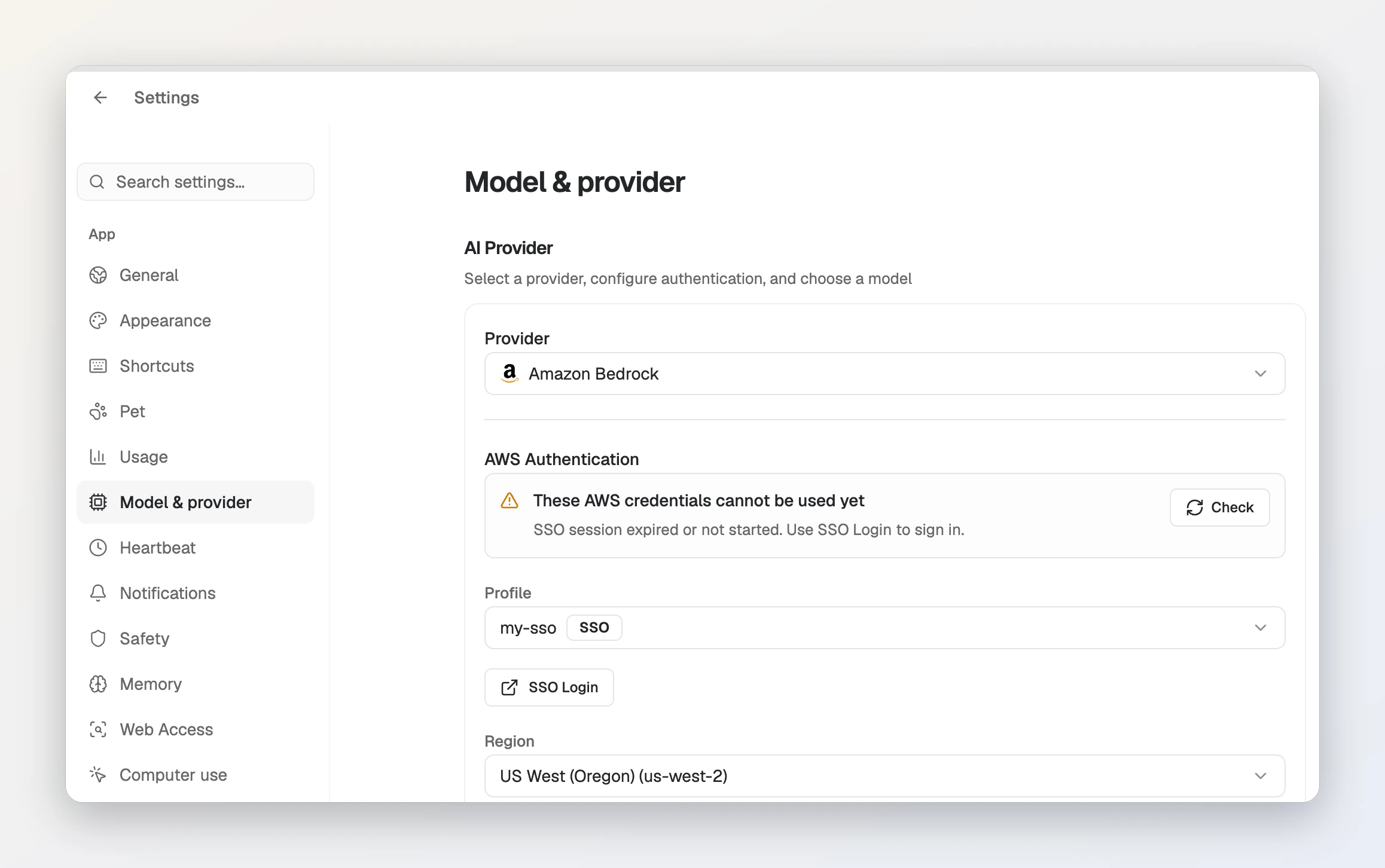
~/.aws/config before signing in: SSO Login appears under the profile, and Check confirms the sign-in afterwards. The profile here uses AWS’s example account ID.Regions and model IDs
Foxl offers seven Regions: us-west-2, us-east-1, us-east-2, ap-northeast-1, eu-west-2, ap-south-1 and ap-southeast-2. Its model list is built in, not read from your account, and most of its models use cross-Region inference profile IDs: us. profiles keep requests within US Regions, while global. profiles may use any commercial AWS Region. If a us. model returns an error outside the US, switch the Region to us-west-2 or us-east-1.
What about Bedrock API keys?
Bedrock API keys come in two kinds: short-term keys that last up to 12 hours, and long-term keys that AWS recommends only for exploration. Tools read them from the AWS_BEARER_TOKEN_BEDROCK environment variable. Foxl’s settings have no field to paste one, so a profile or SSO login is the straightforward setup.
Use it from your iPhone
The phone never needs your AWS credentials. A message you send from the phone runs on your computer, which signs the Bedrock request with its own profile or SSO login.
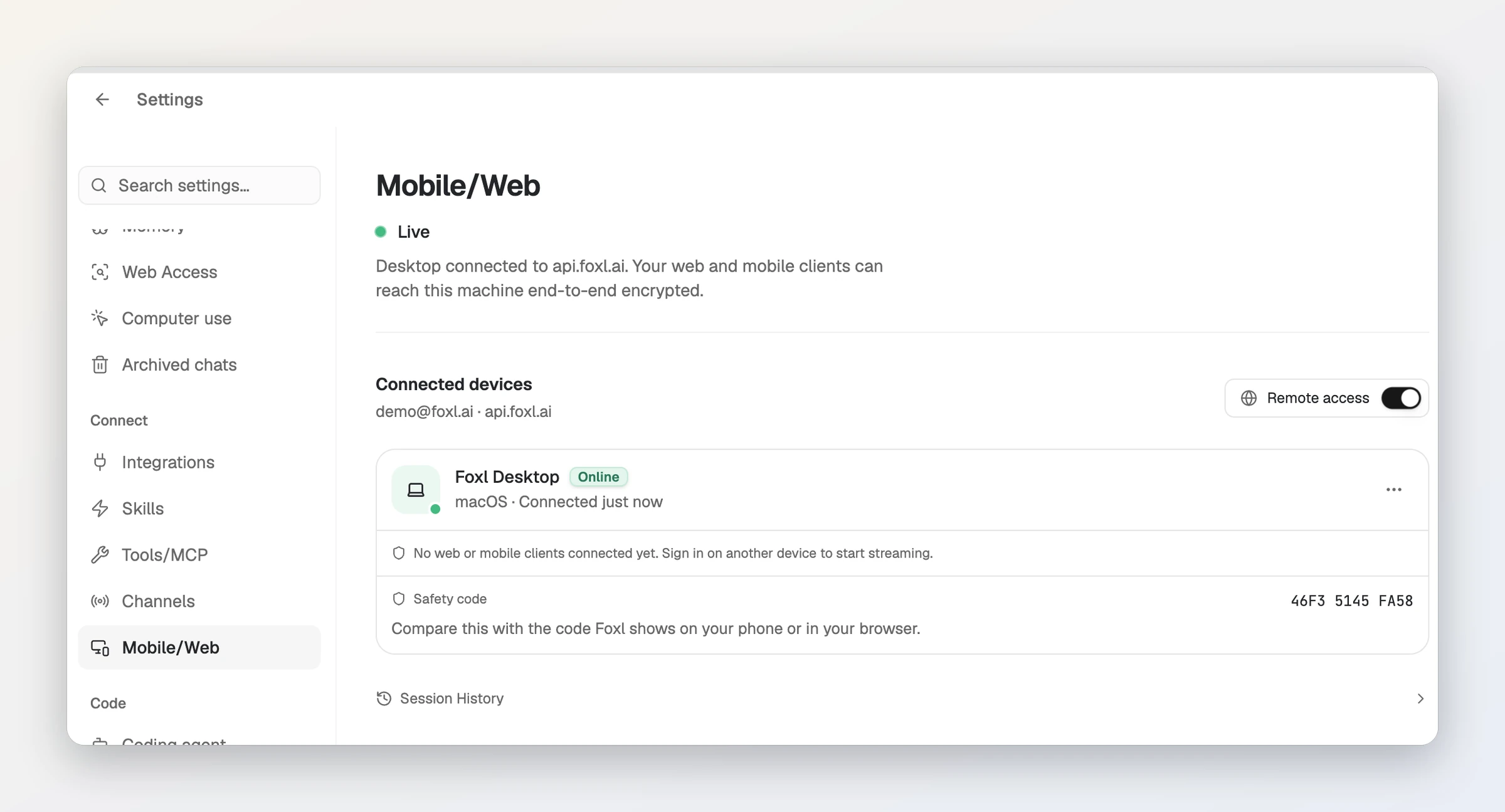
- On the computer, open Settings, then Connect > Mobile/Web. The status should read Live; if it does not, press Enable remote access.
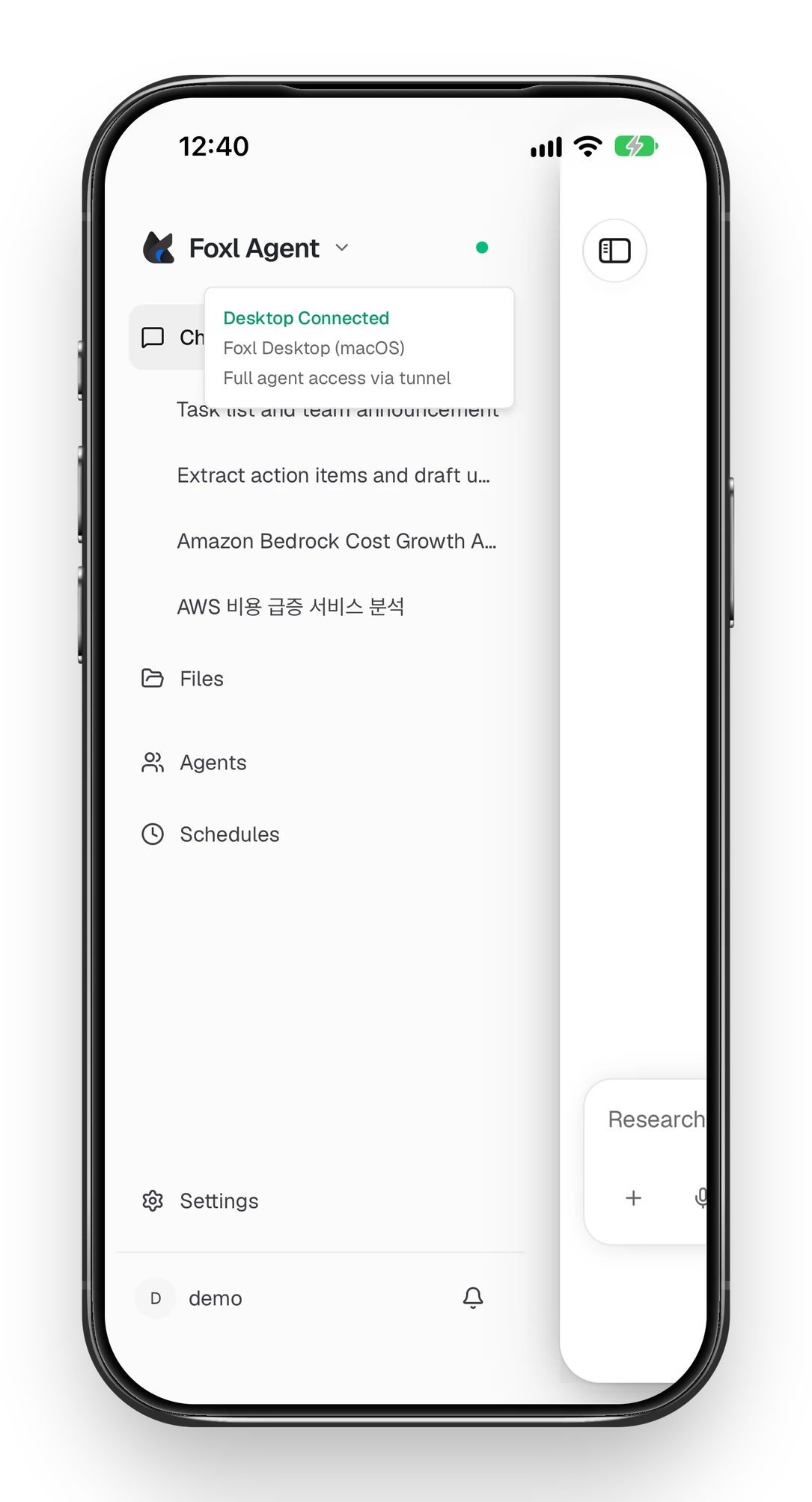
- On the iPhone, install the Foxl app and sign in with the same account. There is no pairing code; a green dot beside Foxl Agent in the sidebar means the computer is connected.
- Open a chat. Your computer’s chats are listed in the sidebar (a new one can take a moment to show up), so you can pick up the one you started at your desk.
- Tap the model name under the message box and choose a Bedrock model. The list is your computer’s. The phone remembers what you pick, and a message sent from the phone switches the computer to that model too.
The computer has to be awake and online. Android works the same way with the APK from foxl.ai, and so does app.foxl.ai in a browser.
Questions people ask
Do I pay Foxl for Bedrock usage?
No. Foxl is free and calls Bedrock with your own AWS credentials, so usage is billed to your AWS account at Bedrock prices.
Can I paste a Bedrock API key into Foxl?
Foxl’s settings have no field for one. Foxl uses the standard AWS credential chain, so the simplest setup is an AWS profile or an SSO login in ~/.aws.
Which Bedrock models can I use?
Foxl lists a built-in catalogue of Bedrock models, Claude included. Which ones answer depends on the model access enabled in your AWS account.
Does it run on Windows and Linux?
Yes. Foxl Agent runs on macOS 13 or later, Windows 10 or later (64-bit) and Linux x86-64 as an AppImage.
Can I use Bedrock from my iPhone?
Yes, through your computer. Turn on remote access in Foxl there, sign in to the Foxl iPhone app with the same account, and pick a Bedrock model in the phone’s model menu. Chats run on the computer with its AWS credentials, so the credentials never go to the phone.
References and further reading
- AWS: access Amazon Bedrock foundation modelsDocumentation
- AWS: Amazon Bedrock API keysDocumentation
- AWS: cross-Region inferenceDocumentation
- AWS CLI: configure IAM Identity Center (SSO)Documentation
- AWS CLI: configuration and credential filesDocumentation