Use OpenRouter in a desktop app on Mac, Windows and Linux
Use OpenRouter from a free desktop app on Mac, Windows and Linux: create a key, pick free models, and know the 50 and 1000 requests-per-day limits.
On this page
OpenRouter is an API: you reach its models through an app that accepts an OpenRouter key. Foxl is a free desktop AI agent for Mac, Windows and Linux that does. Create a key at openrouter.ai, paste it into Foxl, and chat with any OpenRouter model, free ones included, with your files, browser and terminal close at hand.
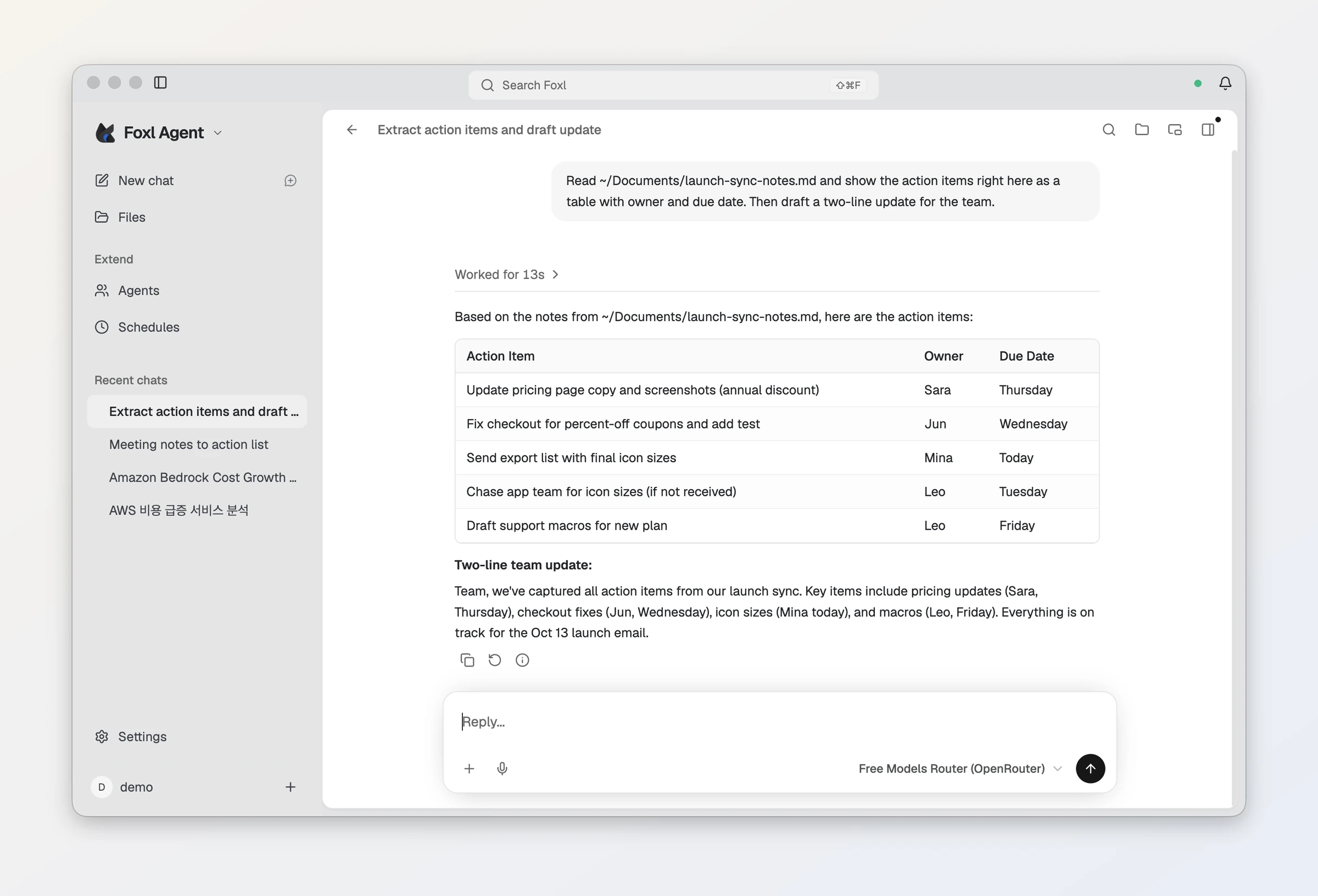
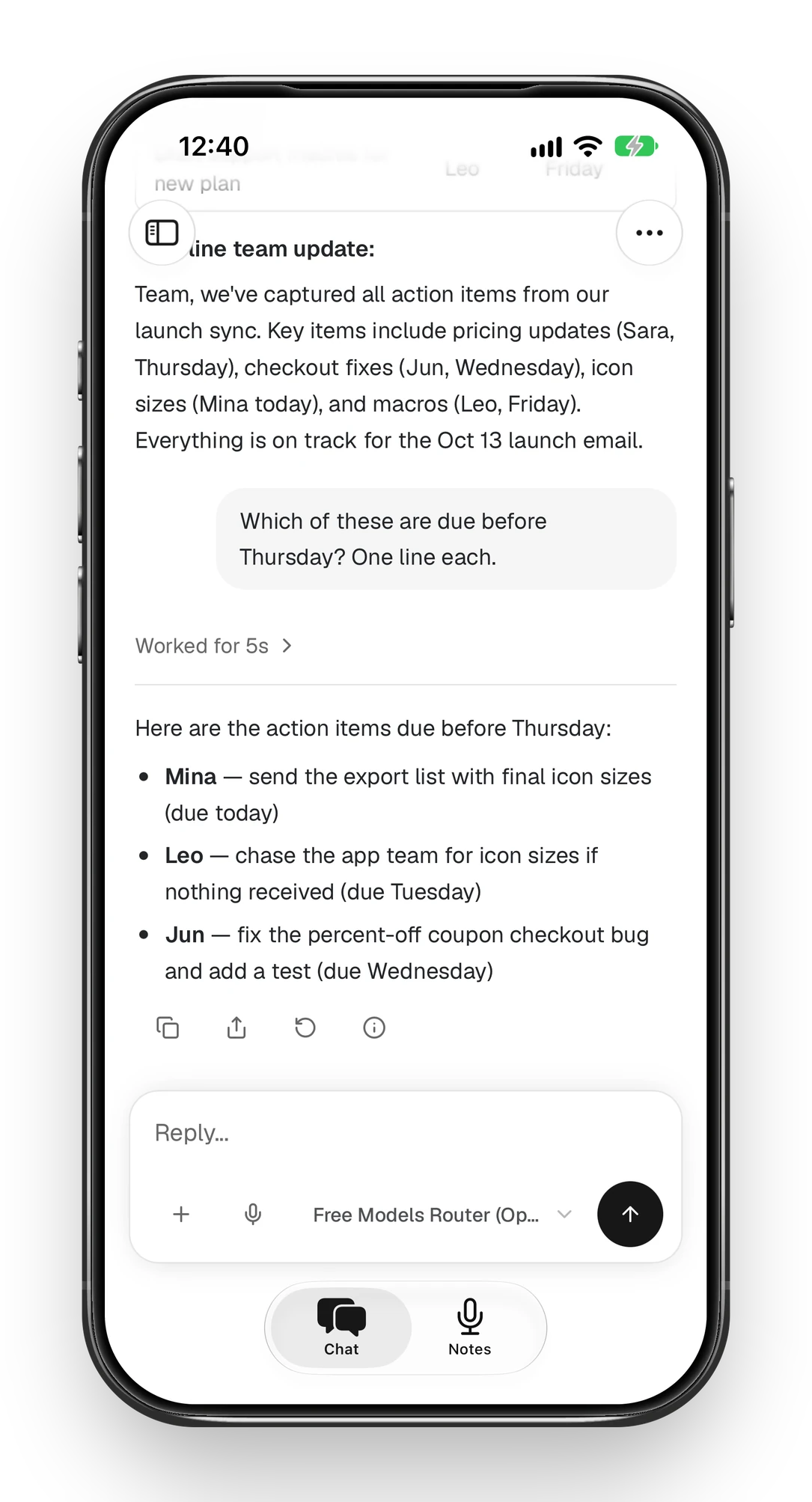
Here is what that looks like with a free model: Foxl reads a meeting-notes file on the computer and turns it into a table of action items, and the same chat carries on from an iPhone later in this guide.
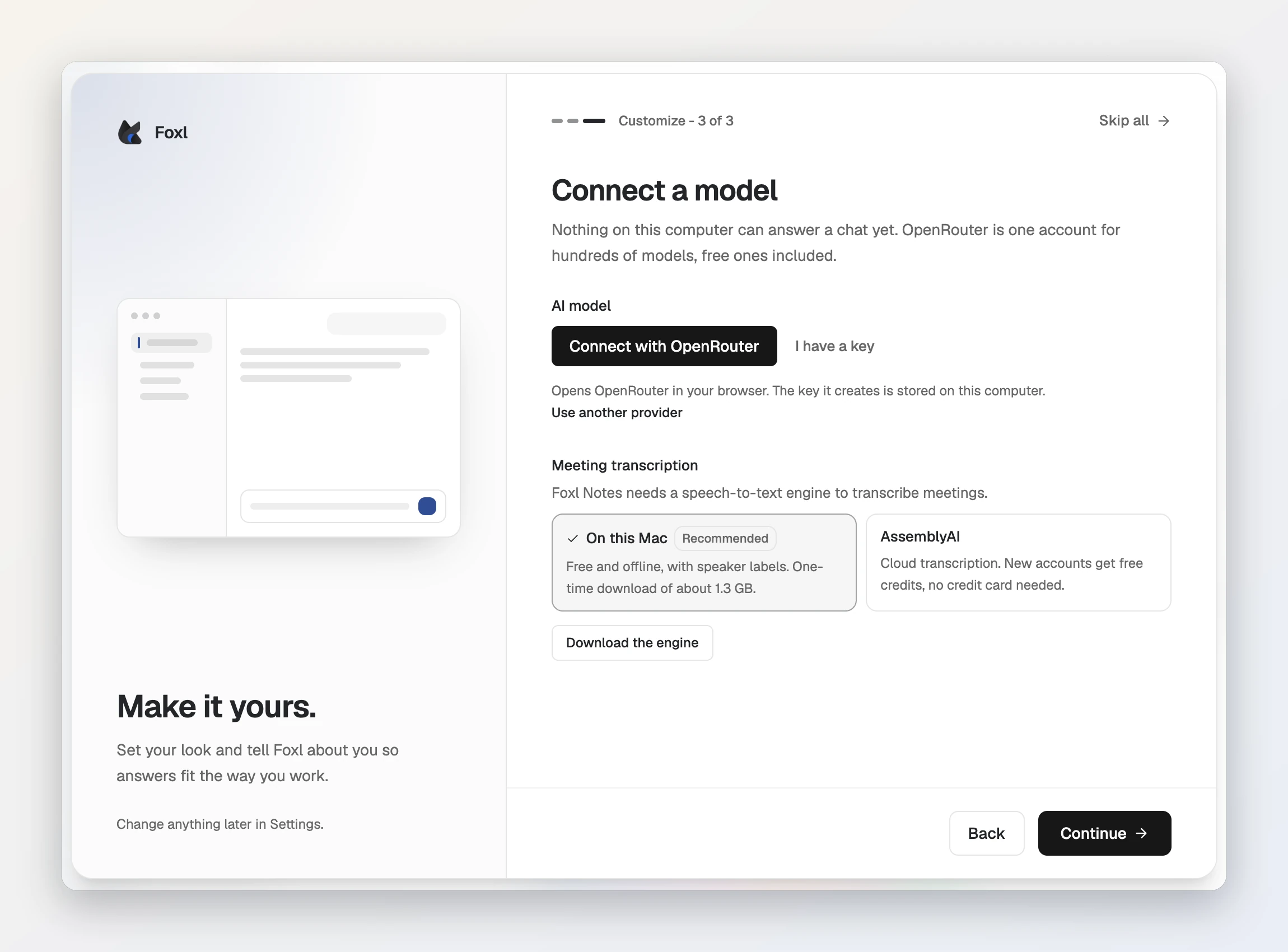
The quick way: Connect with OpenRouter on first run
Since Foxl 0.8.2, a computer where nothing can answer a chat yet (no model key, no Claude or ChatGPT sign-in, no AWS credentials, no Ollama) ends first-run setup with a Connect a model screen. Press Connect with OpenRouter, sign in to OpenRouter in your browser and authorize Foxl. OpenRouter creates a key, Foxl stores it on this computer, and chats start on OpenRouter’s free models (openrouter/free), which have a daily limit.
Already have a key, or another model set up first? I have a key on the same screen takes a pasted key, and the steps below do the same from Settings at any time.
Step 1: Create an OpenRouter API key
- Sign in at openrouter.ai and open the Keys page.
- Create a key. OpenRouter asks for a name and a credit limit, or no limit. A limit is a cheap safety net if the key ever leaks.
- Copy the key. It starts with
sk-or-, which is also what Foxl checks for.
You do not need credits to use free models. You need them for paid models, and buying some also raises the free-model daily limit (below).
Step 2: Add the key to Foxl
- Download Foxl from foxl.ai and sign in. It runs on macOS 13 or later, Windows 10 or later (64-bit) and Linux x86-64 (AppImage).
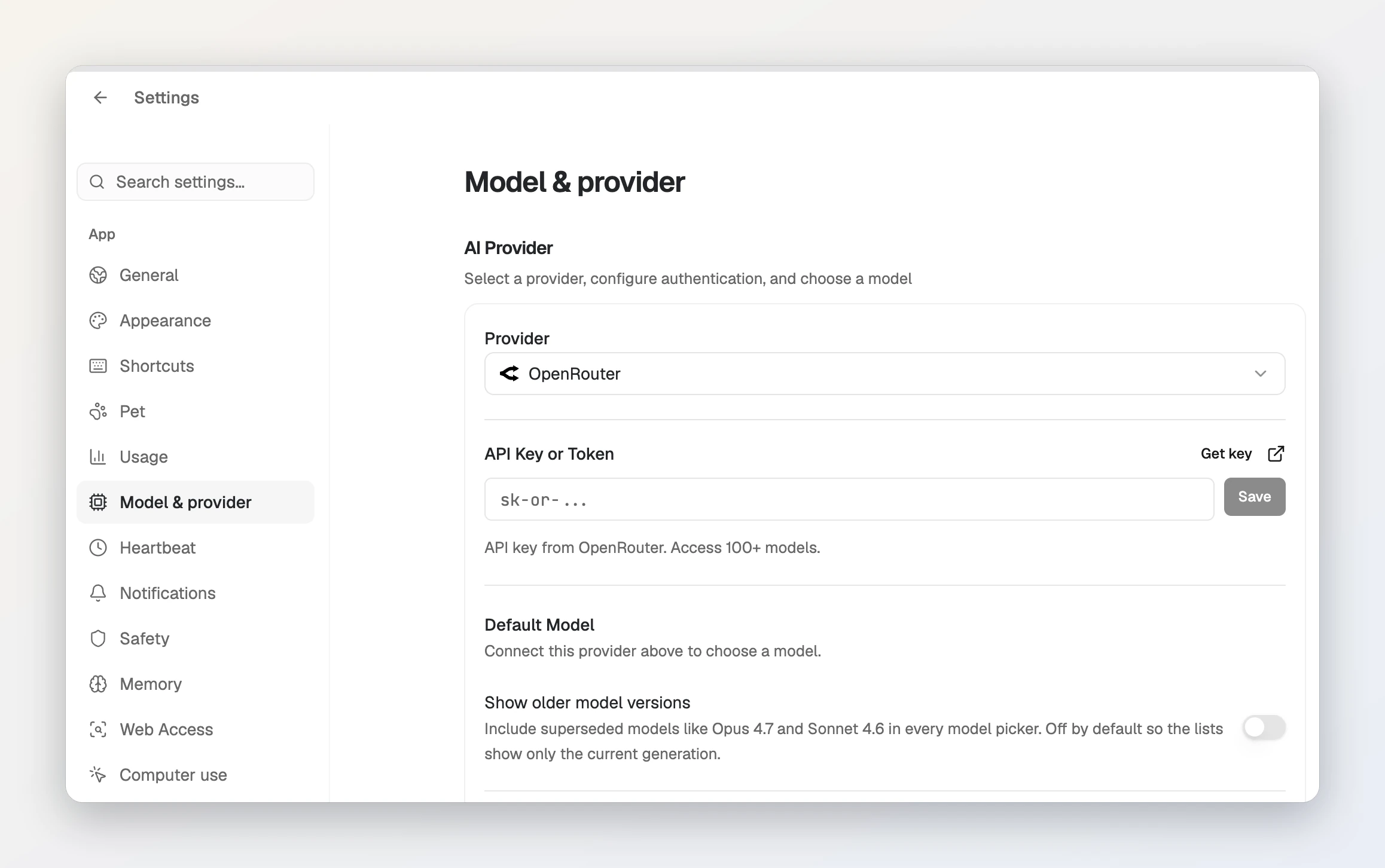
- Open Settings, then Model & provider.
- Under AI Provider, set Provider to OpenRouter.
- Paste the key into API Key or Token and save it. Foxl then loads OpenRouter’s live model catalogue, so new models appear without a Foxl update.
- Choose a Default Model and press Save Provider Settings.
Your chats and memory stay on your computer. What you send in a chat goes to OpenRouter and the model provider behind it, under their policies.
Use only free models
A free model on OpenRouter is a variant whose ID ends in :free. To browse them on the site, filter the models page by price. There is also openrouter/free, a router that picks one of the available free models at random for each request.
In Foxl, turn on Only free models in the OpenRouter settings to list just the :free variants. That switch hides openrouter/free as well, because its ID does not end in :free; turn the switch off to pick the router.
Free model limits
OpenRouter limits free-model requests by how many credits you have bought in total, ever:
| Credits bought (all time) | Requests per minute | Requests per day |
|---|---|---|
| Fewer than 10 | 20 | 50 |
| 10 or more | 20 | 1000 |
OpenRouter grants the higher daily limit from 9 credits, to absorb purchase fees. Paid variants of a model have no platform-level request cap. A negative balance can return 402 errors, even on free models.
To see where you stand, open the Account panel in Foxl’s OpenRouter settings and press Check: it shows today’s free-model requests against your limit, your credits and what this key has spent.
Buying credits
Credits are in US dollars and are bought on OpenRouter’s Credits page. OpenRouter charges a 5.5% fee ($0.80 minimum) on card purchases and 5% on crypto. Ten dollars of credits is enough to lift the free-model daily limit to 1000.
Free models and your data
OpenRouter says it does not route to providers that log prompts, or whose policy it cannot confirm, unless you switch on model training in its privacy settings. Those settings are separate for paid and free models, so check the free one before you send anything private to a free model.
Use it from your iPhone
The phone needs no OpenRouter key of its own. A message you send from the phone runs on your computer, so the key stays on the computer and is never sent to the phone.
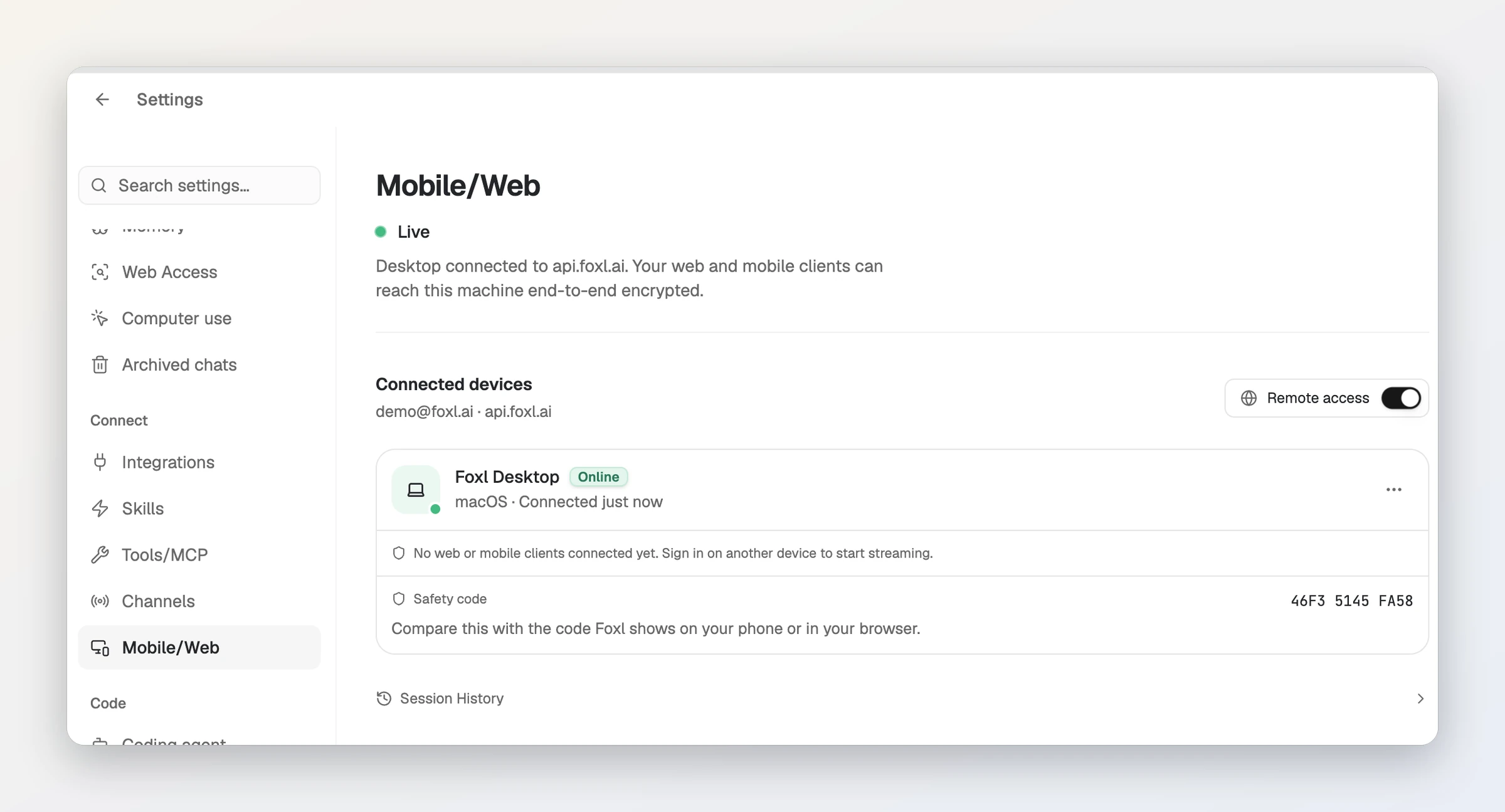
- On the computer, open Settings, then Connect > Mobile/Web. The status should read Live; if it does not, press Enable remote access.
- On the iPhone, install the Foxl app and sign in with the same account. There is no pairing code; a green dot beside Foxl Agent in the sidebar means the computer is connected.
- Open a chat. Your computer’s chats are listed in the sidebar (a new one can take a moment to show up), so you can pick up the one you started at your desk.
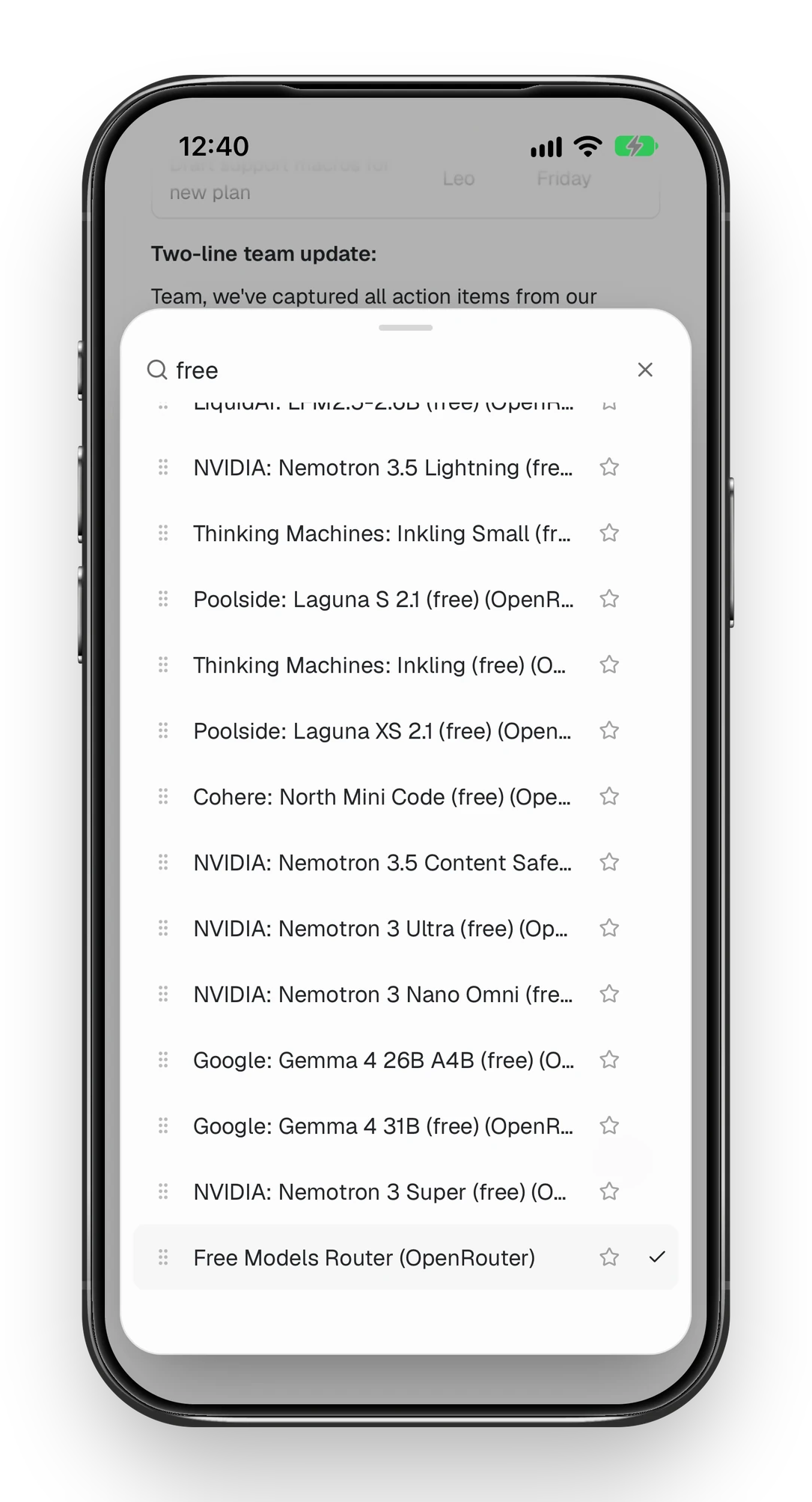
- Tap the model name under the message box and choose an OpenRouter model, for example Free Models Router. The list is your computer’s. The phone remembers what you pick, and a message sent from the phone switches the computer to that model too.
The computer has to be awake and online. Android works the same way with the APK from foxl.ai, and so does app.foxl.ai in a browser.
Questions people ask
Is Foxl free to use with OpenRouter?
Yes. Foxl is free to download and sells nothing inside the app. OpenRouter bills you directly for paid models, and free models cost nothing within its daily limits.
How many free requests per day does OpenRouter allow?
Until you have bought at least 10 credits in total, free models allow 50 requests per day and 20 per minute. From then on the daily limit is 1000. These are OpenRouter’s limits, not Foxl’s.
Which OpenRouter models does Foxl show?
Foxl reads OpenRouter’s live model catalogue once your key is saved. Turn on Only free models to see just the free variants.
Does it work on Windows and Linux?
Yes. Foxl Agent runs on macOS 13 or later, Windows 10 or later (64-bit) and Linux x86-64 as an AppImage.
Can I use OpenRouter models from my phone?
Yes. Turn on remote access in Foxl on your computer, sign in to the Foxl iPhone app with the same account, and pick an OpenRouter model in the phone’s model menu (the computer switches to it too). Chats run on the computer with your OpenRouter key, which stays there.
References and further reading
- OpenRouter: API authentication (creating a key)Documentation
- OpenRouter: free model variantsDocumentation
- OpenRouter: Free Models RouterDocumentation
- OpenRouter: API rate limitsDocumentation
- OpenRouter: FAQ (credits, fees, data sharing)Documentation
- OpenRouter: provider logging and privacy settingsDocumentation