Building Foxl Mobile from a Shared React Codebase
Foxl v0.3.0 reused a shared React source tree across hosted web, Electron, and a Capacitor iOS host, with runtime-specific builds and platform integration. The hard parts were keyboard docking and safe-area ownership without offsetting touch targets.
On this page
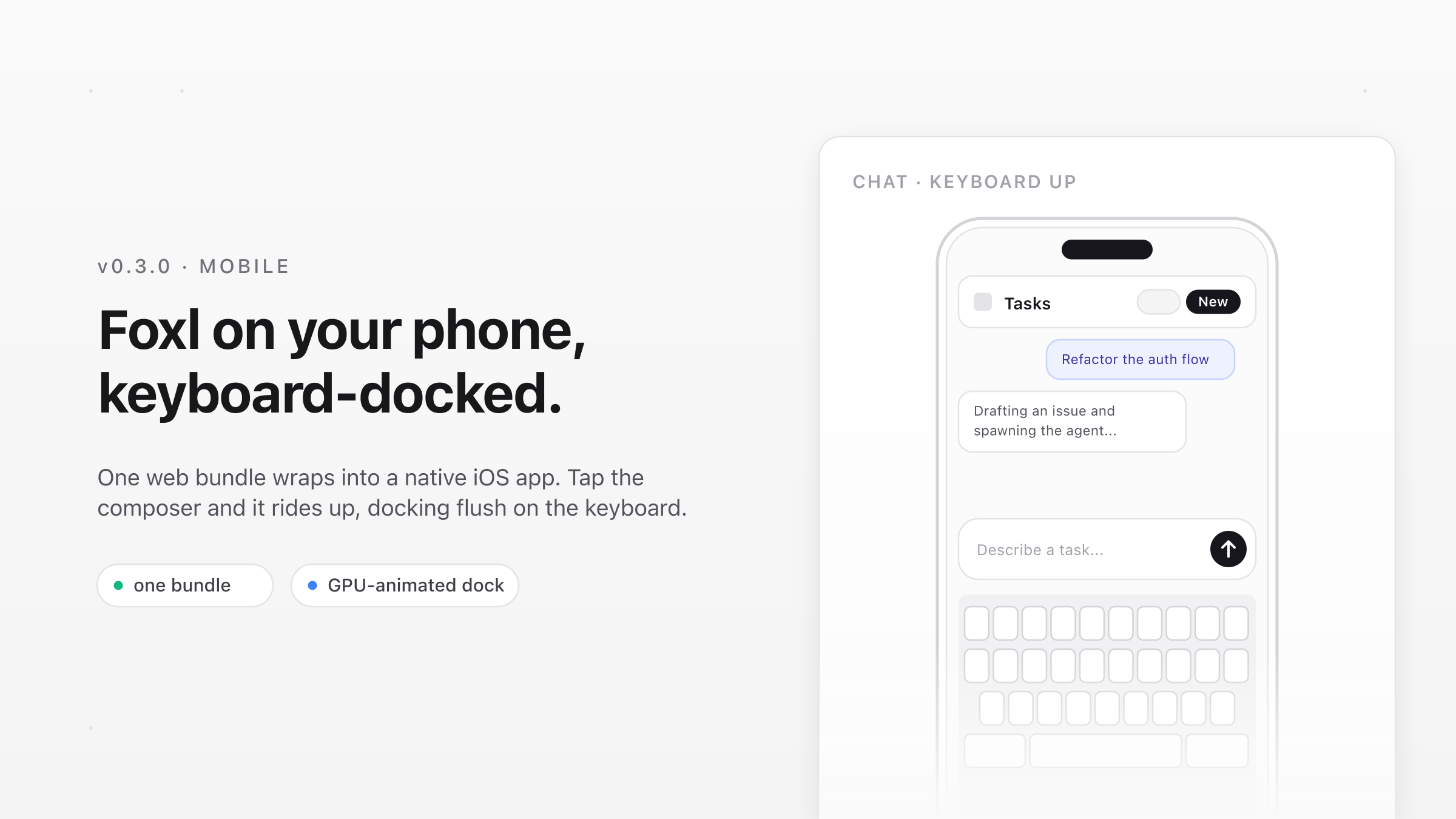
Foxl v0.3.0 added the first Capacitor iOS host for the existing Foxl web application. The release established a native build, mobile authentication plumbing, and a keyboard-aware shell for Agent, Notes, and Foxl Code. It did not publish a consumer mobile app. The current iOS build remains available through TestFlight for testing, with no public App Store or Google Play release.
Putting React in a WKWebView was the smaller problem. The difficult part was deciding which layer owns viewport resizing, safe-area insets, document scrolling, and remote API access. When two layers tried to solve the same problem, the result was delayed keyboard movement or touch targets that no longer matched the rendered controls.
The problem
Foxl needed a phone client without creating a second product implementation. Reusing the web source preserved the navigation, account, chat, Notes, and Code behavior, but a native WebView introduced contracts that a normal browser tab does not have:
- The software keyboard must reduce the usable shell height while the header remains fixed and only the inner content region scrolls.
- The native scroll view and the web layout must not both apply the device safe area.
- A
capacitor://localhostorigin must reach authenticated services that the hosted web application calls through its own origin. - Native sign-in, microphone, persistence, and notification APIs need explicit platform bridges and device validation.
Architecture: shared source, runtime-specific builds
The browser, Electron, and mobile clients use the same React source tree under foxl/apps/web. They are not one identical compiled artifact. The mobile build runs Vite with VITE_RELAY_ONLY=true, writes foxl/apps/web/dist, and lets Capacitor copy that directory into the generated native project. Electron compiles the same source with desktop configuration and connects to its local server.
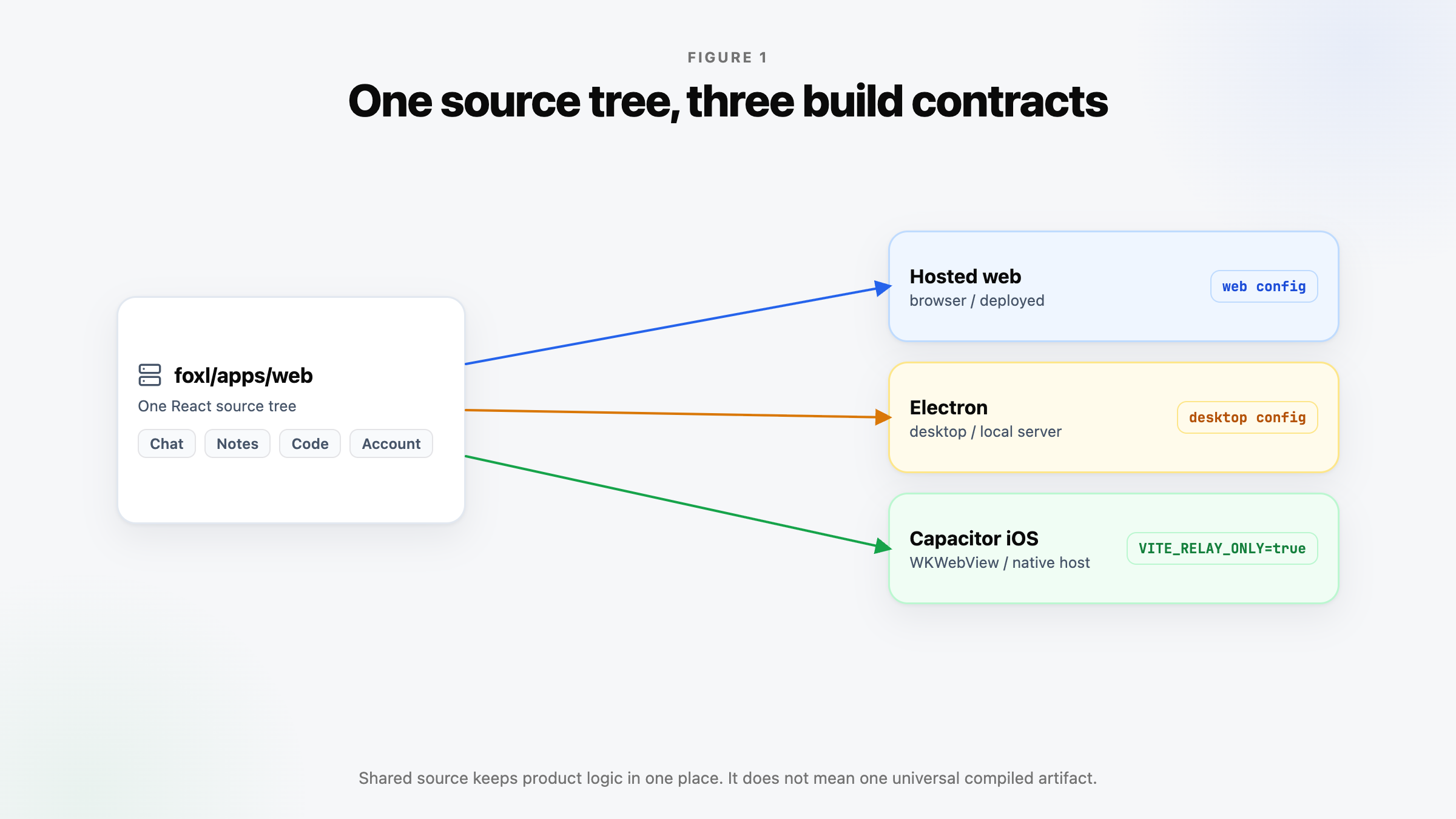
This choice keeps product logic in one place and limits the native project to packaging and platform integration. The tradeoff is that source compatibility does not imply runtime equivalence. WKWebView keyboard behavior, custom URL schemes, permissions, and app lifecycle events still require native tests. A web change also does not reach an installed build until the relay-only bundle is rebuilt and synchronized into the native project.
Foxl Code adds one more boundary. The orchestrator is exposed through the foxl-app Cloudflare Worker at /forge-api, backed by a Service Binding. Hosted web calls that path on the same origin. Native and Electron builds use the deployed application host, so the Worker must answer CORS for their known origins and forward the authenticated request. This keeps the orchestrator off a separate public hostname, but it makes the Worker route, origin allowlist, and bearer-token path part of the mobile release contract.
The shipped keyboard contract
The current Capacitor configuration uses Keyboard.resize: 'none'. WKWebView keeps its full native frame when the keyboard appears. The web layer receives keyboardWillShow, reads keyboardHeight, and reduces the height of the application shell itself.
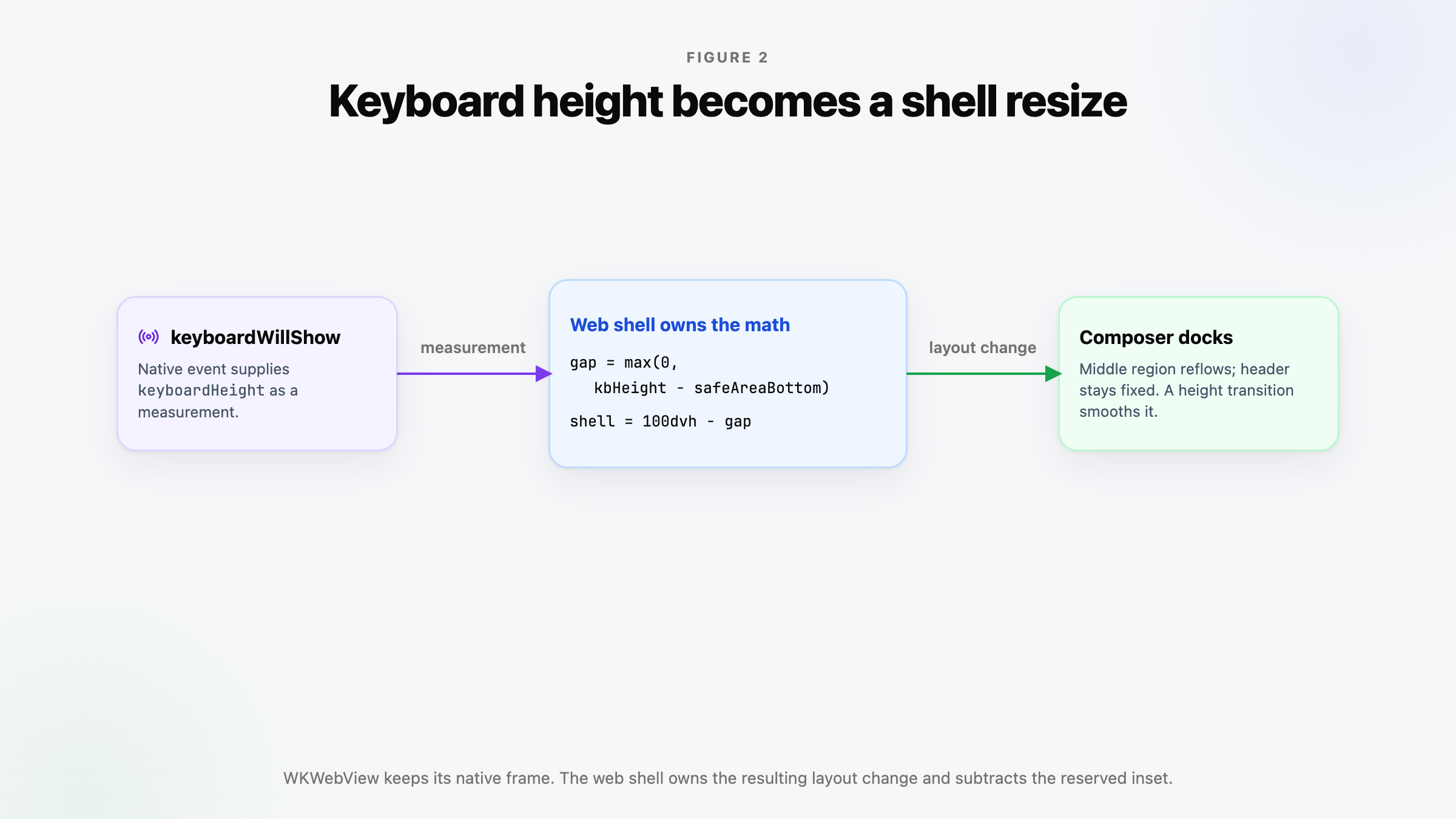
keyboardGap = max(0, round(keyboardHeight - safeAreaBottom))
shellHeight = calc(100dvh - var(--keyboard-gap, 0px))
The bottom inset is measured with a temporary env(safe-area-inset-bottom) probe. It is subtracted because WKWebView has already reserved that portion of the screen. Without the subtraction, the composer would stop above the keyboard by the home-indicator inset. On keyboardWillHide, the CSS variable returns to zero.
The shell is a fixed-height flex row containing a column whose header and composer have stable positions and whose middle region can shrink. Changing the shell height therefore reflows the middle region and moves the composer from the bottom. A CSS height transition smooths that relayout. It is not a transform-only, GPU-guaranteed animation, and the code does not receive or reproduce the keyboard's exact animation curve. The acceptance criterion is visual alignment on supported devices, not a claim of frame-perfect synchronization.
The hook exits immediately outside a native Capacitor runtime. Browser and Electron builds keep a zero keyboard gap. The native chat accessory bar is hidden to recover vertical space; the terminal has a separate, current iOS accessory implementation for its command keys.
Rejected keyboard experiment
The first implementation used Keyboard.resize: 'native'. That was an experiment, not the current design. The Capacitor plugin changed the WKWebView frame after the keyboard event. In simulator testing this exposed the window behind the WebView as a black region and moved the content later than the keyboard. A visualViewport-based replacement also could not supply the missing measurement under resize: 'none', because that viewport did not report the keyboard gap in this configuration.
The retained design uses the plugin event only as a measurement source and leaves the native frame unchanged. That decision removes the exposed-window failure mode, but it places shell sizing and animation performance under the web application's control.
One owner for the root safe area
At the root, iOS uses WKWebView contentInset: 'always'. The document does not add viewport-fit=cover or duplicate global safe-area padding. The native inset keeps the header below the status area and the bottom chrome above the home indicator.
A development experiment combined contentInset: 'always' with viewport-fit=cover and web-side padding. In this project, the rendered controls and iOS touch coordinates then diverged, so taps landed away from their targets. That change was reverted. The rule is scoped: WKWebView owns the root inset, while CSS env() may still be used as a measurement or by a local overlay that has a separate layout contract.
Later scroll hardening
v0.3.0 established the keyboard and inset approach. Later releases hardened it after streaming transcripts and focused inputs showed that WebKit could still move the outer scroll view programmatically. The current implementation deliberately does not call Keyboard.setScroll: that plugin path can clamp the native offset to zero, but the correct resting offset with adjusted insets is negative at the top.
The iOS FoxlViewController now disables user scrolling and pins the outer WKScrollView to the negative adjusted inset. In parallel,useNativeScrollLock resets accidental window scrolling and any programmatic scroll on shell-level overflow: hidden containers. Legitimate inner message, transcript, and terminal scrollers remain scrollable. These guards are current behavior, not evidence that every one of them shipped in the initial v0.3.0 tag.
Failure modes
- Using
visualViewportas the only keyboard measurement underresize: 'none'leaves the gap at zero. - Applying both native and global web safe-area handling can double the inset or misalign touch coordinates.
- Calling a broad
scrollIntoView()can move hidden outer scroll containers in addition to the intended message list. - Omitting the native origin from CORS, or bypassing the deployed proxy, prevents Foxl Code requests even when the same call works at
app.foxl.ai. - Running Capacitor without rebuilding and synchronizing the web output packages a stale application.
Validation
The v0.3.0 implementation passed a relay-only web build and an iOS xcodebuild; the login view rendered in the simulator. Repository release notes also record validation of the deployed /forge-api proxy and a successful CORS preflight from the native origin. Simulator geometry checks covered the keyboard gap, fixed header, non-scrolling document, and Agent and Code composer placement.
Those checks do not replace device testing. A release candidate should exercise keyboard show and hide across orientations, safe-area devices, long chat and transcript autoscroll, native deep-link return, app background and resume, microphone permission, persistence after relaunch, and authenticated Code requests. The repository has no focused automated keyboard or safe-area regression suite, so these remain manual release checks.
What v0.3.0 shipped, and what it did not
v0.3.0 shipped the source and release foundation: the Capacitor iOS project, relay-only web packaging, mobile deep-link handling, microphone permission declarations, read-only native billing, keyboard docking, and the Agent, Notes, and Code surfaces in one application shell. It did not ship a public mobile-store download.
The current repository tracks iOS TestFlight builds, but no generated Android project is present. Full device OAuth and Notes recording flows still require explicit end-to-end validation. Push permission, device token registration, and relay-side token storage exist; the relay does not yet implement APNs or FCM delivery. Those are implemented foundations or open work, not completed notification behavior.
References and further reading
- Mobile app status (coming soon)Documentation
- Foxl Code architectureDocumentation